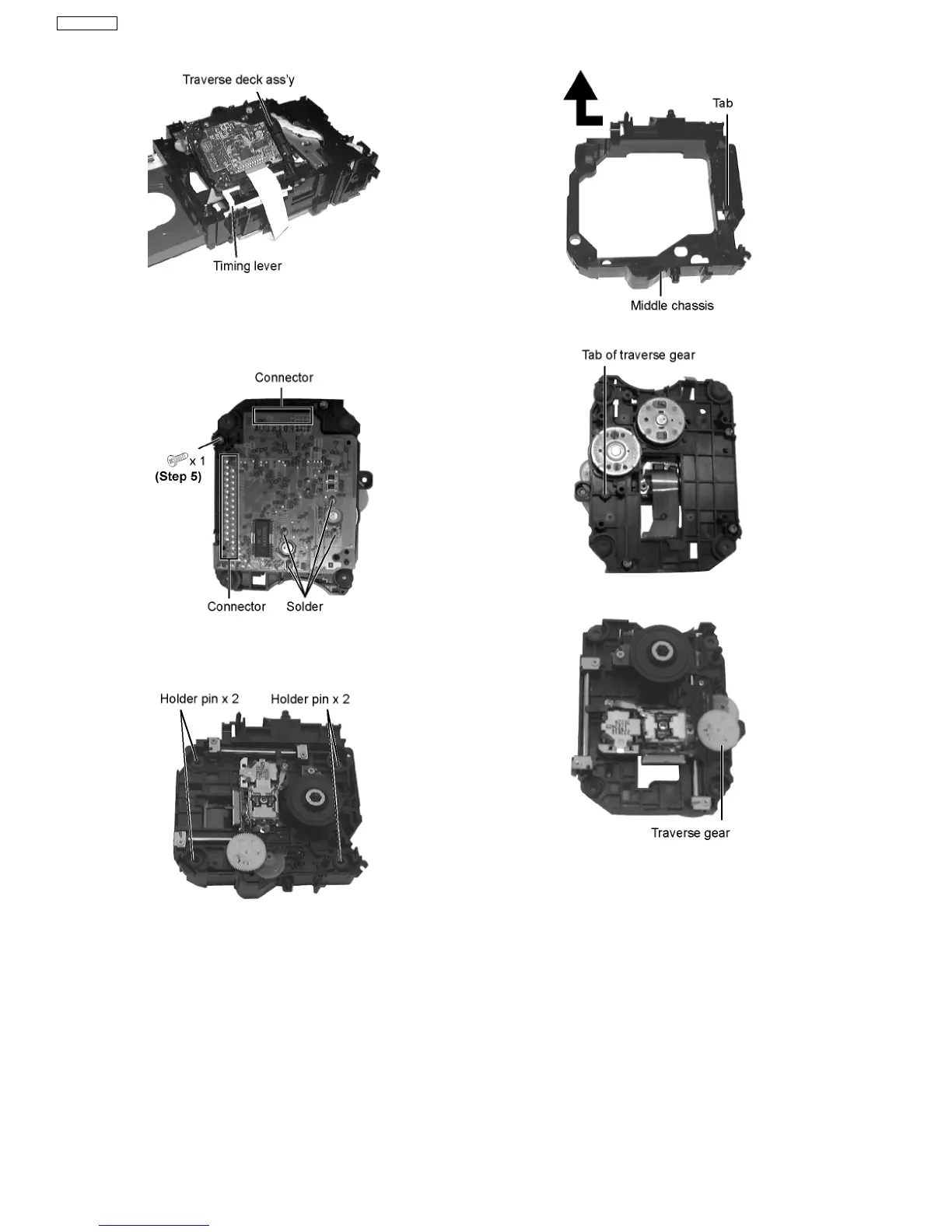
Step 6 Remove the traverse deck ass’y from the timing lever.
Caution:
When removing or inserting the traverse deck avoid touching
the OPU lens and pressing onto the turntable.
Step 7 Remove 3 screws.
Step 8 Unsolder the motor terminals (4 points).
Step 9 Remove the holder pins.
Step 10 Remove the tab.
Step 11 Disengage the tabs from the traverse gear.
Step 12 Remove the traverse gear.
Step 13 Unscrew the screws.
Step 14 Remove the spring holders and the springs.
Step 15 Pull out the drive shaft and guide shaft.
38
SA-VK61DGS











 To Next Page