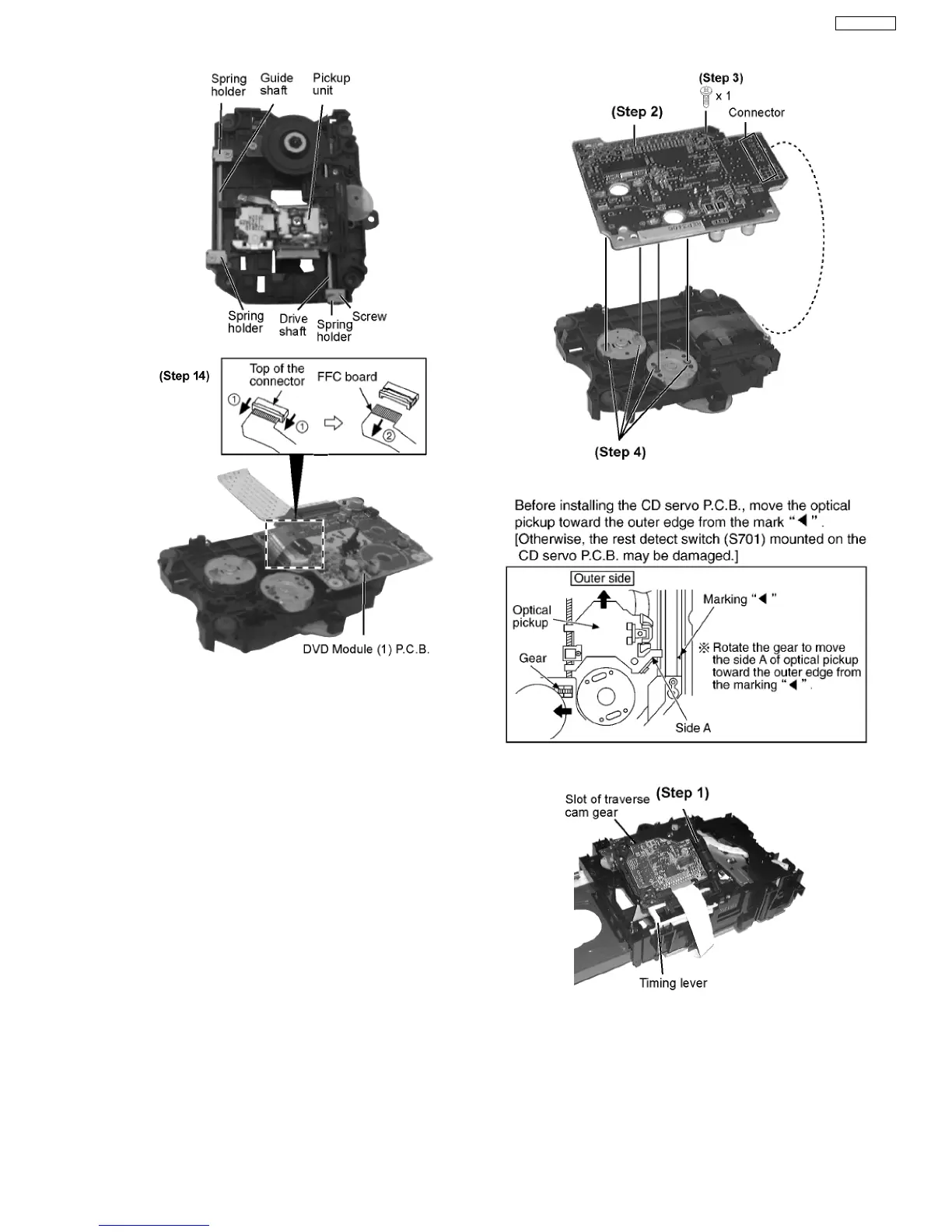
Step 16 Remove the FFC board from the connector, and then
remove the DVD Module (1) P.C.B.
·
Installation of the DVD Module (1) P.C.B. after
replacement
Step 1 Connect the FFC board.
Step 2 Install the DVD Module (1) P.C.B. in the traverse deck
ass’y.
Step 3 Remove 3 screws.
Step 4 Solder.
·
Note for installation of the DVD Module (1) P.C.B.
·
Installation for traverse deck ass’y
Step 1 Install the traverse deck ass’y to the timing lever.
Step 2 Align the boss of traverse deck ass’y with the slot of
traverse cam gear.
39
SA-VK61DGS



 To Next Page