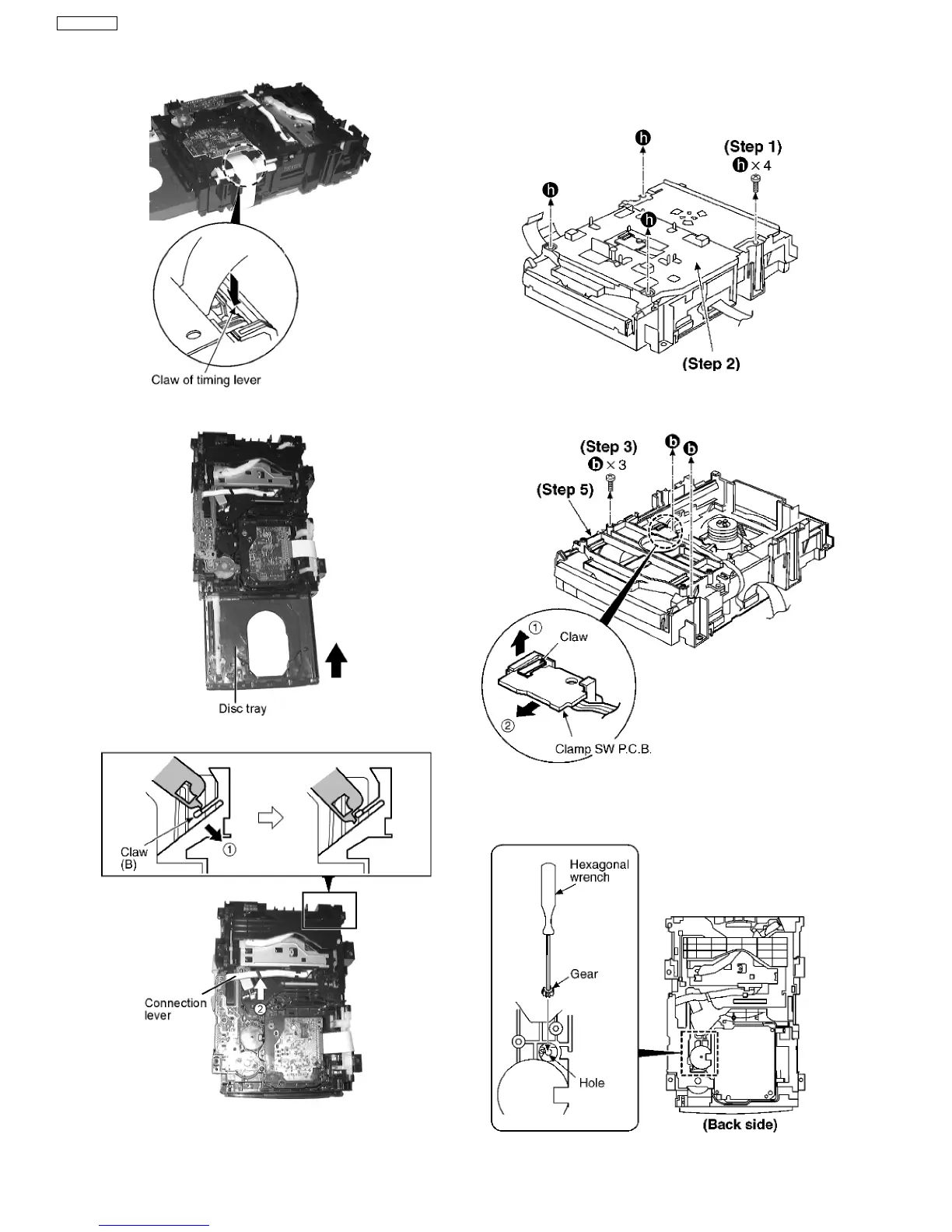
Step 3 Force the claw of timing lever.
Step 4 Force the disc tray fully.
Step 5 With pressing the claw (B) in the direction of arrow (1),
force the connection lever in the direction of arrow (2).
17.8.2. Replacement for the disc tray
Step 1 Remove 4 screws.
Step 2 Remove the upper plate.
Step 3 Remove 3 screws.
Step 4 With lifting the claw in the direction of (1), draw the
clamp SW P.C.B. in the direction of arrow (2).
Step 5 Remove the mechanism cover.
40
SA-VK61DGS











 To Next Page