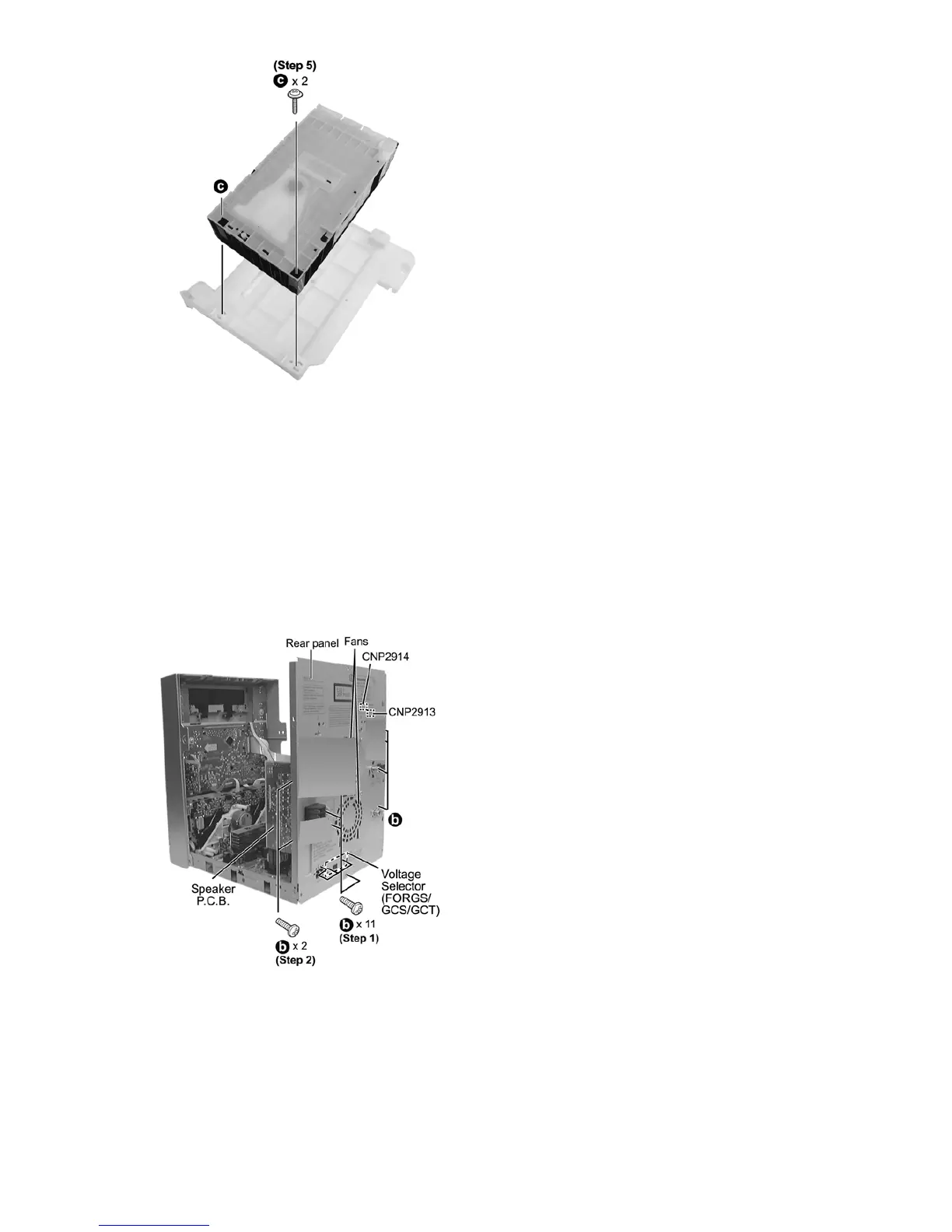
•• Disassembly of Mecha Chassis
Step 1 Remove 11 screws (For GS/GCS/GCT).
Remov
e 9 screws (For GC).
* The differentiate the screws for the GC with GS/GCS/GCT,
jus
t because of the Voltage Selector.
Ste
p 2 Remove 2 screws at Speaker P.C.B..
Ste
p 3 Detach the fan wires CNP2913 & CNP2914 from Main
P.C.B..
Ste
p 4 Remove rear panel.
Step 5 Remove 2 screws.
Ste
p 6 Remove the Mecha Chassis.
Note:
Fo
r disassembly & assembly of traverse unit, please refer to
sectio
n 11.16 of this service manual. Please refer to original
Servic
e Manual for the Disassembly and Assembly of the
CD Chang
er Unit (CRS1D), section 5.
11.6. Disassembly of Rear Panel
•• Follow the (Step 1) - (Step 2) of Item 11.4 - Disassembly of Top Cabinet
•• Follow the (Step 1) - (Step 4) of Item 11.5 - Disassembly of CD Changer Unit








 To Next Page