27
Picture Profiles
Editing profiles
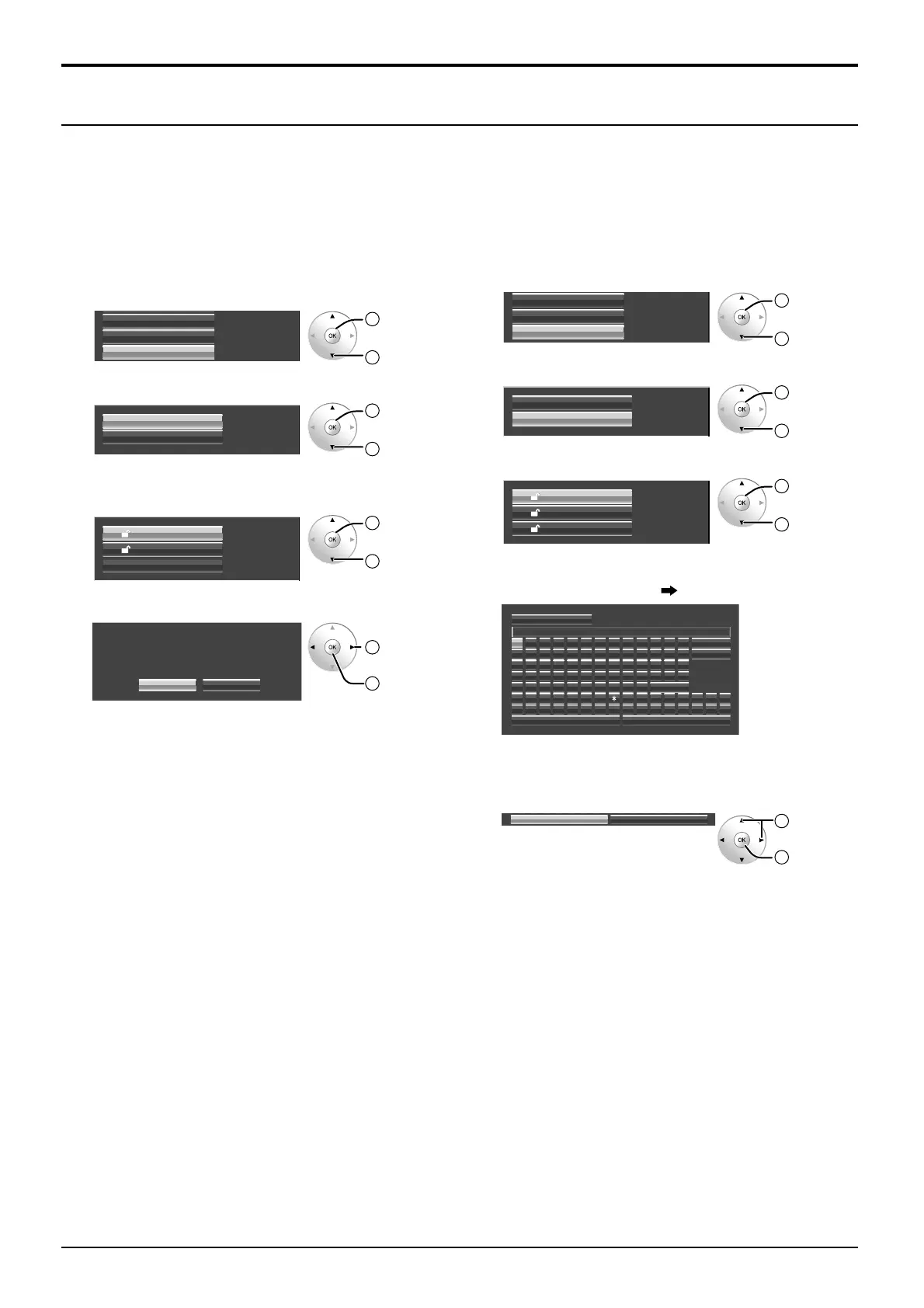
Delete or rename profiles as follows.
<Deleting profiles>
Note:
Locked profiles and profiles currently in use cannot be
deleted.
1
In the Picture menu, select “Memory edit”.
Memory save
Memory load
Memory edit
2
OK
1
select
2
Select “Memory delete”.
Memory name change
Memory delete
2
OK
1
select
3
Select the profile to delete.
To delete all profiles, select “All delete”.
1.
[]
MEMORY1
MEMORY2
All delete
2.
[]
2
OK
1
select
4
Select “Ok”.
Ok Cancel
Memory delete
Dlete the MEMORY1 data.
1
select
2
OK
<Renaming profiles>
Note:
Locked profiles cannot be renamed.
1
In the Picture menu, select “Memory edit”.
Memory save
Memory load
Memory edit
2
OK
1
select
2
Select “Memory name change”.
Memory name change
Memory delete
2
OK
1
select
3
Select the profile to rename.
1.
[]
MEMORY1
MEMORY2
2.
[]
MEMORY12
12.
[]
2
OK
1
select
4
Enter a name for the profile.
Entering profile names page 25
A BCDEFGH I J KLM
NOPQRS TUVWXYZ
abcde fgh i j k lm
nopqr s t uvwxyz
0123456789
”#$%&’ +–/=?
_` |~<>( ) [ ] { } ,
@\ ˆ
.;:
!
Ok
MEMORY1
█
Memory name input
All delete
Delete
Space
Cancel
5
When you finished entering the profile name, select
“Ok”.
To cancel renaming the profile, select “Cancel”.
Ok Cancel
1
select
2
OK








 To Next Page