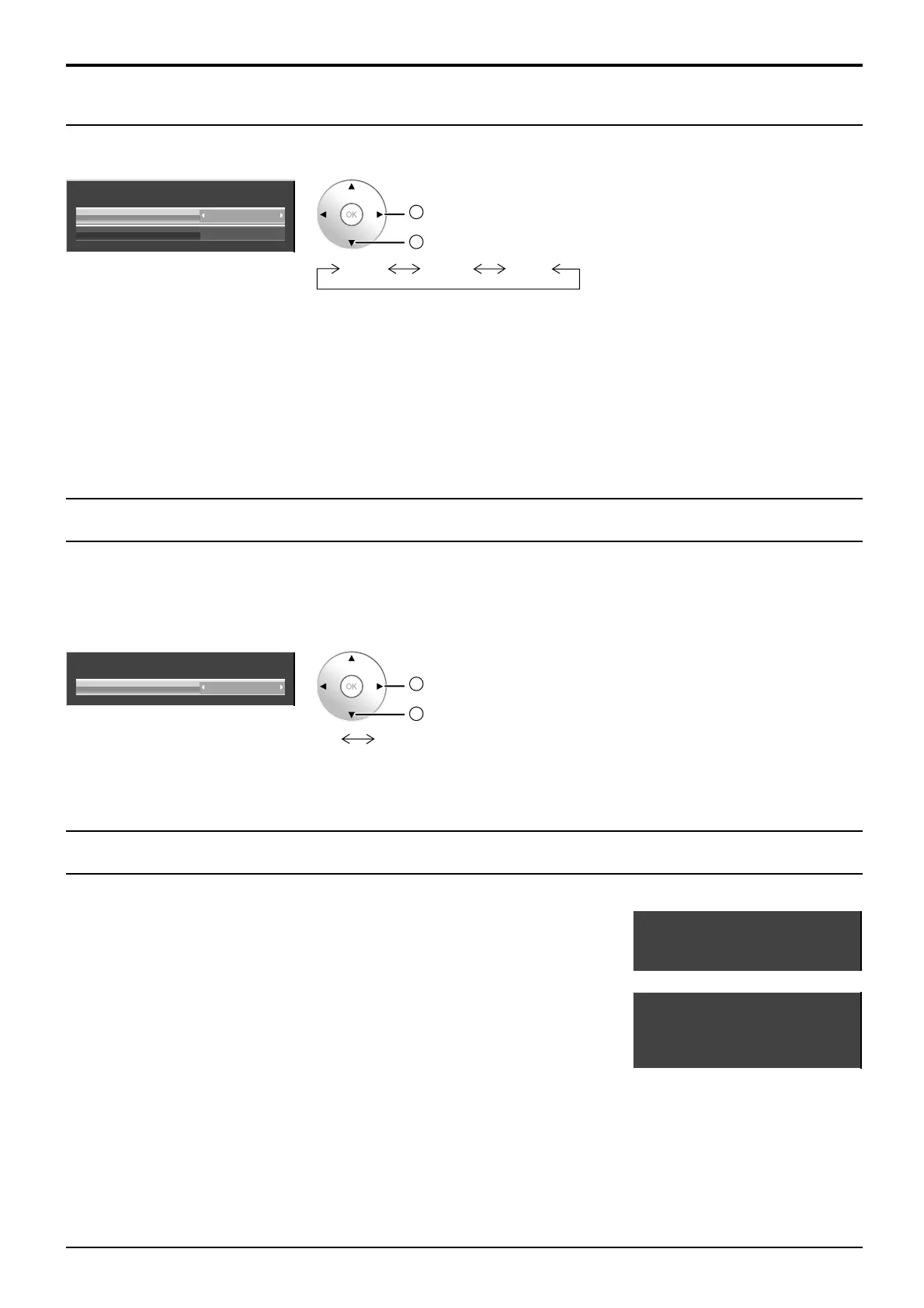
33.7 kHz
60.0 Hz
1125(1080)/60i
H-Freq.
V-Freq.
Signal Format
108.0 MHzDot Clock Freq.
33.7 kHz
60.0 Hz
1125(1080)/60i
H-Freq.
V-Freq.
Signal Format
40
Sync
Select Signal from the “Setup” menu during RGB input signal.
1024 ×768
Signal
[
RGB
]
AutoSync
XGA Mode
2
change
1
select
Auto VBSon G
Setting RGB sync signal:
Confirm that the input is set to RGB input (this setting is valid only for RGB input signal).
Auto: The H and V sync or synchronized signal are automatically selected. If both input, it is selected the H and
V sync.
on G: Uses a synchronized signal on the Video G signal, which is input from the G connector.
VBS: Uses a synchronized signal of Composite Sync input, which is input from the HD connector.
SDI Through
Set the active through function of the Dual Link HD-SDI Terminal Board (TY-FB11DHD).
Note:
Settings can only be performed for this menu when a slot mounted with a Dual Link HD-SDI Terminal Board
(TY-FB11DHD) is selected.
Signal
[
Digital
]
OffSDI Through
2
change
1
select
Off On
On: Enables active through.
Off: Disables active through.
Input signal display
Setup for Input Signals
Displays the frequency and the type of the current input signal.
This display is valid only for Component / RGB / PC and Digital input signal.
Display range:
Horizontal 15 - 110 kHz
Vertical 48 - 120 Hz
The dot clock frequency is displayed during digital signal input.






 To Next Page