38
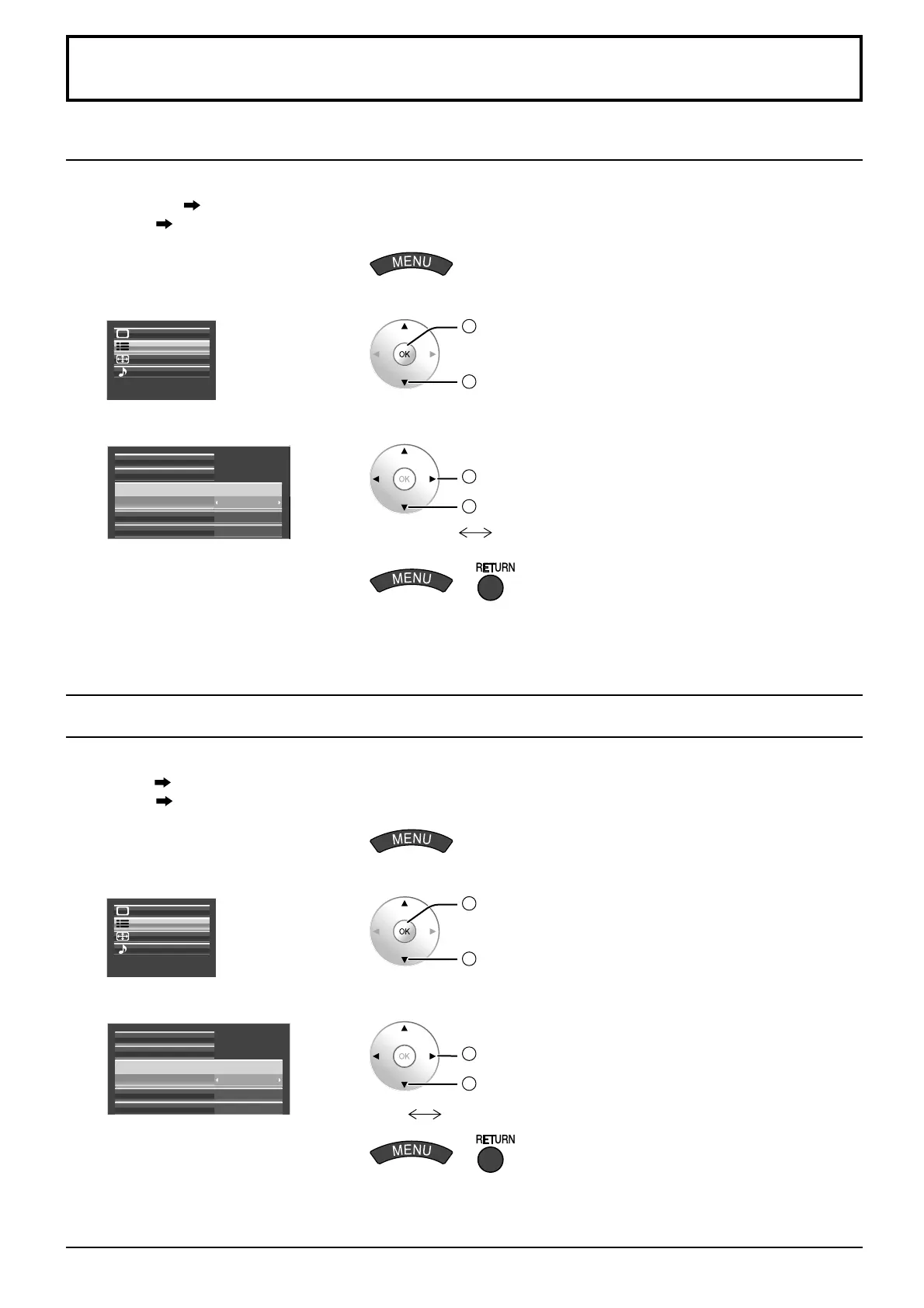
Component / RGB-in select
Select to match the signals from the source connected to the Component / RGB input terminals.
Y, P B, PR signals “Component”
RGB signals “RGB”
1
Display the menu screen.
2
Select “Setup”.
Setup
Pos. /Size
Sound
Picture
2
OK
1
select
3
Select “Component / RGB-in select” and set.
Component/RGB-in select
External scaler mode
Power save
Off
Off
RGB
Screensaver
Signal
2
change
1
select
Component
RGB
4
Exit the menu.
or
Notes:
Selection may not be possible, depending on which optional board is installed.
Make setting of the selected input terminal (SLOT1, SLOT2, SLOT3 or PC IN).
YUV / RGB-in select
Select to match the signals from the source connected to the DVI input terminals.
YUV signals
“YUV”
RGB signals
“RGB”
1
Display the menu screen.
2
Select “Setup”.
Setup
Pos. /Size
Sound
Picture
2
OK
1
select
3
Select “YUV / RGB-in select” and set.
YUV/RGB-in select
External scaler mode
Power save
Off
Off
RGB
Screensaver
Signal
2
change
1
select
YUV
RGB
4
Exit the menu.
or
Notes:
Selection may not be possible, depending on which optional board is installed.
Make setting of the selected input terminal (SLOT1 or SLOT2).
•
•
•
•
Setup for Input Signals







 To Next Page