33
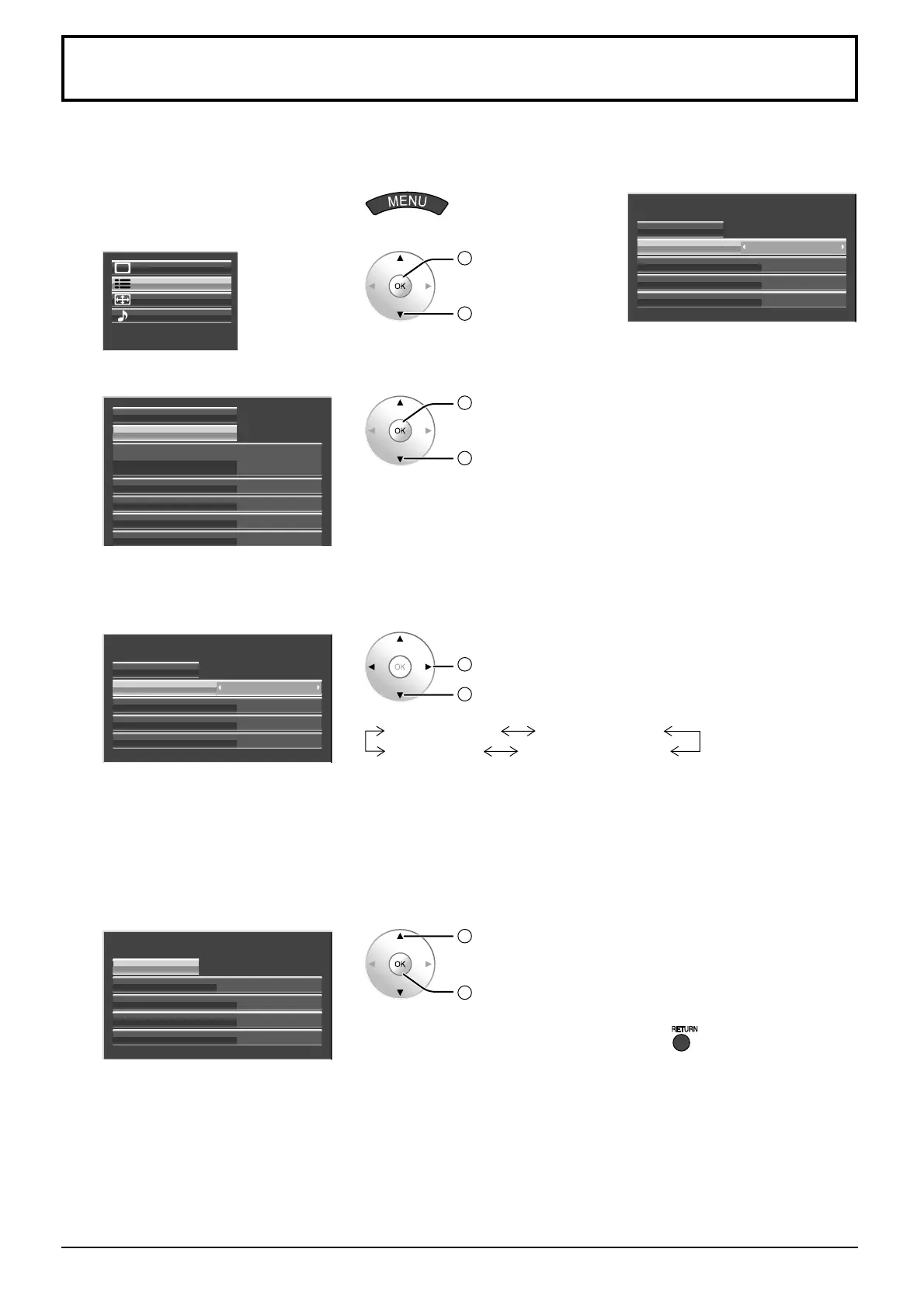
Do not display a still picture, especially in 4:3 mode, for any length of time.
If the display must remain on, a Screensaver should be used.
1
Display the menu screen.
2
Select “Setup”.
Setup
Pos. /Size
Sound
Picture
2
OK
1
select
3
Select “Screensaver”.
Component/RGB-in select
External scaler mode
Power save
Standby save
Power management
Screensaver
Signal
Off
On
Off
Off
RGB
2
OK
1
select
4
Function selection
Select “Function” and select the
desired function.
Side panel
Screensaver
Start
Wobbling
Peak limit
Function
Negative image
Off
Off
High
2
change
1
select
Scrolling bar only
Overlay scrolling bar
Negative image
White screen
Negative image : Negative image will be displayed on the screen.
Scrolling bar only : A white bar will scroll from left to right. The
image won’t be displayed.
Overlay scrolling bar
: The brightness of the image will be decreased
and a white bar will scroll on it.
White screen : The whole screen will be white.
5
Start setting
Select “Start”.
Side panel
Screensaver
Start
Wobbling
Peak limit
Function
Negative image
Off
Off
High
1
select
2
OK
The menu screen will disappear and the Screensaver will be activated.
To stop the Screensaver under On, press or any buttons on
the main unit.
Note: When the display is turned off, the Screensaver will be
deactivated.
Side panel
Screensaver
Start
Wobbling
Peak limit
Function
Negative image
Off
Off
High
Screensaver (For preventing image retention)








 To Next Page