46
For Your Operating Convenience (continued)/ ᅞ͵ᮢņ↲Ň
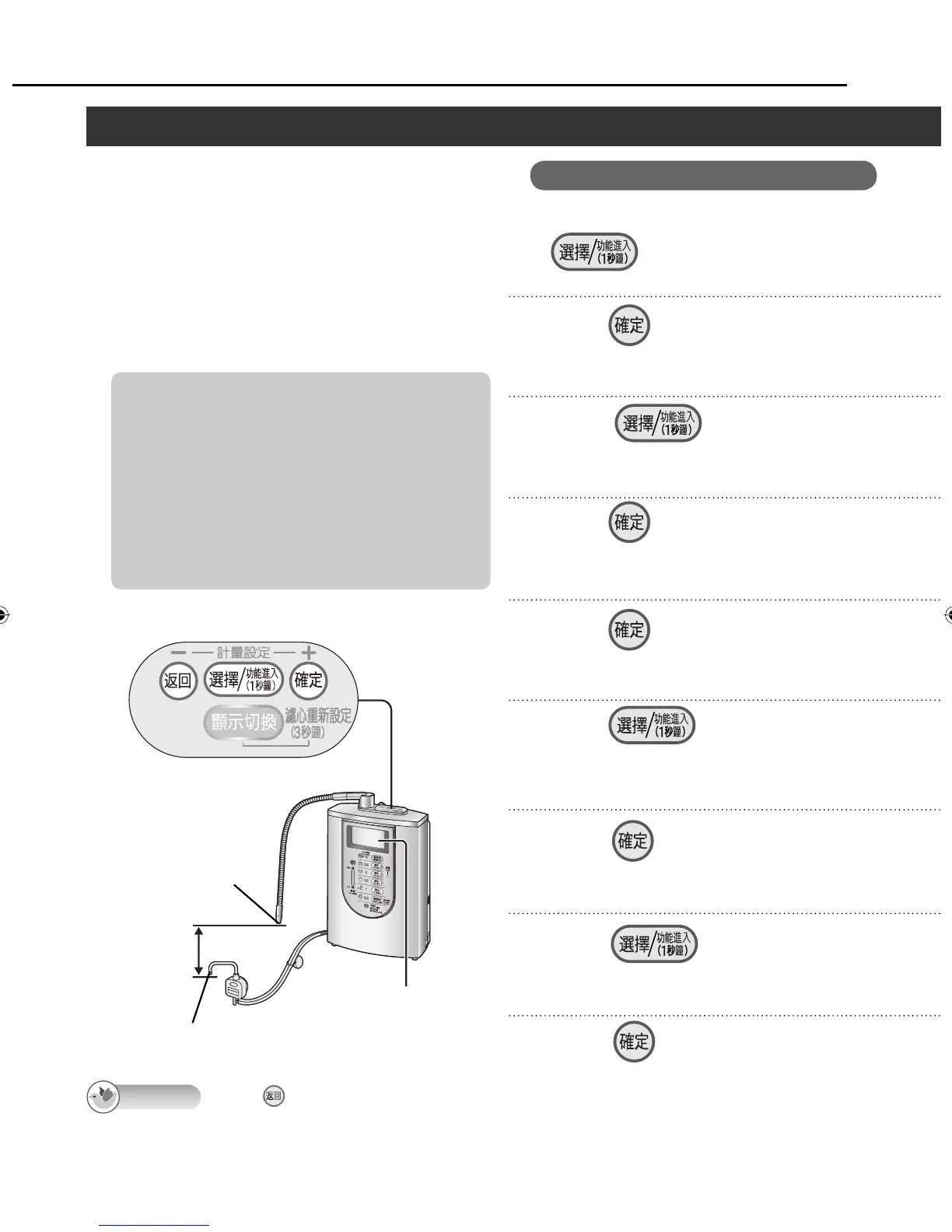
Ș Setting the difference in height
between the main spout and acidic
water spout
⥑હӛᖛםُᖛӛᖛם᱿㋧ద
It is recommended that this height be set in
order to improve the accuracy of the water
output display.
⩀෨ᣅʴဏ㋧ӛᖛ⸇᱿ಙŊ⦼⥑હȯ
Before proceeding with the setting, check
the difference in height between the main
spout and acidic water spout without fail.
Use the Alkaline Ionizer with a height
difference between the two spouts of 10 to
50 cm.
⥑હԊŊɺહ⣬҅⦓ӛᖛםُᖛӛᖛם᱿㋧
దȯ
㋧ద⦼߱ 10 ҝӠ˫ʀדʃ⬢⳧ 50 ҝӠȯ
Measuring the water output volume (continued)/ ᛵ⸇ӛᖛ⸇ņ↲Ň
Press .
Turn off the faucet, and press
on the control panel for
1 second.
1
2
Press , and select the
“ ⤺⸇ጻ˴⥑હ ”.
3
Press .
To perform “Correcting the water output
display”, proceed to step 5 on page 48.
4
Press , and select “ ᆯ ”.
8
Press .
9
LCD display
ᇘㆴḻ
Main spout
ӛᖛם
Acidic water spout
ᖛӛᖛם
Height
difference
㋧ద
5
Press , and select the
height difference setting.
Set a value in accordance with the height
difference which you measured.
6
Press .
<The setting is finished>
7
Control panel/ Ⴝㄇኈ
When is pressed in steps 2 to 6, the previous screen is restored. After the settings are completed, the
previous screen will not be restored even when the button is pressed.
Once the settings have been set, they will be stored in the memory until other settings are established
(until they are changed).
Displays on the screens indicated by the asterisks will be in Chinese even if the English display mode is
established.
Operation
Press .
Note
ZGS0TK7585HKE0Z.indb 46ZGS0TK7585HKE0Z.indb 46 2009/12/09 9:50:432009/12/09 9:50:43












 To Next Page