49English 49
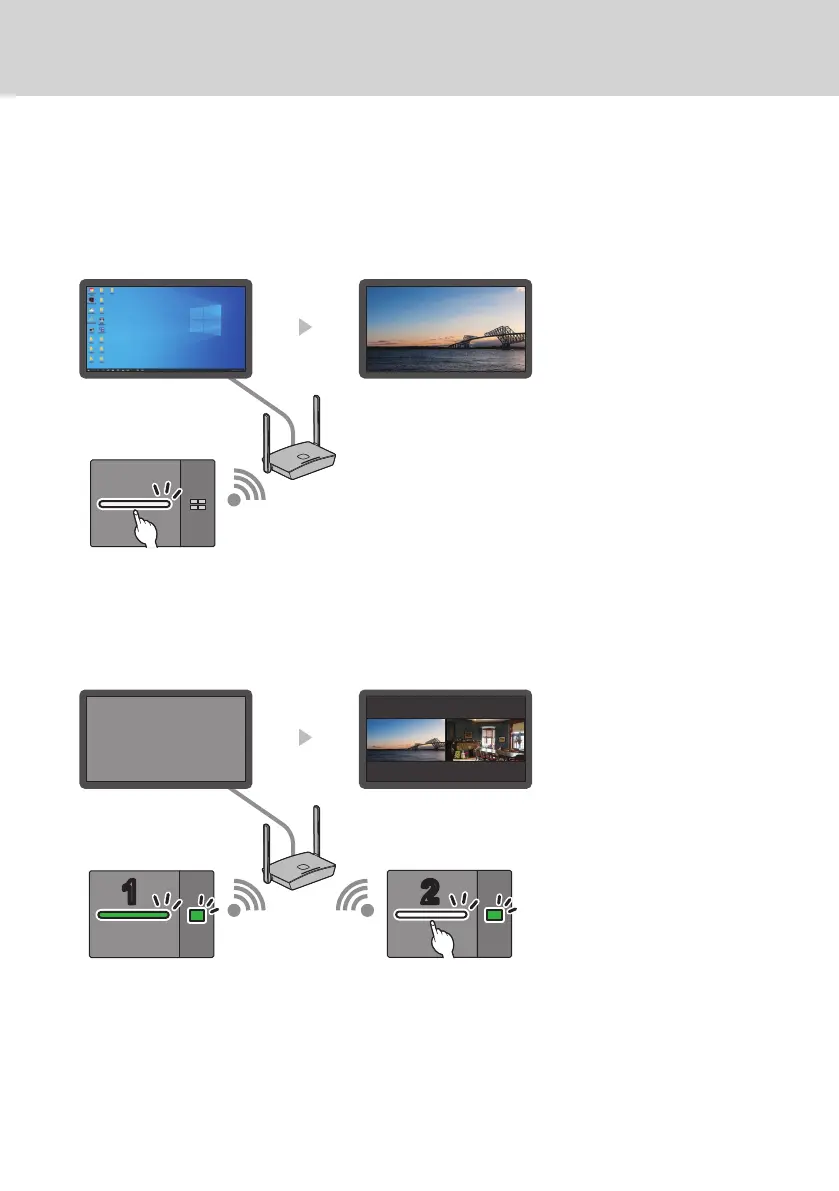
(3) When the image from the transmitter is displayed in standby state
When the transmitter is in standby state, press the main button to send the image to the receiver. Then the display
is turned on and the image is displayed.
The input of the display is linked to the operation of the transmitter and switched to the input to which the receiver
is connected.
e.g.) PC input for display
PC input HDMI input (full screen display)
HDMI cable
Display the image
(4) In multi-screen mode
Press the main button in multi-screen mode to add an image. Then the display is turned on and the multi-screen
display appears.
Display power off (standby) Multi-screen display
11
22
HDMI cable
First transmitter
(Multi-screen mode)
Second transmitter
(Add an image)



 To Next Page