INOXPAN S.L. EN - 13
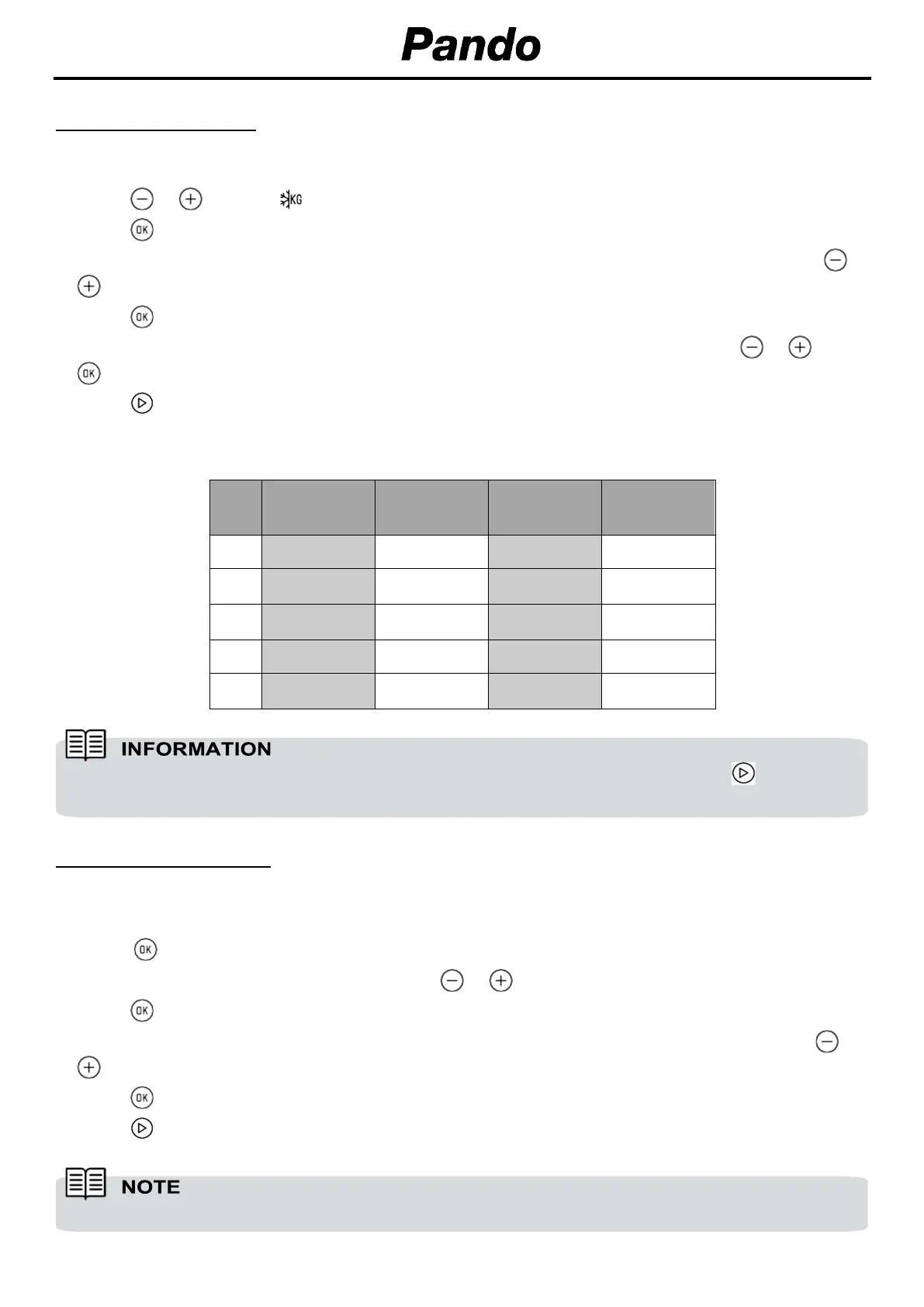
DEFROST BY WEIGHT
1. Select the microwave function.
2. Press or until the symbol appears on the display
3. Press to select the option.
4. The display shows “F01” blinking as default. Select the desired defrost option by pressing or
.
5. Press to confirm.
6. The display shows default weight blinking. Select the desired weight by pressing or . Press
to confirm
7. Press to start the defrost by weight function with the desired parameters.
The following table shows the defrosting by weight function programs, indicating weight intervals,
and defrosting and standing times (in order to ensure the food is of a uniform temperature):
Prog. Food Weight (kg) Time (min)
Standing time
(min)
F01
MEAT
0.10 – 2.00 2:10 – 43 20 – 30
F02
POULTRY
0.10 – 2.50 2:20 – 58 20 – 30
F03
FISH
0.10 – 2.00 2 – 40 20 – 30
F04
FRUIT
0.10 – 0.50 2:36 – 13 10 – 20
F05
BREAD
0.10 – 0.80 2:25 – 19 10 – 20
COMBINED FUNCTIONS
1. Select a microwave + conventional oven function with the function selector.
2. The display shows the default cooking time.
3. Press to confirm.
4. Select the desired cooking time by pressing or .
5. Press to confirm.
6. The display shows the default Power setting. Select the desired power setting by pressing or
.
7. Press to confirm.
8. Press to start the function with the desired parameters.
When the display shows the word “Turn”, open the door, turn the food and press to continue.
The temperature can be changed anytime rotating the temperature control dial.


 To Next Page
 Loading...