INOXPAN S.L. EN - 10
2.2. OVEN TIMER OPERATION
PROGRAMING COOKING TIME
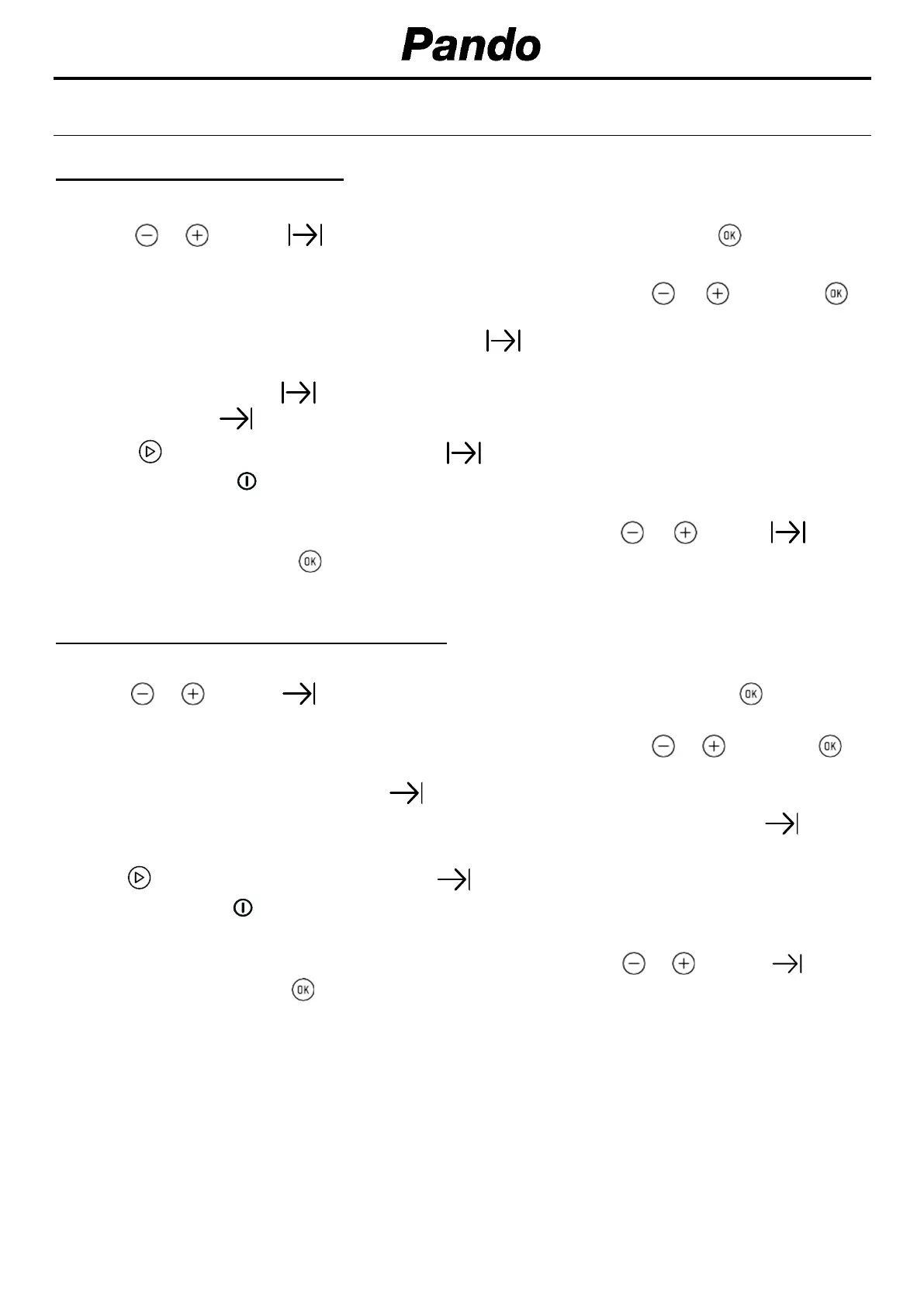
1. Select a function and a cooking temperature using the oven commands.
2. Press or until the symbol on the display starts flashing, then press . The indication
“0_00” will appear on the display.
3. Select the time after which you want the alarm to sound by pressing
o and
press to
select the option. You will hear 2 beeps to confirm that the time has been set and the clock will
start counting down from the selected time. The symbol will flash slowly.
4. Once the cooking time is up, the oven will turn off, an alarm will sound and the word END will
appear and the symbol will flash. It will thus remain disconnected showing the word END,
until the symbol is pressed, turning the oven on again.
5. Press to stop the alarm and turn off the symbol. The oven will switch on again
6. Set the controls to position to turn off the oven.
You can change the remaining cooking time at any time by touching or until the symbol
starts to flash quickly. Press to change the time. Then continue with the process indicated in
point 3.
PROGRAMING THE COOKING STOP TIME
1. Select a cooking function and a temperature.
2. Press or until the symbol on the display starts flashing, then press . The current
time will appear on the display.
3. Select the time after which you want the alarm to sound by pressing or and press to
confirm. You will hear 2 beeps to confirm that the time has been set and the selected cooking
stop time appears on the display. The symbol will flash slowly.
5. When the cycle is finished, the oven will turn itself off, an alarm will sound and the symbol
will flash quickly.
6 Press to stop the alarm and turn off the symbol. The oven will switch on again.
7. Set the controls to position to turn off the oven.
You can change the remaining cooking time at any time by touching or until the symbol
starts to flash quickly. Press to change the time.


 To Next Page
 Loading...