34
PA N D O R A S M A R T P R O V 3
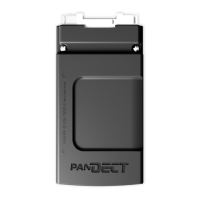
Immobilizer buttons
•To activate service mode, enter the “Immobilizer PIN-code” and press the immobilizer button 10
times within 20 seconds.
•To deactivate service mode, turn on the ignition and enter the “Immobilizer PIN-code”.
Service mode indication
•Activated Service mode is indicated by: an icon
in the mobile application, constant green LED when
the ignition is on, long sound signal of a Beeper at the moment you activate the mode.
•Deactivated Service mode is indicated by: no “Service mode” icon
in the mobile application in
the mobile application, no constant green LED when the ignition is on, two long sound signal of a
Beeper at the moment you deactivate the mode.


 To Next Page