10
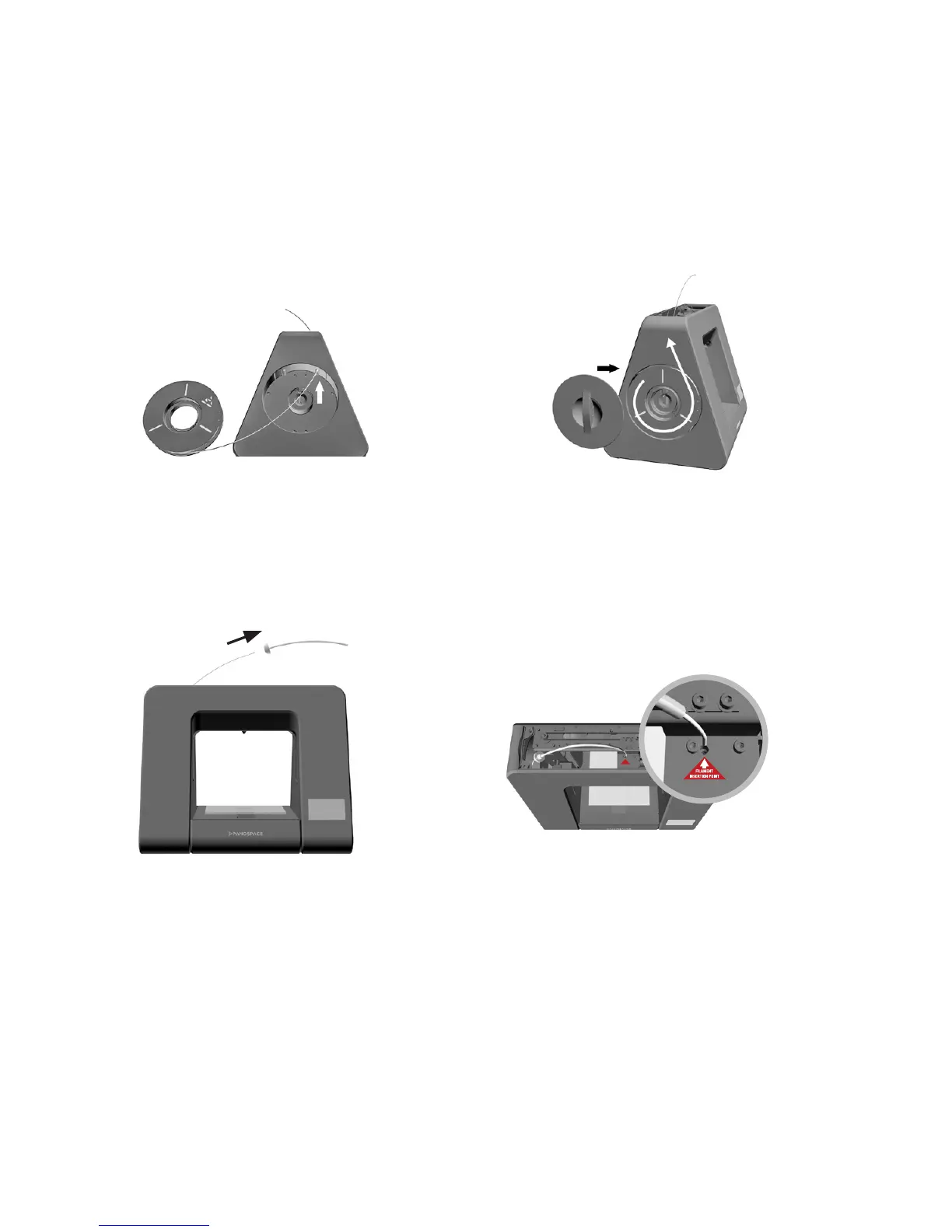
1.7 Load Filament
1. Open left lament holder cover
and top lid, insert lament
through the right hole on top
of the lament holder.
3. Insert lament through Tef lon
tube.
2. Place lament roll into
the holder and close the
lament holder cover.
4. Insert lament into the hole
on top of the extruder, and
close top lid.


 To Next Page