24
3.5 Edit Digital 3D Models
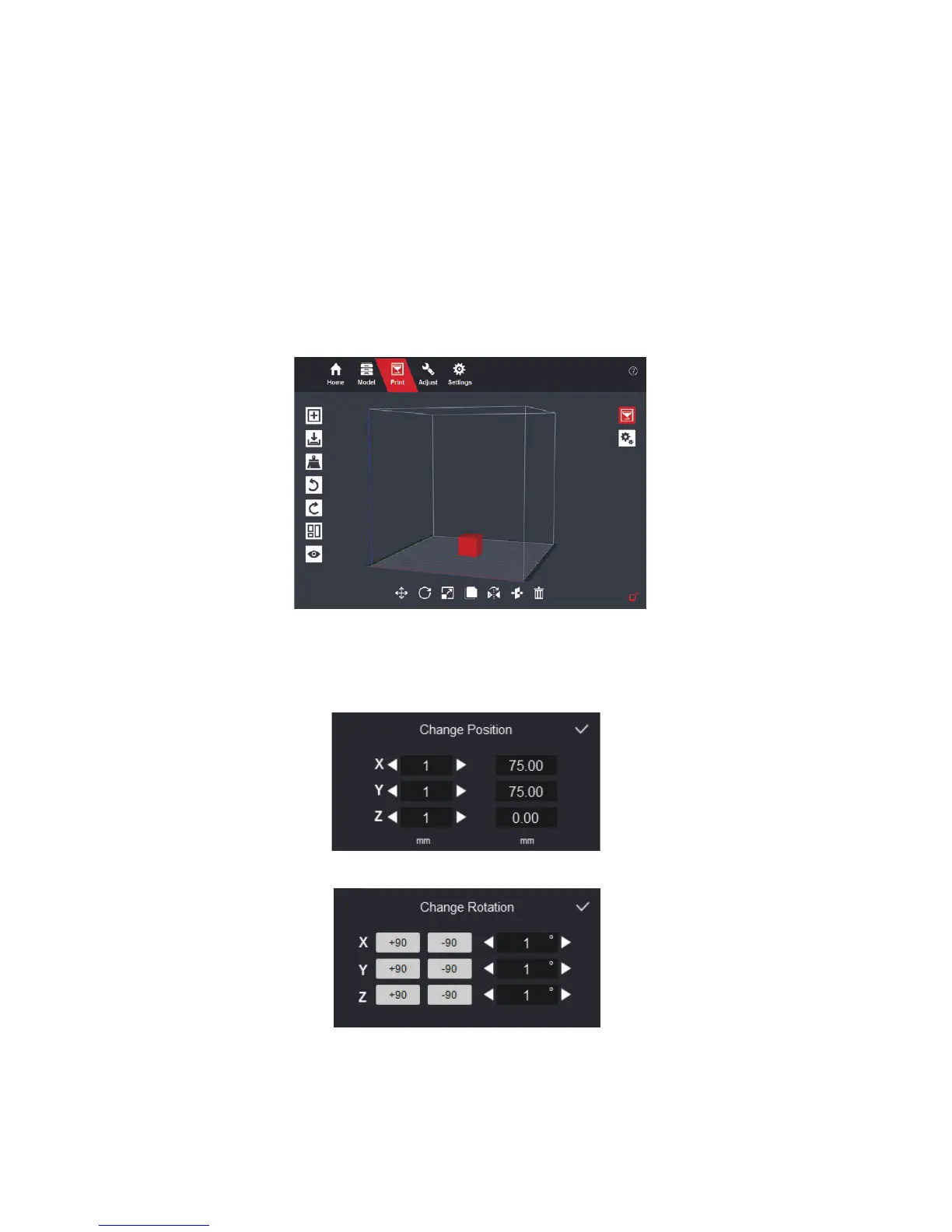
Go to the “Print” page and click 3D models to select the window. Once selected,
it turns red, and the editing tool bar displays on the bottom of the window. Click
the selected model again to cancel selection.
Move selected models:
Move around the selected model in the print volume.
Left column moves the model designated distance. Right column places the
model to the designated point.
Rotate selected models:
Rotate the selected model.


 To Next Page