27
similar to the operations on the touch screen. Please see details in section 2.5
3.9 Adjust Gap
Go to the “Adjust” page and click the “Adjust gap” button. It is similar to the
operations on the touch screen. Please see details in section 2.6
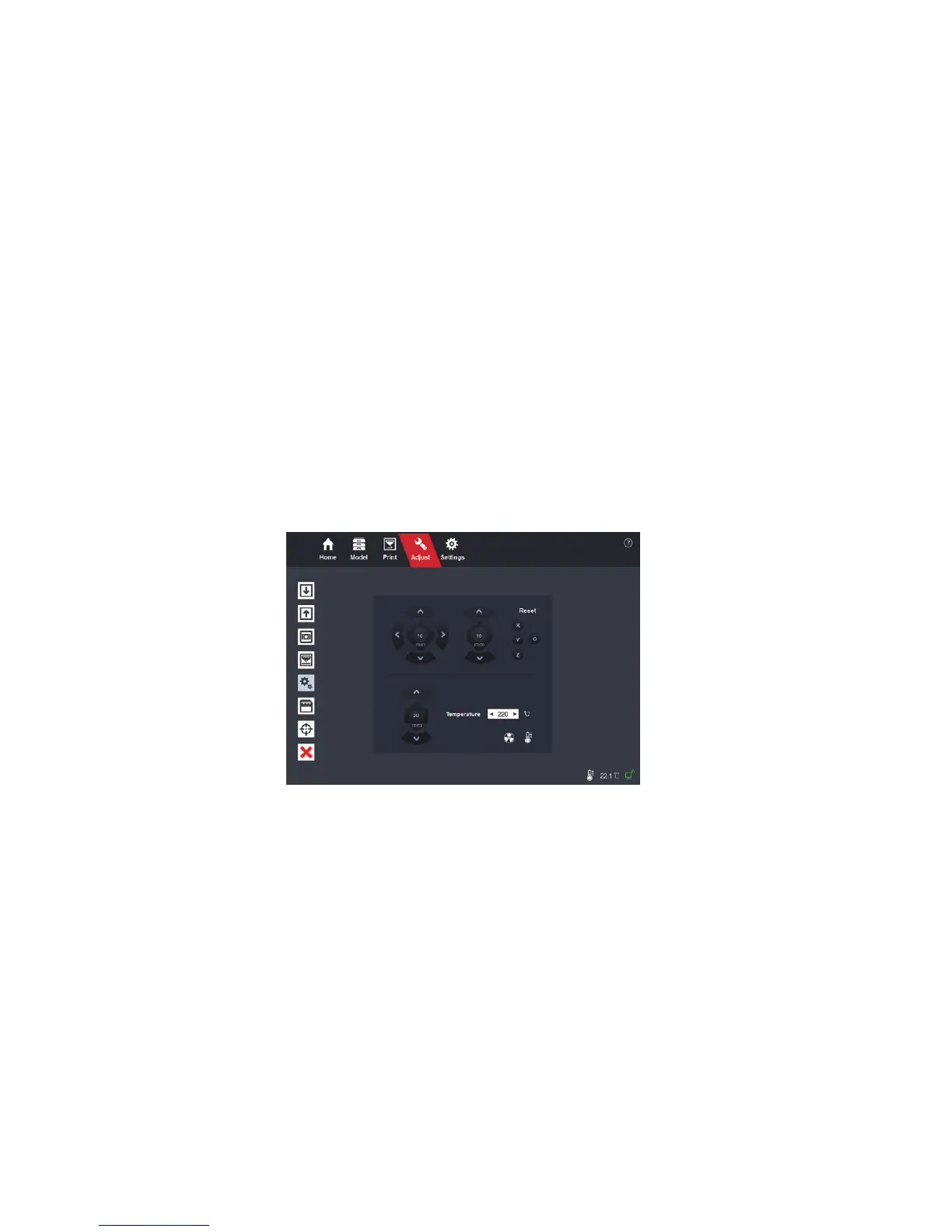
3.10 Adjust Printer
Go to the “Adjust” page and click the “Adjust printer” button.
Move on X, Y or Z direction:
Move the extruder left and right (X direction),
move the print bed forward and backward (Y direction) and move the print bed
up and down (Z direction).
Reset on X, Y or Z direction:
Move the extruder all the way to the right, move
the print bed all the way to the front and move the print bed down to the bottom.
Extrude / Retract filament:
Manually extrude / Retract lament.


 To Next Page