18
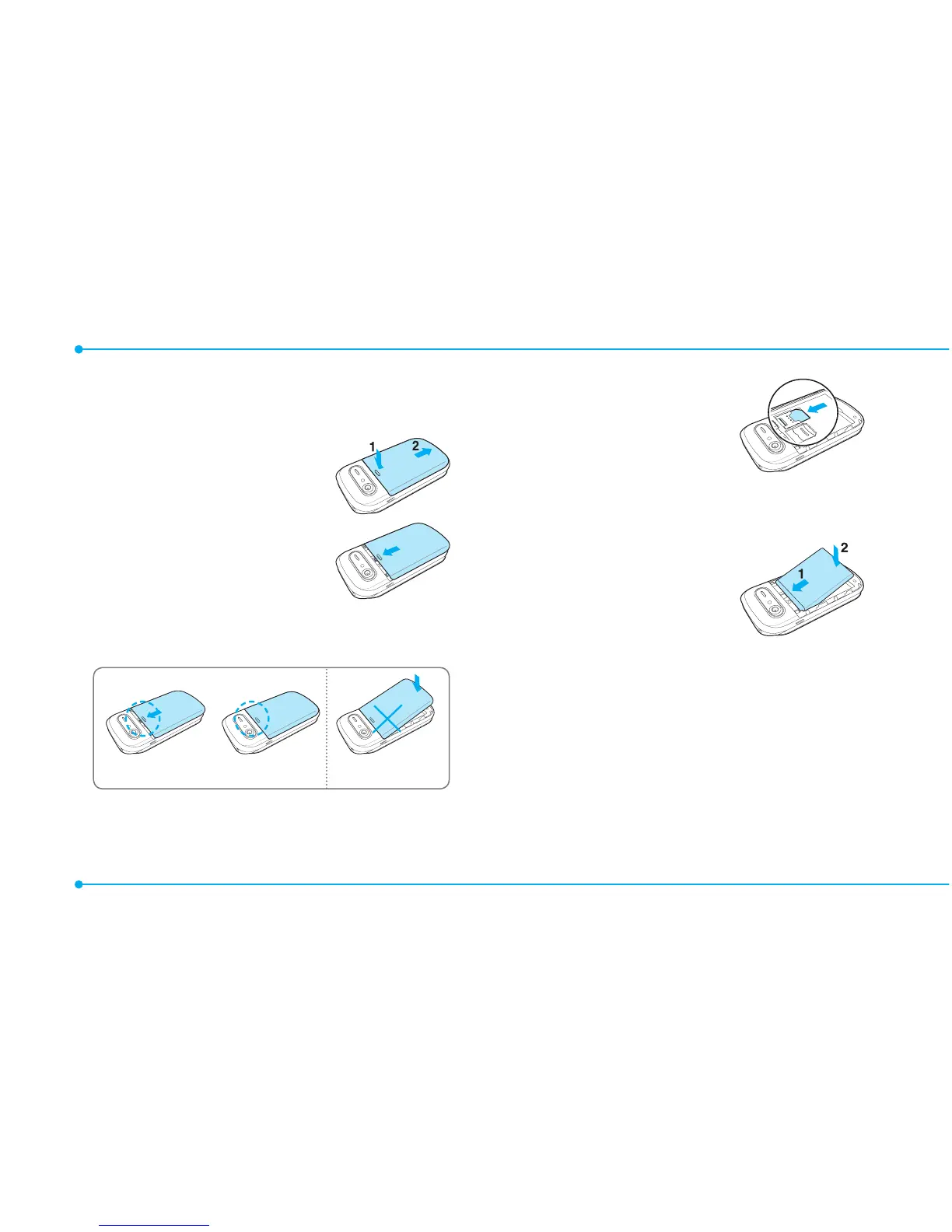
Installing/removing SIM card
and battery
1.Removethe
batterycover
from the unit.
Totthebattery
cover,putiton
the guide rail and
push up.
Incorrect
Correct
2.InserttheSIMcard
into the slot.
The gold contacts
oftheSIMcard
should go against
the metal contacts
of the phone.
Put the contacts
of the battery into
the hole located at
the top of the unit and then
insert and press the lower
side of the battery until you
hearthe“click”. Make sure you
align the gold contacts at the
battery end with contacts on



 To Next Page