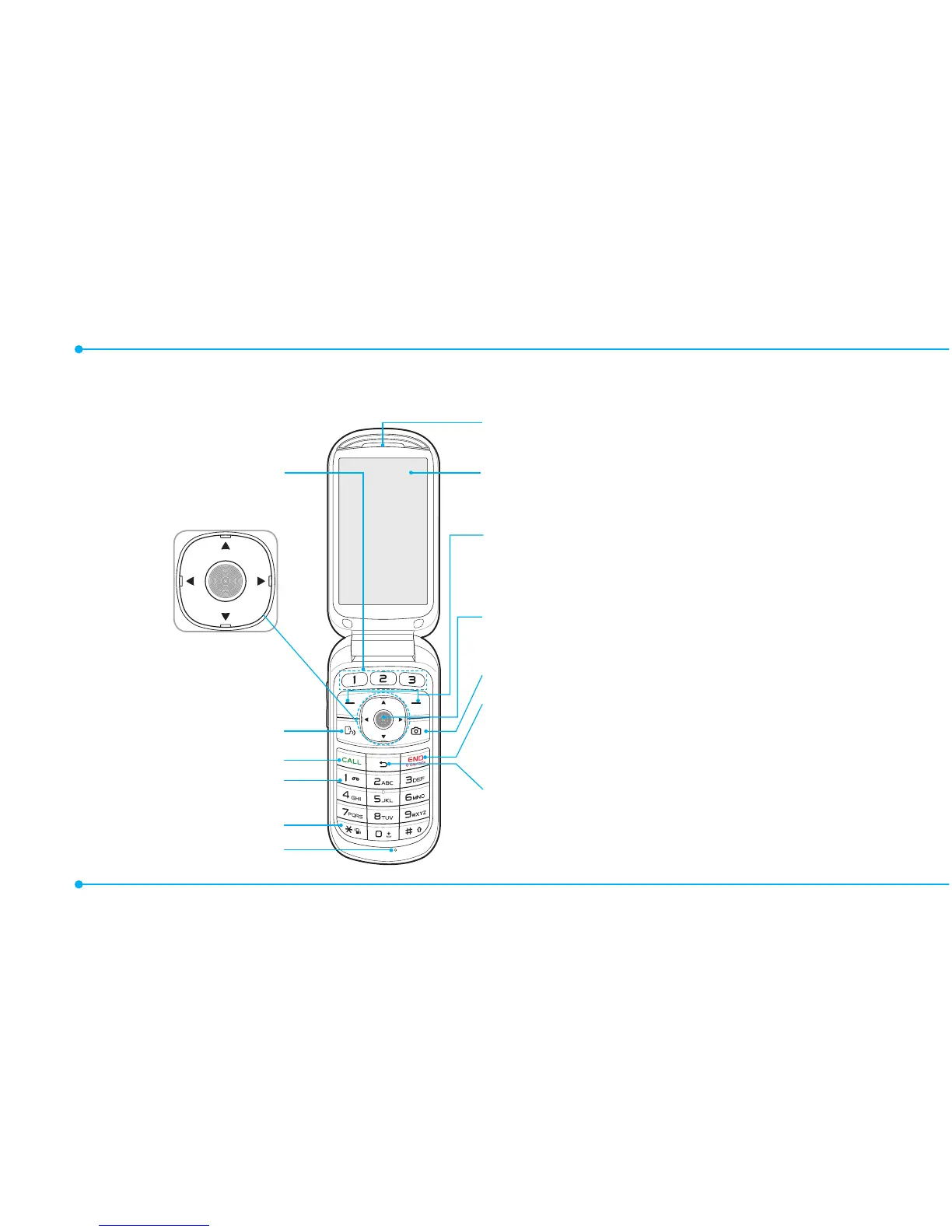
Clear key
Returntopreviousscreenordeletes
characters in text mode.
Power on & off / Menu exit / End key
Turnphoneon/off,endscalls,exit
menus
Camera key
OK key or access Browser
Press to enter menu system
Left/Right Soft key
Perform the functions shown at the
bottom line of the display
Internal display
Earpiece
Navigation key
Scrollthroughthe
menu options
Quick Call Keys
Vibrate mode
Microphone 1
Voicemail



 To Next Page