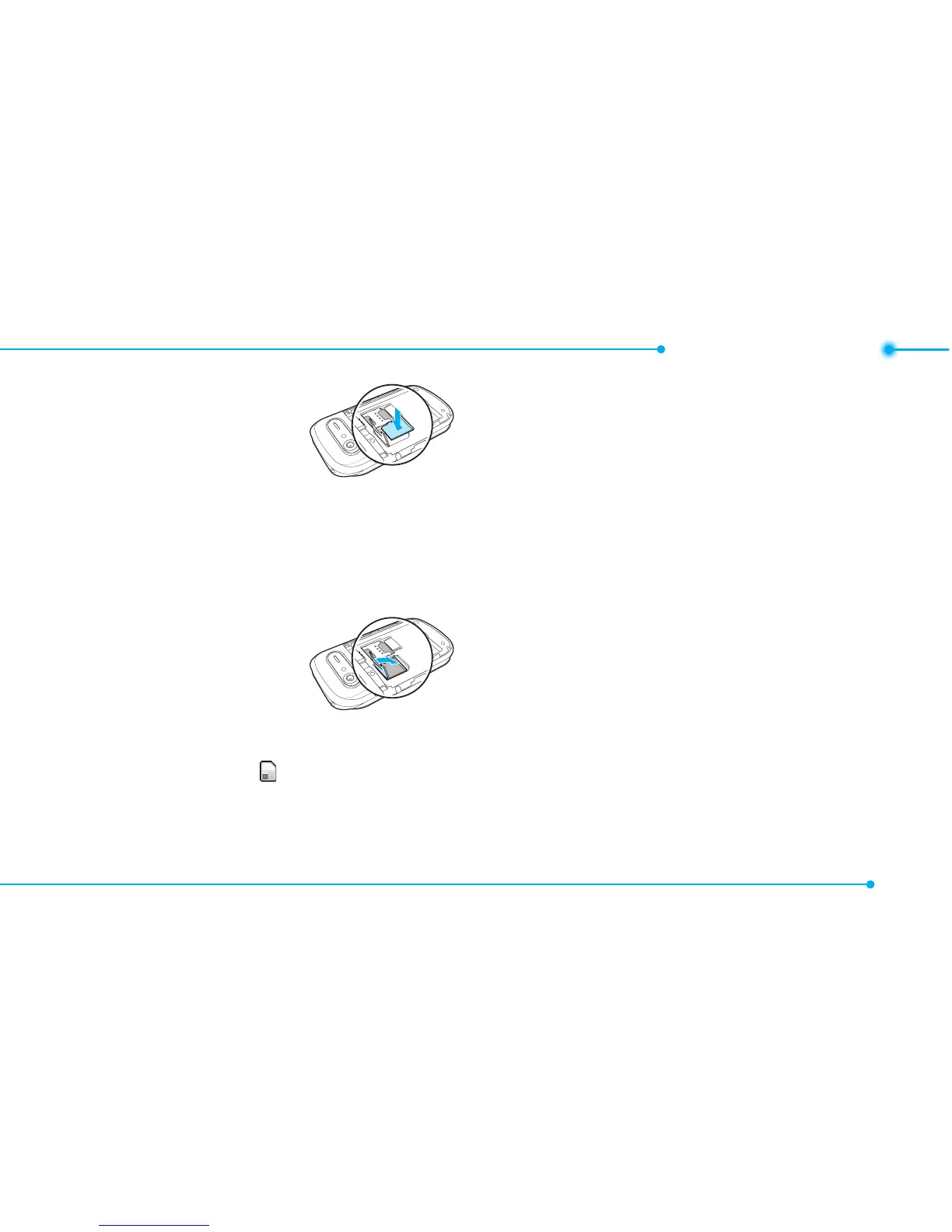
3.Insertthemicro
SDcardinto
the slot. The
gold contacts
of the
microSDcardshouldgo
against the metal contacts of
the phone.
4.Closethemetal
coverand
slide down to
lock the
microSDcard
in place. The icon will be
displayed when the phone is
turned on.
Using a memory card
Youcansave,moveanddelete
thelesinyourphoneand
external memory card. You can
alsomoveandcopythelesto
computer from your phone.
To copy a file to the memory
card
1.Selectale > Options > Copy.
2.SelectMemory by pressing
L/R
.Tocopythelebackto
the phone, select Phone.
3.Selectadesiredfolder>Here.



 To Next Page