DEVICE MAINTENANCE AND CLEANING
TRAINING
©Parata
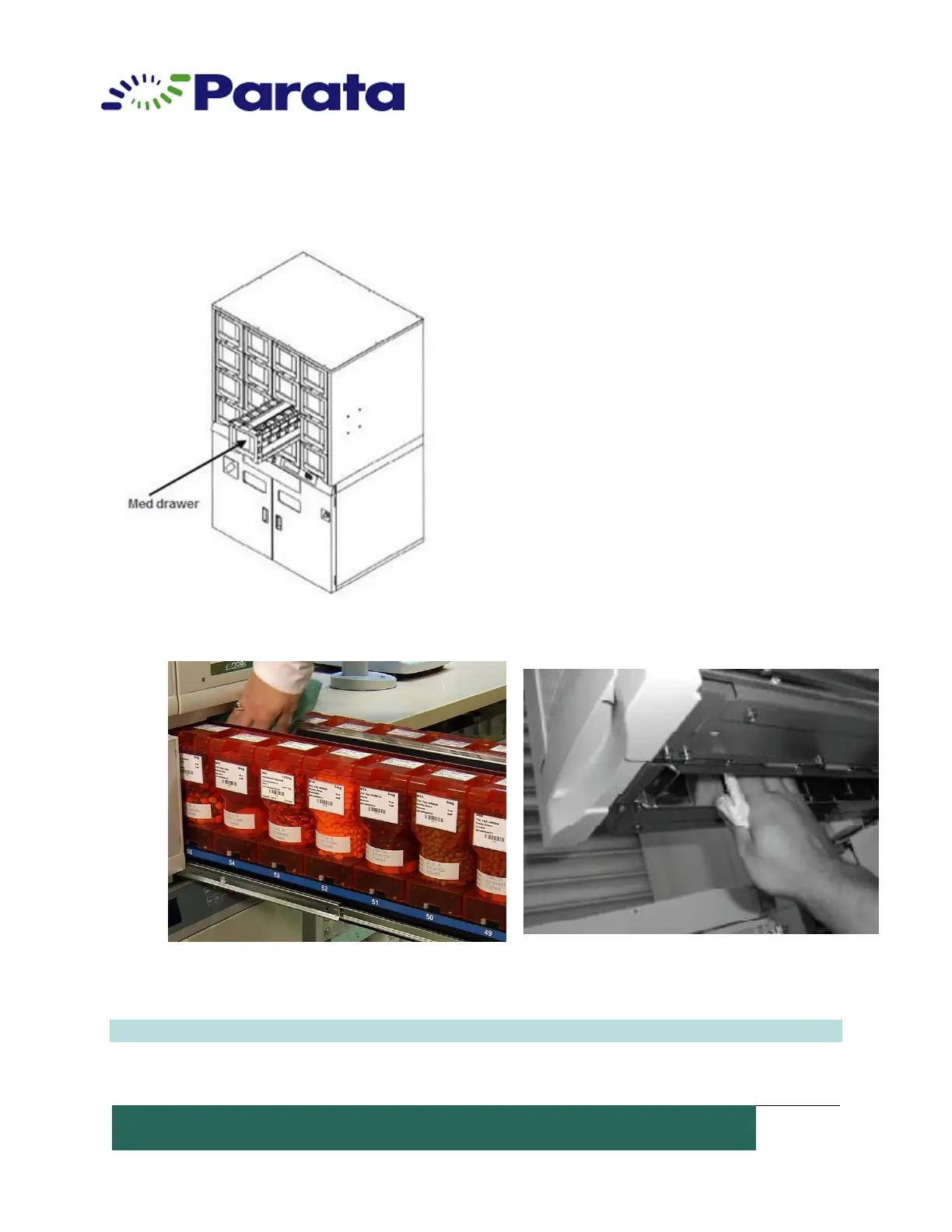
How to Clean the ATP Device Med Drawer
1. Normally, the drawers are auto-locked. Go
to the Home Screen in the Dispense Manager
application.
2. Select the “Meds” button. Select a canister
medication and click “Unlock”.
3. Pull out the drawer to be cleaned.
4. Clean the pill path at the center of the med
drawer by wiping with a soft, lint free cloth.
5. Clean all other areas by wiping with a soft,
lint free cloth as necessary.
6. Replace the clean med drawer and pull out the next drawer to clean.
NOTE: Parata recommends daily cleaning of the ATP Device Med Drawers.


 To Next Page