DEVICE MAINTENANCE AND CLEANING
TRAINING
©Parata
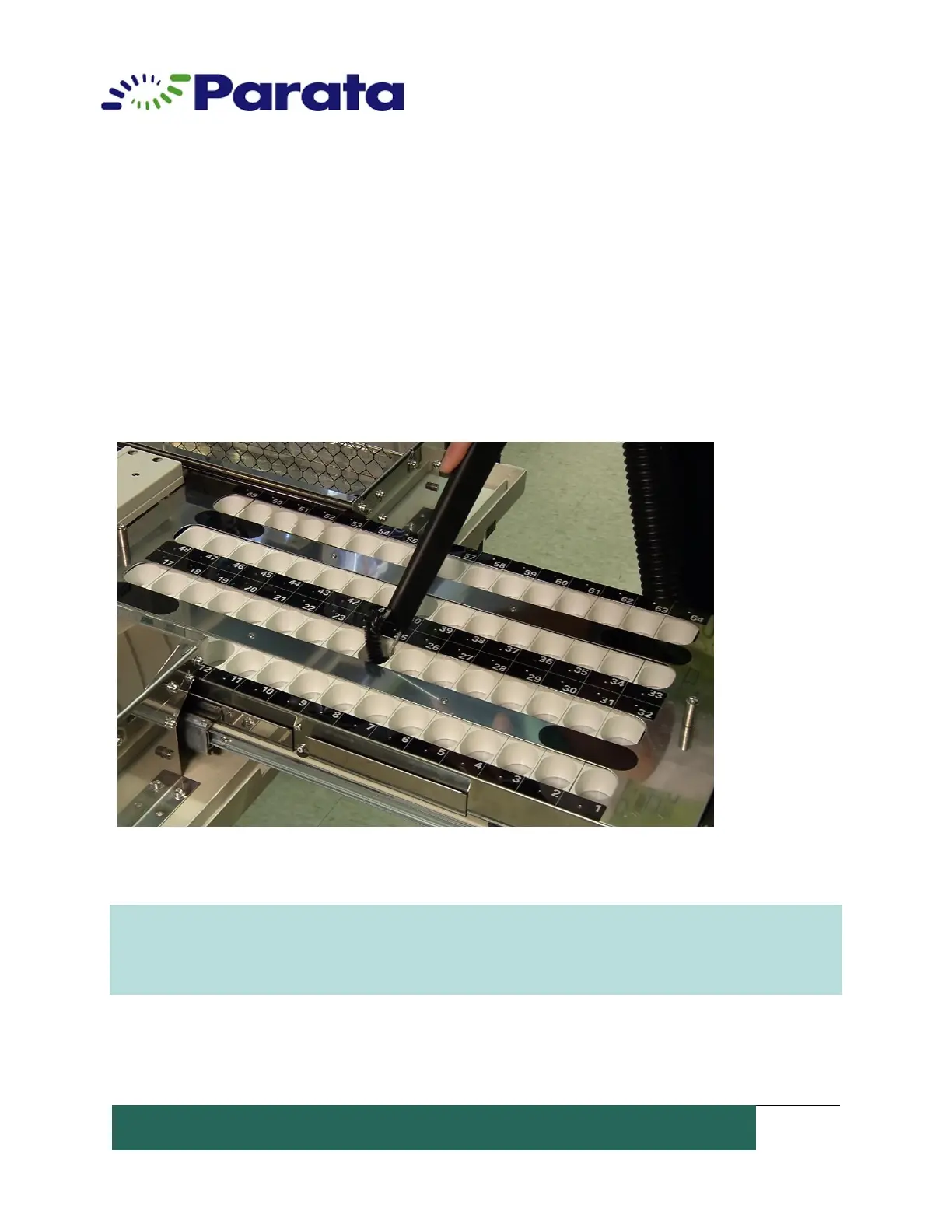
How to Clean the UTC Tray and Drawer
1. Normally, the UTC tray is auto-locked. Select Meds in the Dispense Manager application;
select a tray to unlock. Select unlock.
2. Turn off the ATP device power before cleaning.
3. Wipe the UTC tray and each cell with a dry, lint-free cloth. Wipe the underside of the
tray. Build-up within the cells may be cleaned by wiping with a soft cloth, moistened
with 90% Isopropyl Alcohol. Vacuum the individual cells with a HEPPA vacuum.
4. Replace the UTC tray and lock it in place in the drawer.
CAUTION: Always turn off the power switch before cleaning the UTC tray to prevent the
electric component from short circuiting.
NOTE: Parata recommends daily cleaning of the ATP Device UTC Drawer.


 To Next Page