DEVICE MAINTENANCE AND CLEANING
TRAINING
©Parata
MODULE TWO: CLEANING
How to Clean the Canister and Motor Base
It is best practices to clean canisters when they are empty and in need of a refill. Clean the
med drawers every eight hours of operation, while performing the daily cleaning routine.
1. Normally, the drawers are auto-locked. Go to the Home Screen in the Dispense
Manager application.
2. Select the “Meds” button. Select a canister medication and click “Unlock”.
3. Pull out the drawer and remove a canister. Start at the top of one column and work
your way down, so debris from the top does not contaminate previously cleaned
bottom drawers.
4. Empty the canister of medication. Remove one canister at a time to clean. Use HEPA
vacuum to extract pill dust from the canister.
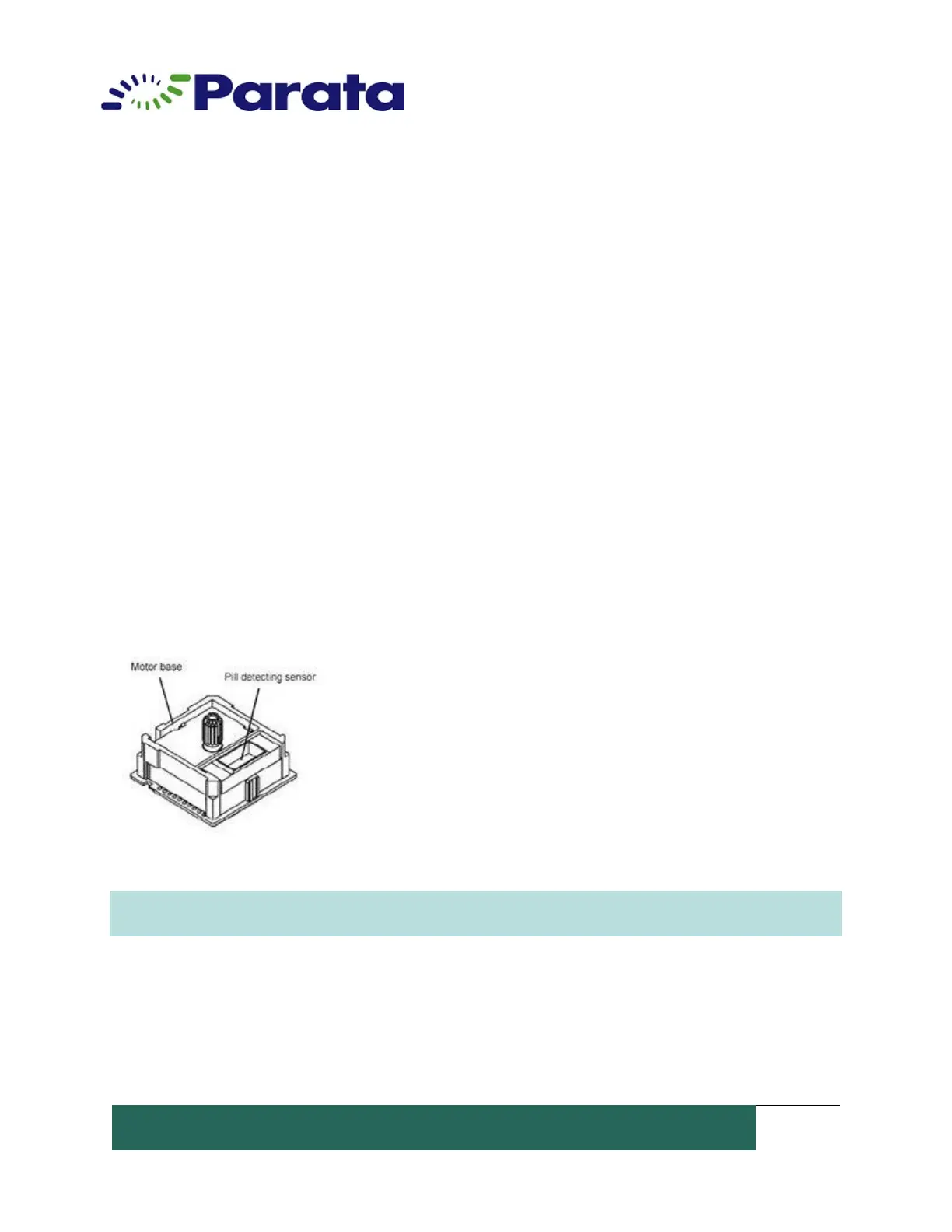
5. Power down the machine. Cleaning the sensors will
trigger a mixed drug alarm if the ATP unit is powered on. Clean
around the motor base and the pill detecting sensor using a 1”
foam brush or stain brush if available.
6. Repeat steps 1-4 to clean all of the canisters and motor
bases. Again, clean one at a time. Start at the top and work
your way down if you are cleaning more than one drawer.
NOTE: Parata recommends cleaning the canister and motor base with each canister refill. Do
not power off during operation.


 To Next Page