DEVICE MAINTENANCE AND CLEANING
TRAINING
©Parata
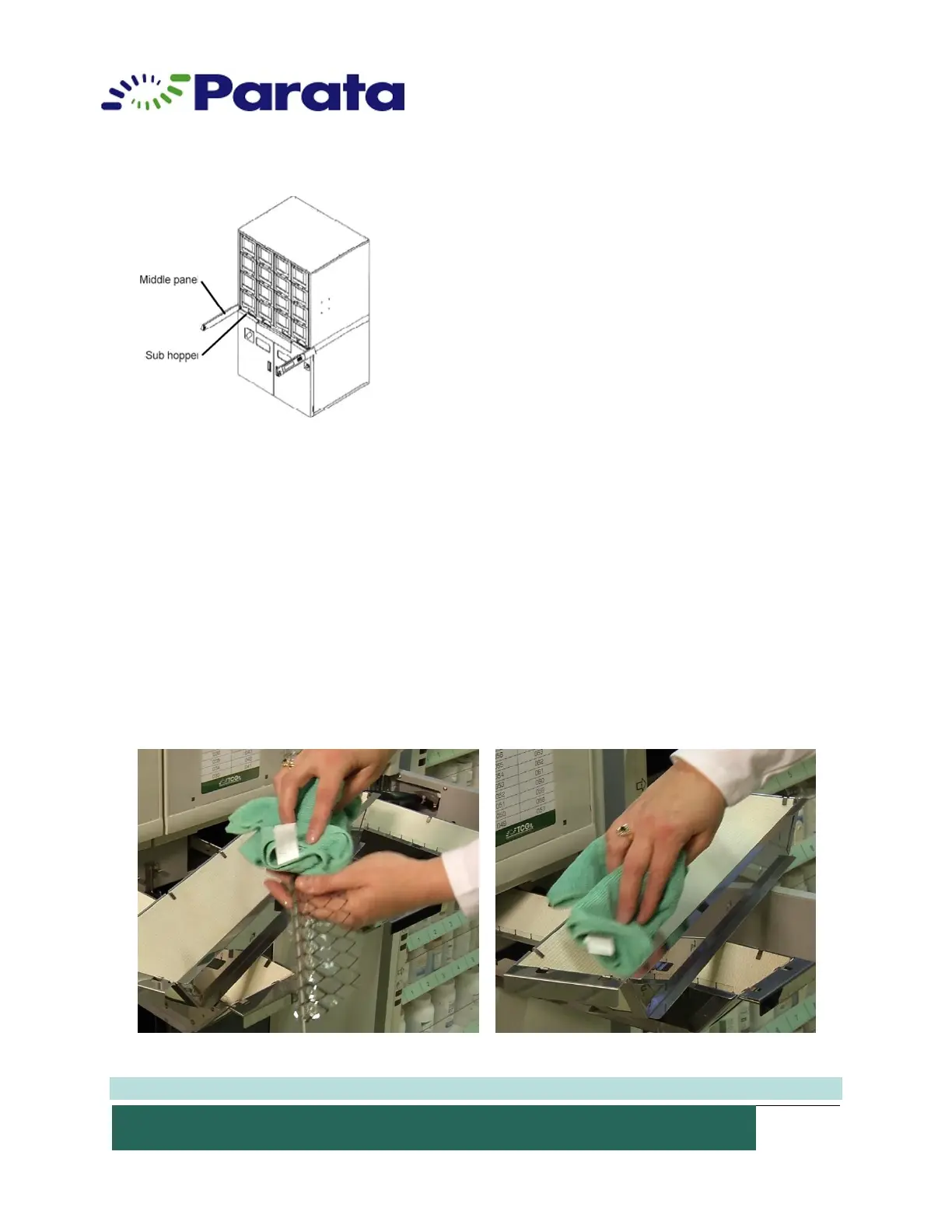
How to Clean the ATP Device Sub Hoppers
1. Four (4) sub hoppers are located inside the middle panel. Each sub hopper is installed
for collecting the medications dropped from each of the four (4) med drawer lines. The
sub hopper can be removed by sliding it out. Pay attention to the dropout of the sub
hopper.
2. Pull out the sub hopper and remove the curtain.
3. Clean the sub hopper with a HEPA vacuum (best practices) or a soft, lint-free cloth.
4. Set the curtain in the sub hopper and replace the sub hopper. Make sure the curtain is
installed in the correct direction.
5. Close the middle panel.
NOTE: Parata recommends daily cleaning of ATP Device sub hopper.


 To Next Page