DEVICE MAINTENANCE AND CLEANING
TRAINING
©Parata
How to Turn the ATP on and off
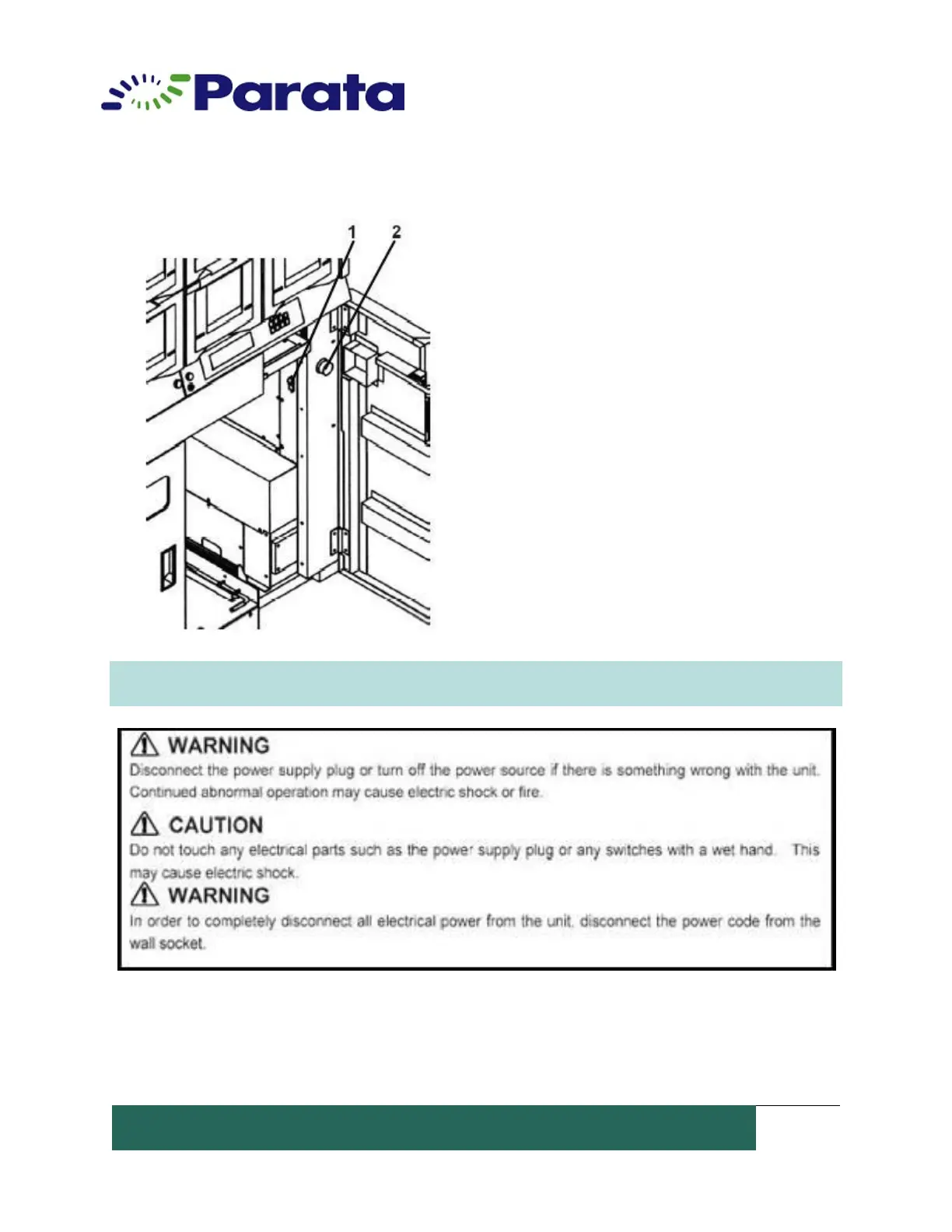
ATP Device Power Switch
1. Power Switch. The power switch (main
switch) is located in the upper right, inside the
front door.
2. Emergency Switch. The device has an
emergency switch for extra safety. Pressing this
switch disconnects the power to the device
even if the power switch is on. The switch
should be kept in the projected position (turned
to the right). The emergency switch is a
safeguard against accidents during
maintenance.
NOTE: To shut down the machine in an emergency situation, the operator must remove the
plug from the electrical outlet (wall socket) to disable power.


 To Next Page