InspectRx200 Operator Guide | 2 - InspectRx Preventative Maintenance Guide | 53
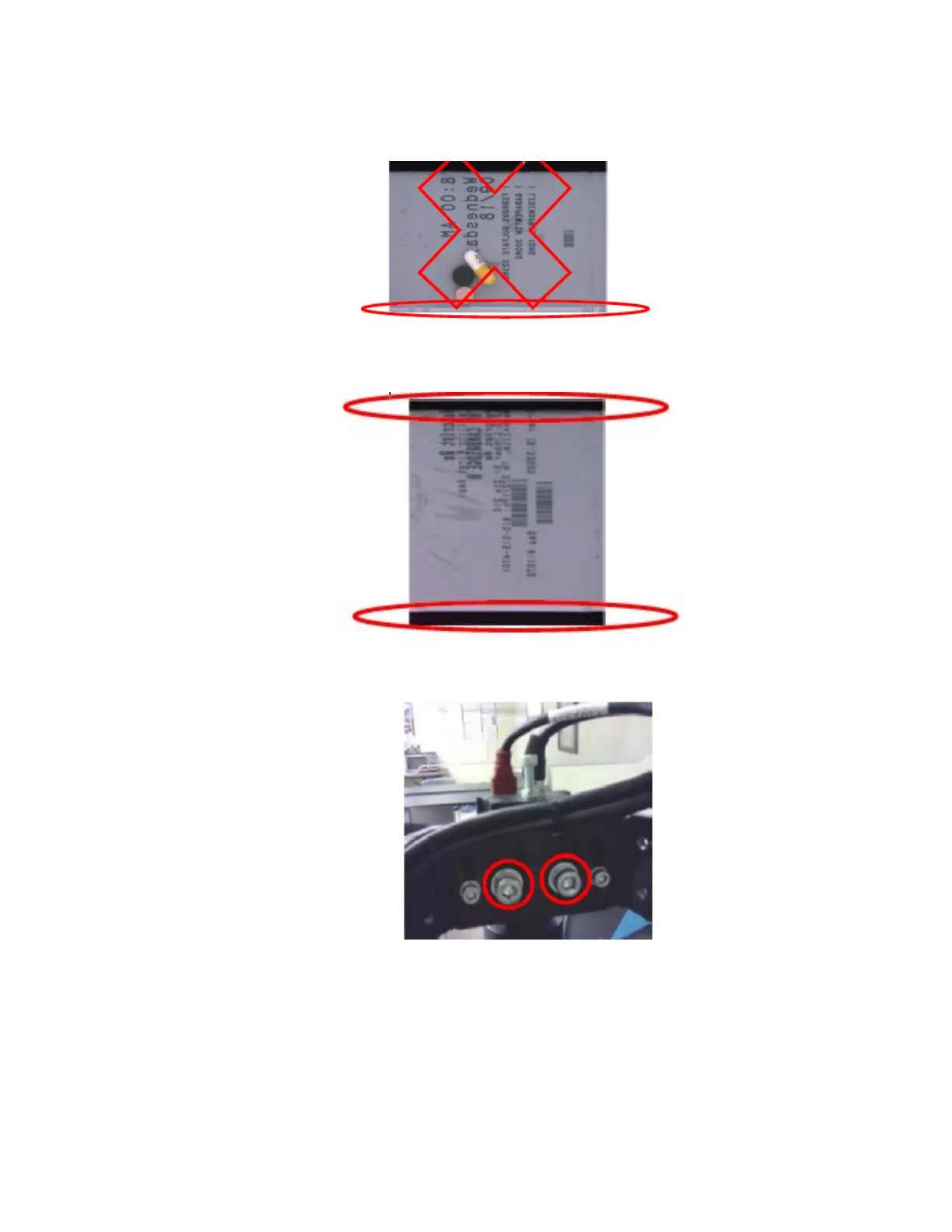
Figure: BAD ---->bottom edge of bag does not have black empty space to calibrate white
edge of paper out of pill recognition
Figure: GOOD ----> the black edges on the top and bottom of the bag is used to calibrate
the ends of the bag
i.
Loosen M6 Bolts behind the Marlin camera and adjust the angle of camera while
viewingthe image with bags in the inspectRx.
ii. Align camera angle by grasping the top of the camera and slowly adjusting the
lensalignment forward or backward as necessary. so there is an even strip of black a
minimumof 1-2mm on either end of the bag.
iii. Tighten M6 Bolts when camera is aligned, Hold the camera while tightening the bolts.
5.
***Warning, DO NOT adjust the height of the camera!!!
Barcode Sync Settings



 To Next Page