EasyManua.ls Logo

Parker IPA Series - User Manual

Parker IPA Series
128 pages
Print Icon
To Next Page IconTo Next Page
Loading...
Effective: December, 2014
Document Number: 88-032500-01A
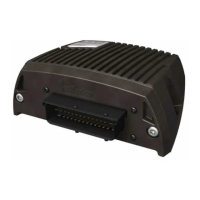
IPA Intelligent Parker Amplifier
Hardware Installation Guide

Table of Contents

Questions and Answers

  • E
    ellen75Aug 16, 2025
    What to do if the Parker IPA Controller shows a 'Continuous Current = 0' error?
    • J
      javiertapiaAug 16, 2025
      To correct the error with the Parker Controller, you must set a non-zero value for continuous current. Refer to your motor specifications for the correct value (C1 Continuous Current).
  • D
    Dennis ManningAug 19, 2025
    How to fix 'Resistance = 0' error on Parker IPA?
    • L
      Laura SandovalSep 12, 2025
      To fix the issue, set a non-zero value for motor winding resistance in your Parker Controller settings. Refer to your motor specifications for the correct value (C7 Motor Winding Resistance).
  • T
    timothy84Aug 22, 2025
    How to resolve 'Rated Speed = 0' error on Parker IPA?
    • H
      houstonmariaAug 22, 2025
      To resolve the 'Rated Speed = 0' error on your Parker Controller, you need to set a non-zero value for the motor rated speed. Please refer to your motor specifications for the correct value (C8 Motor Rated Speed).
  • B
    Brandon RobertsAug 25, 2025
    How do I fix the 'Max Inductance = 0' error on my Parker IPA Controller?
    • B
      Brian Thomas MDAug 26, 2025
      To fix the 'Max Inductance = 0' error on your Parker Controller, you must set a non-zero value. Refer to your motor specifications for the correct value (C4 Motor Inductance).
  • A
    Angela GarzaAug 27, 2025
    How to fix the 'Ke = 0' error on a Parker IPA?
    • A
      Ashley SmithAug 27, 2025
      To correct the 'Ke = 0' error for your Parker Controller, set a non-zero value. Refer to your motor specifications for the correct value (C15 Motor Ke).
  • S
    Sean EvansAug 30, 2025
    Why is the Ethernet Network Status LED off on my Parker IPA Controller?
    • C
      Cole JamesAug 30, 2025
      If the Ethernet Network Status LED is off on your Parker Controller, verify that no two drive/controllers on the network have the same IP address. The IP address is determined by the Address Switch settings on the front panel of the unit. Also, using a standard Ethernet connection, test the IP assignment. At a DOS or command prompt, type 'ping 192.168.100.xx', where xx is the setting of the IPA address switches on the front panel. If you see a 'timeout' message, then the unit is properly configured and is network accessible. Re-attach the Ethernet cable. If a 'timeout' message is seen, the IPA has an invalid IP address. Change the address switches to the correct address and cycle power.
  • K
    Kimberly OliverSep 2, 2025
    What does 'Motor Configuration Warning' mean on my Parker IPA?
    • S
      Sabrina HendersonSep 2, 2025
      If you receive a Motor Configuration Warning on your Parker Controller, it means the motor rating is too high for the drive/controller, and the drive/controller is using its own limits for safety reasons.
  • M
    Mary SmithSep 4, 2025
    What to do if I see a 'Motor Configuration Error' on my Parker IPA?
    • R
      Ricardo MillerSep 5, 2025
      If you get a Motor Configuration Error on your Parker Controller, it means that one of the motor parameters is set to zero (0). Look at the additional errors to find which parameters are set at zero (0). Refer to your motor specifications for the correct value.
  • T
    Timothy MeyerSep 10, 2025
    How to prevent noise on Hall signals in Parker Controller?
    • E
      Emily McgeeSep 10, 2025
      If you encounter noise on the Hall signals in your Parker Controller setup, keep high power cables away from low power cables (such as the feedback cable). If they need to cross, cross at right angles.
  • L
    Latasha BoydSep 13, 2025
    Why are neither RJ-45 Ethernet Status LEDs illuminated on my Parker IPA?
    • W
      woodcarolynSep 13, 2025
      If neither RJ-45 Ethernet Status LED is illuminated on your Parker Controller, verify that you are using the correct type of cable. Verify that the cable pinout matches the drive’s connector pin out. Try swapping cables with Ethernet cables you know to be good. Even cables that do not meet the Ethernet cable specification should cause the LEDs to illuminate. If the LEDs still do not illuminate, look for Ethernet hardware problems.

Summary

User Information

Contact Information for Technical Assistance

Provides contact details for Parker Hannifin technical support centers.

Important Safety Information

Chapter 1 Introduction

IPA Controllers-Overview

Overview of IPA single-axis drive/controller platform.

Input Power Level

Specifies the input voltage and power requirements for IPA models.

Checking Your Shipment

Lists items included with IPA drives and instructions for checking shipment.

Chapter 2 Mechanical Installation

Environment & Drive Cooling

Details operating temperature, humidity, and cooling requirements for IPA drives.

Cabinet Cooling

Explains how to calculate cabinet cooling and provides power dissipation tables.

Panel Routing

Specifies clearance requirements for panel mounting IPA drives.

Chapter 3 Electrical Installation

Installation Safety Requirements

Outlines safety requirements for IPA installation, including LVD and EMC directives.

Connectors

Identifies and locates the various connectors on the IPA drive.

X2 - Input Power; Mains Connector

Details the specifications and function of the X2 Input Power/Mains Connector.

Power Supply

Explains power supply requirements and connections for the IPA.

Separate Sources Connections

Illustrates connecting separate sources for motor and control power.

Chapter 4 Communications

Ethernet Specifications

Covers Ethernet cable and connector specifications.

Assigning IP Addresses

Details the process of setting IP addresses for the IPA and PC.

Chapter 5 Troubleshooting

General Troubleshooting Guidelines

Provides a general approach to troubleshooting IPA issues.

Power

Guides on troubleshooting power-related issues using status LEDs.

Error Codes

Lists common error codes and their resolutions.

Chapter 6 Torque Enable Safety Circuitry

Torque Enable Functional Description

Explains the dual-channel hardware implementation of the Torque Enable function.

Fault Operation

Describes fault detection when Torque Enable inputs are in opposite states for too long.

Chapter 7 Additional Specifications

Protective Circuits

Details the drive's protective circuits, including short circuit protection.

Under-Voltage Protection

Details the circuit that monitors AC input voltage for under-voltage conditions.

Current Foldback

Describes the circuit that protects against prolonged high currents.

Chapter 8 Regulatory Compliance UL and CE

System Installation Overview

Provides information on installation practices for regulatory compliance.

General Safety Considerations

Outlines safety procedures based on local regulations and IEC standards.

Appendix A VM25 Expansion Module

Overview

Introduces the VM25 Expansion Module and its features.

Appendix B IPA with IForce or Ripped Linear Servos

IForce;Ripped to IPA-Controller Wiring

Clarifies wiring connections for IForce/Ripped motors and positioners.

Software Configuration: Set Feedback Resolution

Details setting encoder feedback resolution in ACR-View.

Appendix C IPA with Parker Mechanics

Limit;Home Sensor Wiring

Shows wiring for limit/home sensors with connector box options.

Parker IPA Series Specifications

General IconGeneral
Supply Voltage24 VDC
TypePAC
Input SignalAnalog and Digital
Feedback SignalAnalog
CommunicationEthernet
MemoryFlash and RAM
Communication PortsEthernet, USB, Serial
Programming LanguagesIEC 61131-3 (Ladder Diagram, Function Block Diagram, Structured Text)
Operating Temperature0°C to 50°C (32°F to 122°F)
CertificationsCE, UL

Related product manuals