EasyManua.ls Logo

Parker Sporlan S3C - User Manual

Parker Sporlan S3C
146 pages
Print Icon
To Next Page IconTo Next Page
Loading...
Bulletin 100-50-9.1 – Page 1
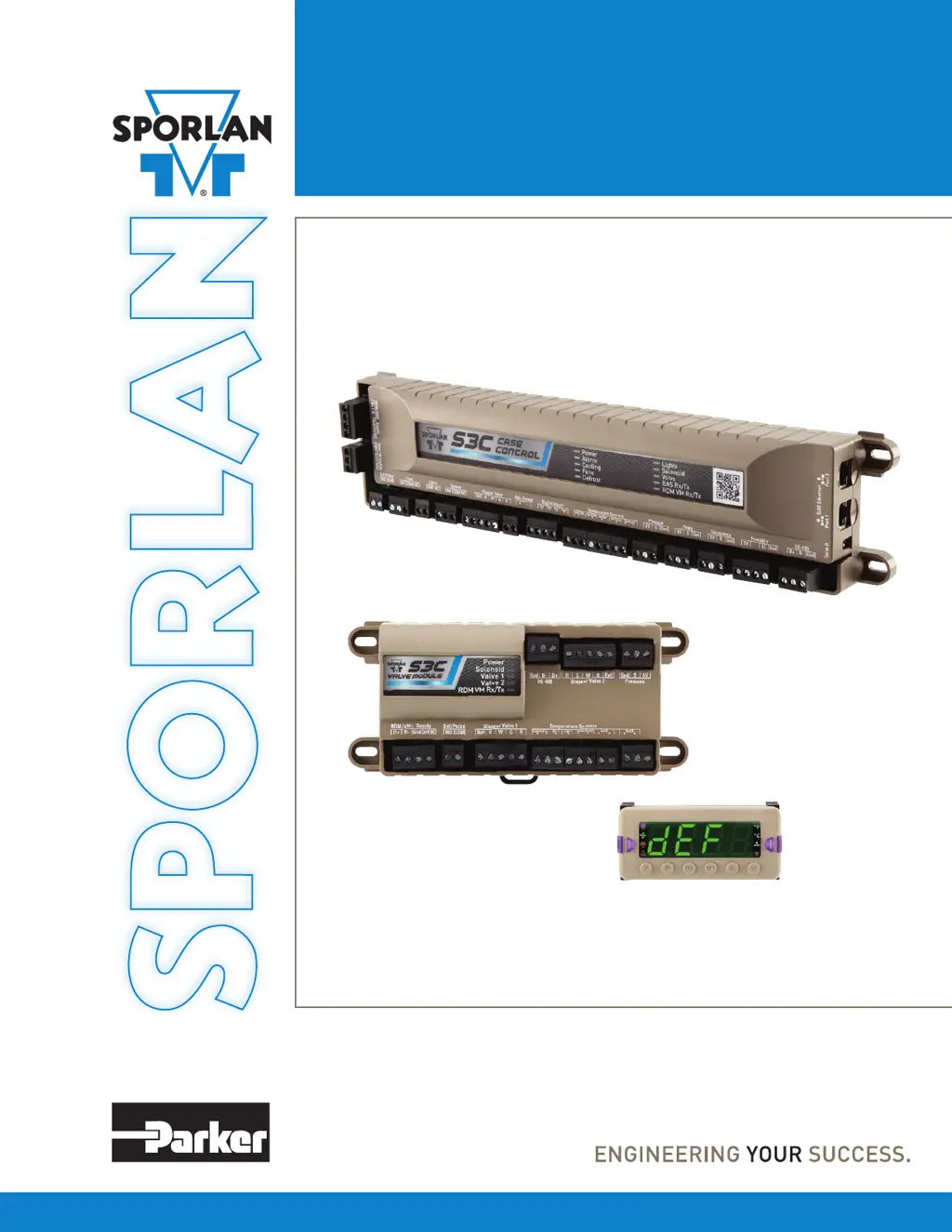
S3C Case Control
Installation and Operation Instructions
March 2020 / Bulletin 100-50-9.1
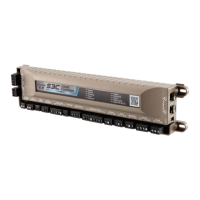
VALVE MODULE
DISPLAY MODULE
S3C CASE CONTROL

Table of Contents

Other manuals for Parker Sporlan S3C

Questions and Answers

  • M
    Michelle FloydAug 12, 2025
    What to do if liquid line solenoid is not opening in Parker Controller?
    • K
      Kevin ClarkAug 12, 2025
      If the liquid line solenoid is not opening, check the wiring from the controller to the valve, ensuring it is correct and that the proper voltage is feeding the valve. Also, verify that the fuse inside the controller is not blown. Refer to the Service section for the fuse replacement procedure.
  • R
    Richard JenkinsAug 15, 2025
    How to fix Parker Controller if evaporator fans are not working?
    • E
      Edward SheltonAug 15, 2025
      If the evaporator fans are not working, check the wiring from the controller to the valve, ensuring it is correct and that the proper voltage is feeding the fans. Also, verify that the fuse inside the controller is not blown; see the Service section for the replacement procedure.
  • E
    eperryAug 20, 2025
    What to do if case lights are not working on Parker Controller?
    • K
      Kevin RodriguezAug 20, 2025
      If the case lights are not working, ensure the wiring from the controller to the valve is correct and that the proper voltage is feeding the lighting power supply/driver. Also, check the fuse inside of the controller to make sure it is not blown; see the Service section for the replacement procedure.
  • R
    Roger DavisAug 23, 2025
    What to do if defrost heaters are not working on Parker Controller?
    • A
      Anthony RuizAug 25, 2025
      If the defrost heaters are not working, make sure the wiring from the controller to the valve is correct and that the proper voltage is feeding the heaters or hot gas solenoid. Also, check the fuse inside of the controller to ensure it is not blown; see the Service section for the replacement procedure.
  • A
    Alicia CummingsAug 27, 2025
    What to do if Parker Controller is not powering up?
    • R
      ryan21Aug 27, 2025
      If the Case Controller is not powering up (and the power LED indicator is not lit), check the voltage at the Case Controller (Gnd and 24VDC). If the voltage is not 24VDC, replace the power supply. Also, make sure the wiring between the power supply and Case Controller is correct and retighten if necessary.
  • M
    Matthew SimmonsAug 30, 2025
    How to troubleshoot a Parker Controller display that is not powering up?
    • H
      Heather WardAug 31, 2025
      To troubleshoot a display that is not powering up, ensure the wiring at the Display Module (Gnd and 24VDC) is correct and retighten it.
  • M
    Michelle JohnsonSep 4, 2025
    Why is my Parker Controller display showing dashes?
    • J
      James GraySep 4, 2025
      If your Parker Controller display is showing dashes, the issue might be with the communications from the Case Controller (D+ and D-). Ensure the wiring is correct and retighten it.
  • C
    carpenterpaulaSep 7, 2025
    What causes a Parker Controller display to be intermittent?
    • P
      pamela61Sep 7, 2025
      An intermittent display on your Parker Controller can be caused by the wiring between the Case Controller and the Display. Make sure the wiring is correct and retighten it.

Summary

Introduction to Sporlan S3 C Case Control System

Sporlan Technical Support Information

Contact details for immediate assistance with the S3C Case Control system.

Sporlan S3 C System Components

S3 C Case Control Unit Specifications

Details on inputs, outputs, and features of the S3C Case Control unit.

S3 C Case Control System Specifications

S3 C Case Control Electrical and Input;Output Specs

Detailed electrical requirements, digital and analog inputs, and relay outputs for S3C Case Control.

Component Specifications for S3 C System

S3 C Valve Module Specifications

Details on electrical, analog inputs, relay outputs, and stepper motors for S3C Valve Module.

S3 C Case Control System Overview

Temperature Control Methods

Explanation of temperature control sources and modulation for the S3C Case Control.

Superheat Control Strategy

How the S3C Case Control system maintains superheat set points using EEVs.

EEPR Control Functionality

Details on how the S3C Case Control modulates EEPR for temperature or suction pressure.

Defrost Control Schemes

Overview of S3C Case Control support for various defrost schemes and termination methods.

Advanced Control Features and System Configurations

Dual-Temperature Case Control

Configuration and operation for dual-temperature cases using the S3C system.

S3 C Case Control Data Interface Options

Supported communication protocols (Ethernet, RS-485) for BAS integration.

System Diagnostics and Fail-Safe Operation

System Diagnostics Capabilities

How the S3C system uses sensors and algorithms for fault detection.

Fail-Safe Operation Modes

How the S3C Case Control operates during sensor faults or communication loss.

Component Mounting and Wiring Procedures

S3 C Case Control Mounting Options

Instructions for flange and DIN rail mounting of the S3C Case Control unit.

Sensor Installation and Wiring

Coil Outlet Temperature Sensor Installation

Instructions for mounting and wiring the coil outlet temperature sensor for superheat calculation.

Discharge Air Temperature Sensor Installation

Guidance on mounting and wiring the discharge air sensor for case temperature control.

Pressure and Environmental Sensor Installation

Suction Pressure Transducer Installation

Mounting and wiring for the suction pressure transducer for EEV and EEPR control.

Valve Installation and Wiring

Electronic Expansion Valve (EEV) Installation

Guidelines for installing and wiring Sporlan EEVs for capacity and sizing.

Electronic Evaporator Pressure Regulator (EEPR) Installation

Instructions for installing and wiring Sporlan EEPRs for capacity and sizing.

S3 C Case Control Applications

Configuration A: Self-Contained Single Evaporator

Setup procedure for a single evaporator self-contained refrigerated fixture.

Configuration B: Self-Contained Single Evaporator with EEV

Configuration C: Self-Contained Multiple Evaporator with 2 EEVS

Configuration D: Self-Contained Multiple Evaporator with 3 EEVS

Configuration E: Remote Single Evaporator Setup

Configuration F: Remote Single Evaporator with EEV

Configuration G: Remote Single Evaporator with Circuit EEPR

Configuration H: Remote Single Evaporator with Case EEPR

Configuration I: Remote Single Evaporator with EEV and Circuit EEPR

Configuration J: Remote Single Evaporator with EEV and Case EEPR

Configuration K: Remote Multiple Evaporator with 2 EEVS

Configuration L: Remote Multiple Evaporator with 3 EEVS

Configuration M: Remote Multiple Evaporator with Circuit EEPR

Configuration N: Remote Multiple Evaporator with 2 EEVS and Circuit EEPR

Configuration O: Remote Multiple Evaporator with 3 EEVS and Circuit EEPR

Configuration P: Remote Multiple Evaporator with 2 EEVS and Case EEPR

Configuration Q: Remote Multiple Evaporator with 3 EEVS and Case EEPR

Configuration R: Remote Dual Temperature with Circuit EEPR

Configuration S: Remote Dual Temperature with EEV and Circuit EEPR

Configuration T: Remote Dual Temperature with EEV and Case EEPR

Configuration U: Walk-in Single Evaporator with EEV

Configuration V: Walk-in Single Evaporator with EEV and EEPR

Controller Requirements and Wiring Charts

Controller Requirements per Configuration

Chart detailing required hardware components for each S3C Case Control configuration.

S3 C Case Control Passwords and Menu Structure

S3 C Passwords and Access Levels

Information on Administrator and Technician password levels and their access.

S3 C Case Control Setup Procedures

Configurable System Menus and Parameters

Administrator and Technician Level Access

Details on accessing system settings via Administrator and Technician passwords.

Configuring S3 C Case Control (Administrator Level)

Guide for detailed configuration of S3C Case Control parameters via Administrator access.

Case and Basic Operational Configuration

Sensor and Network Configuration

Sensor Configuration Options

Configuring thermistor types, pressure transducer types, ranges, and custom settings.

Network Configuration and Time;Date Settings

Network Configuration for BAS Communication

Setting up communication options (BACnet, MODBUS) for BAS integration.

Valve and Anti-Sweat Heater Configuration

Valve Configuration Menu

Configuring stepper valve types, expansion valve types, and EPR settings.

Custom Valve Configuration Procedures

Steps for setting up custom EEV and EEPR configurations with specific parameters.

Defrost Configuration and Settings

Defrost Operation Parameters

Configuring defrost type, termination set points, and drain times.

Dual Temperature and System Startup Procedures

System Start Up Procedures

Instructions for Charge Pro feature and valve initialization upon system startup.

System Operation Modes and Defrost Functionality

Defrost Cycle Management and Operation

Types of Defrost: Air, Electric, Hot Gas

Detailed explanation of Air, Electric, and Hot Gas defrost methods and valve actions.

System Alarms and Notifications

Alarm Configuration Settings

Setting alarm thresholds and delays for various system parameters.

Service Functions and System Monitoring

Initiating and Terminating Defrost Manually

Procedures for manually forcing defrost start and termination.

Viewing System Parameters and Manual Control

Manually Positioning EEV and EEPR

Instructions for manually controlling EEV and EEPR valve positions via Test Mode.

Clean Mode, Test Mode, and Service Indicators

Test Mode for Component Verification

Using Test Mode to manually toggle relays and operate step motor valves.

Maintenance and Troubleshooting Procedures

Controller Replacement Process

Steps for replacing Case Controller, Valve Module, and Display Module units.

Troubleshooting Common System Issues

General Troubleshooting Guide

Chart of common problems, checks, and solutions for system issues.

Network and Communications Setup

BAS Integration and Software Configuration

BAS RS-485 Serial Interface Configuration

Configuring the software for Modbus over RS-485 communication to the BAS.

BACnet Over Ethernet to BAS Configuration

Software configuration for BACnet over Ethernet communication to the BAS.

IP Address and Network Configuration

Configuring Controller IP Address and Subnet Mask

Procedure for setting the IP address and subnet mask for S3C Case Control.

Parker Sporlan S3C Specifications

General IconGeneral
BrandParker
ModelSporlan S3C
CategoryController
LanguageEnglish

Related product manuals