58 CHAPTER 5 REPLACING FIELD REPLACEABLE UNITS (FRUs)
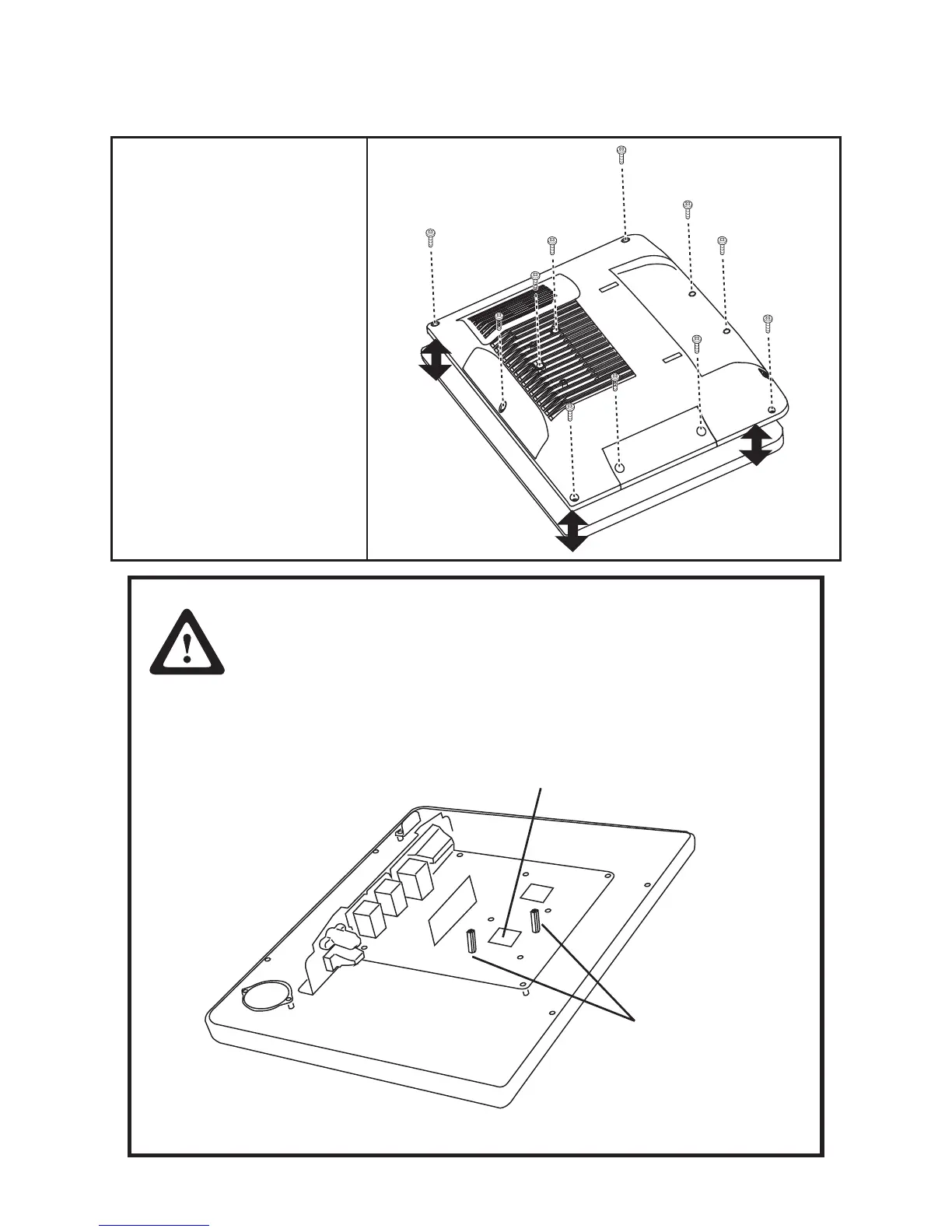
Back Cover
1. Remove all screws from the
back cover.
2. Remove the back cover.
CAUTION
To avoid the thermal issue. When you replace the back cover, check the
thermal pad should be complete and stuck on the CPU. If the thermal
pad damaged, replace it.
When replace the back cover, the two standoff screws must be installed
as shown below. Tighten both of the screws until they resist and stop.
Thermal pad
Standoff screws



 To Next Page