DATASHEET
α
12
7. P8136 MANAGER SOFTWARE
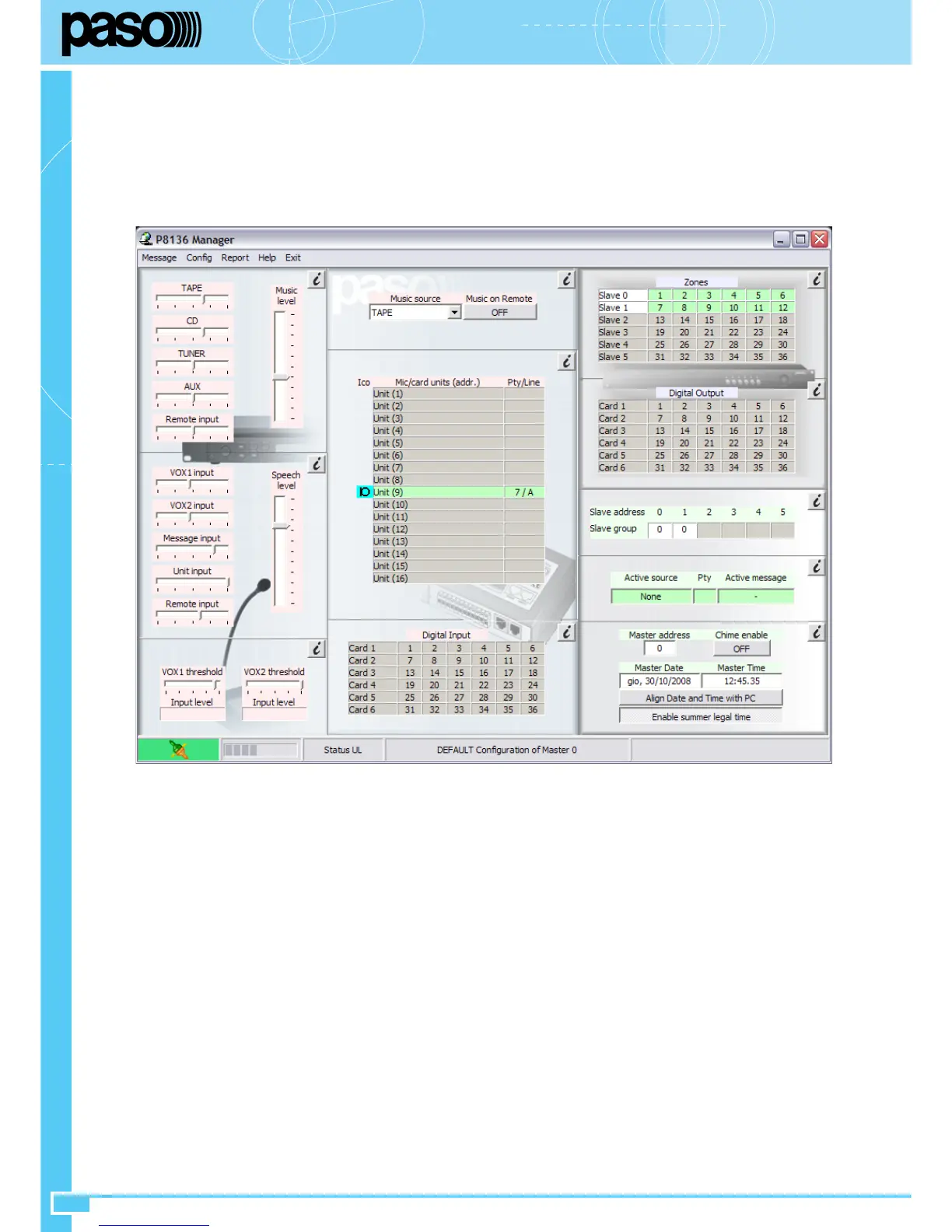
The P8136 Manager software can be used to manage the system entirely via a PC. Specifically, the software enables the following:
• Creation and downloading of the set-up configuration of microphone stations keys, digital inputs/outputs, timer events and calling up of digital
messages (with the optional ACMG8136 card installed inside the P8136 control panel);
• Checking and displaying of all the system parameters – speech/music level controls, selection of the music source, devices connected with the
P8136 Master Unit (e.g. microphone stations, I/O cards);
• Correct preparation of the SD card to be inserted into the optional ACMG8136 card, following a simple guided procedure.
7.1 Preliminary operations
Minimum system requirements
To run the P8136 Manager software correctly, the PC must meet the following specifications
• Intel Pentium or equivalent processor
• OS: Windows XP, Windows Vista.
• 20 MB of free space available on the hard disk.
• CD-ROM drive.
• USB 1.0 / 2.0 socket.
Installing the software
1) Insert the CD into the CD-ROM drive of the computer.
2) Follow the instructions that appear on the screen.
If the installation does not start automatically, proceed as follows:
1) Press “Start” then “Run” in the Start-up menu;
2) Select the “install.exe” file and press “OK”;
3) Follow the instructions that appear on the screen to complete the installation.
An icon will be created on the desktop upon completion of the guided procedure.
Initialisation
1) Connect the PC to the P8136 via the USB socket (1) provided for this purpose on the front panel of the master unit using the cable included in
the supply;
2) Switch on the master unit by positioning the main POWER switch (11) to ON;
3) Click twice on the P8136 Manager icon to run the software;
4) Select “Config” then “Upload” from the menu to load the settings of the master unit connected to the computer.
Consult the Help function of the P8136 Manager for all the settings and instructions for using the software.


 To Next Page