11
Air+ Features
Auto Record
Auto record automatically turns the coverage recording OFF when 75 percent of the
working width goes inside a previously recorded area and turns back ON when 25 percent
of the working width is outside the recorded area.
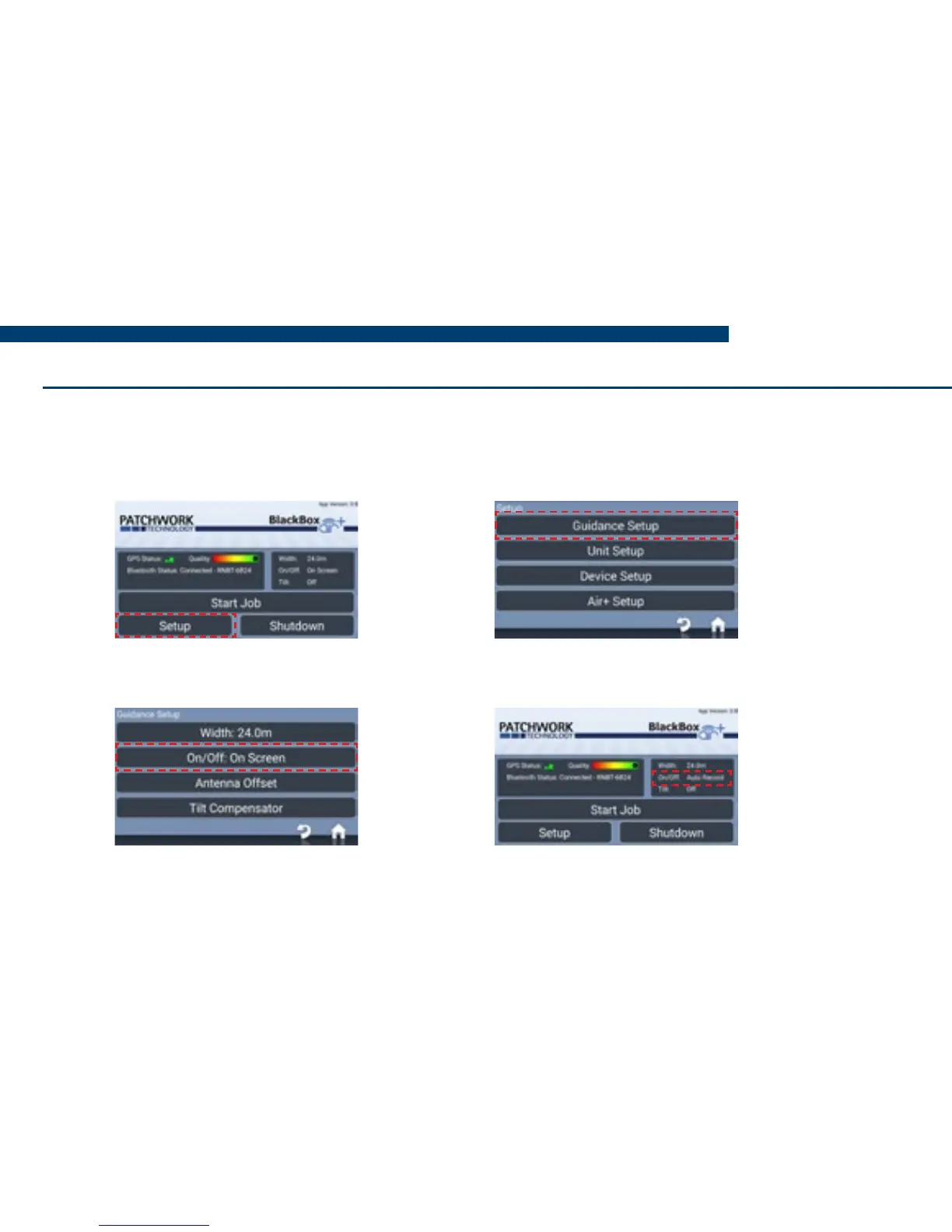
1) On the Home screen, press Setup.
3) Select On/Off, choose Auto
Record from the list and press OK.
2) Then press Guidance Setup.
4) Press Home, Auto record is set
ready to begin a job.


 To Next Page