4
Setup
When launching the BlackBox for the rst time the ‘Setup Wizard’ will guide through the
essential settings ready for guidance and area measurement.
Navigation Bar
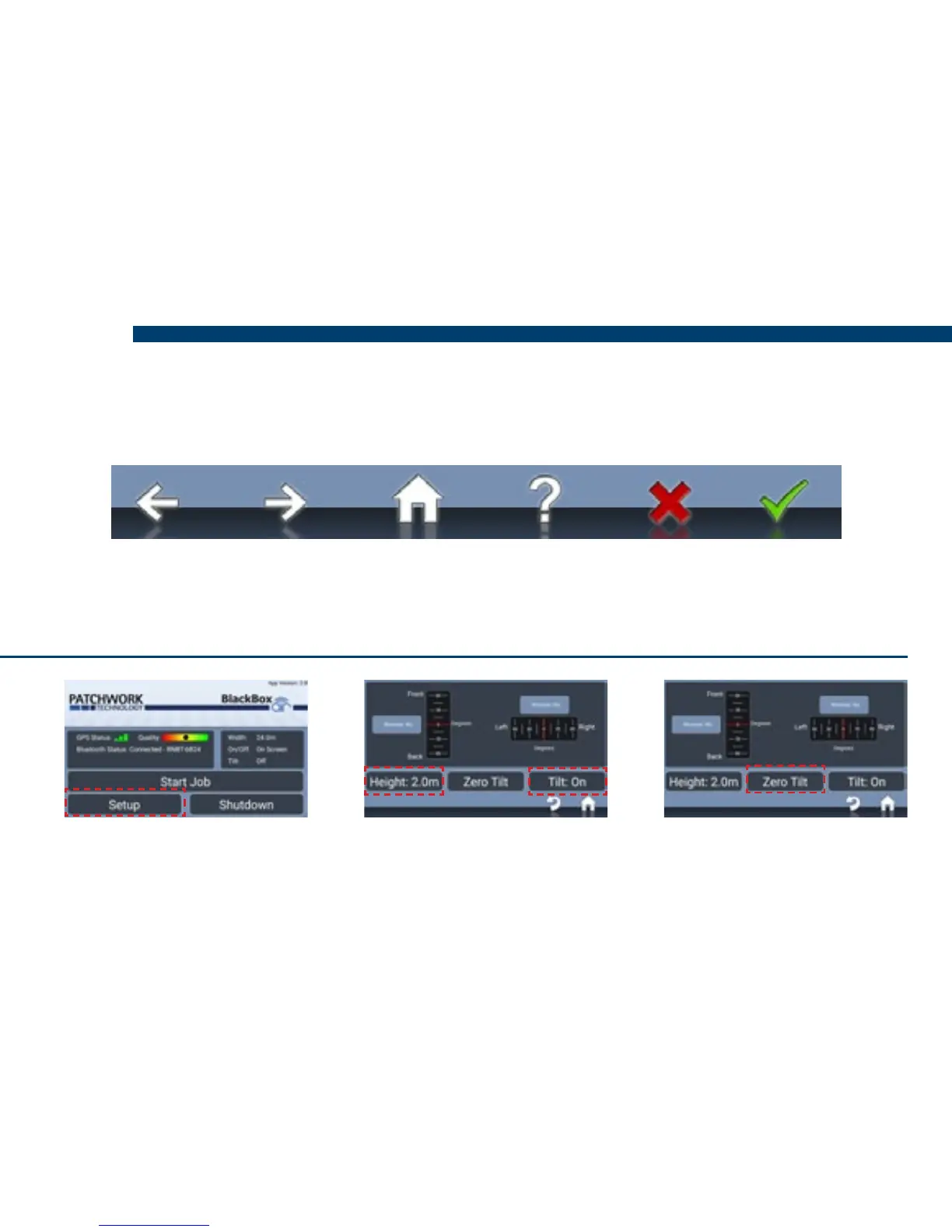
Enable Tilt Correction (If required)
Previous Next Home Information Cancel Conrm
N.B. The wizard can be re-accessed via Setup > Unit Setup > Run Initial Setup Wizard.
1) Select Setup > Guidance
Setup > Tilt Compensator
2) Set Tilt to ‘On’, enter
Height, distance from the
ground to the antenna.
3) Position the vehicle on a
known level surface, press
Zero Tilt.


 To Next Page