5
Starting a Job
N.B. Before starting a job it is important the correct Bluetooth device is selected and that
the GPS Quality level is within the green. This ensures the best GPS performance for use
with guidance and area measurement.
Guidance Modes
Straight - Sets a straight guidance line between set point A and point B, which is then replicated
both sides of the original line at equal intervals based on the entered width.
Curved - Creates a curved guidance line based on the path driven between set point A and
point B. The line is then replicated both sides of the original line at equal intervals based on the
entered width.
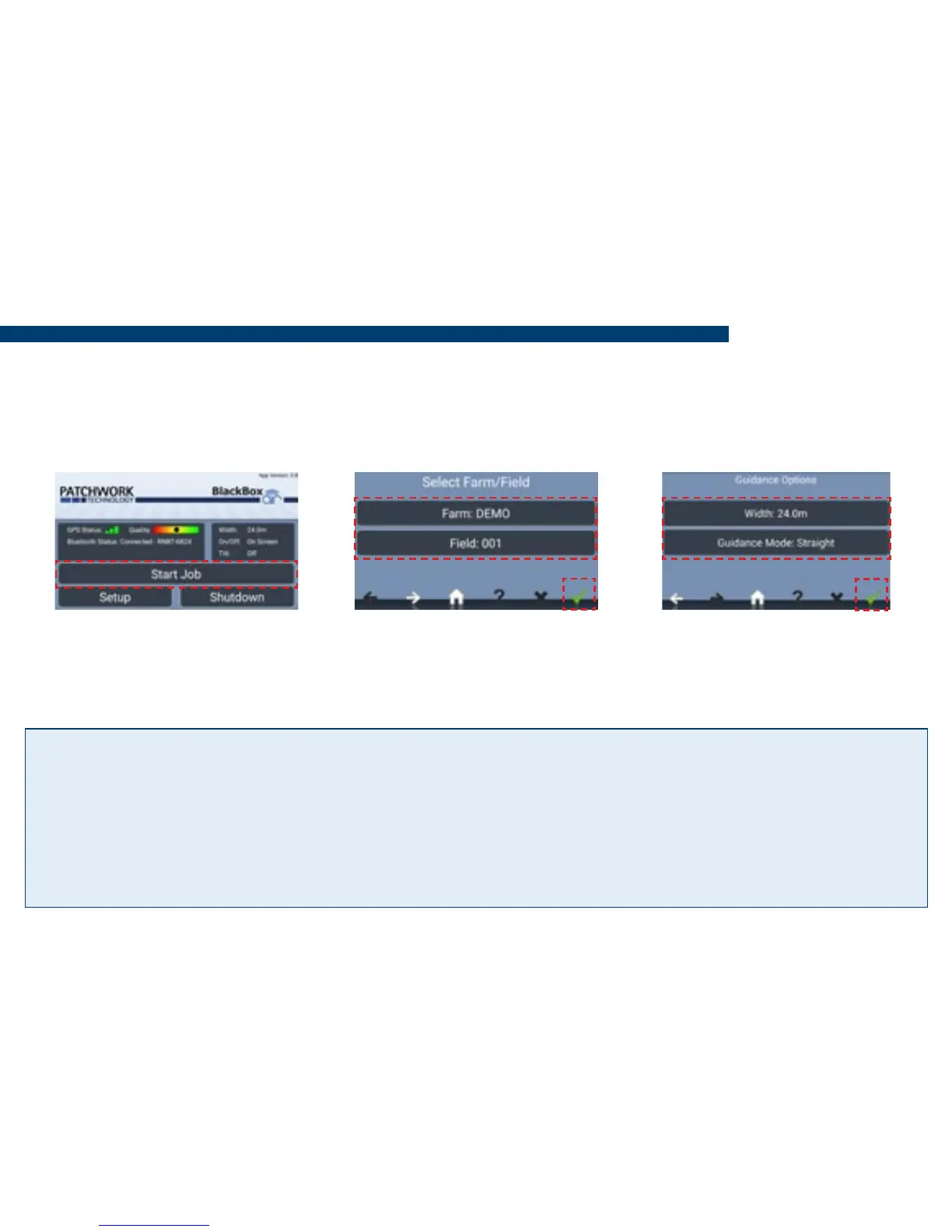
1) Press Start Job. 2) Enter the Farm/Field
name and Conrm.
3) Enter working Width,
select Guidance Mode and
press Conrm to begin job.


 To Next Page