3
Installing the Unit
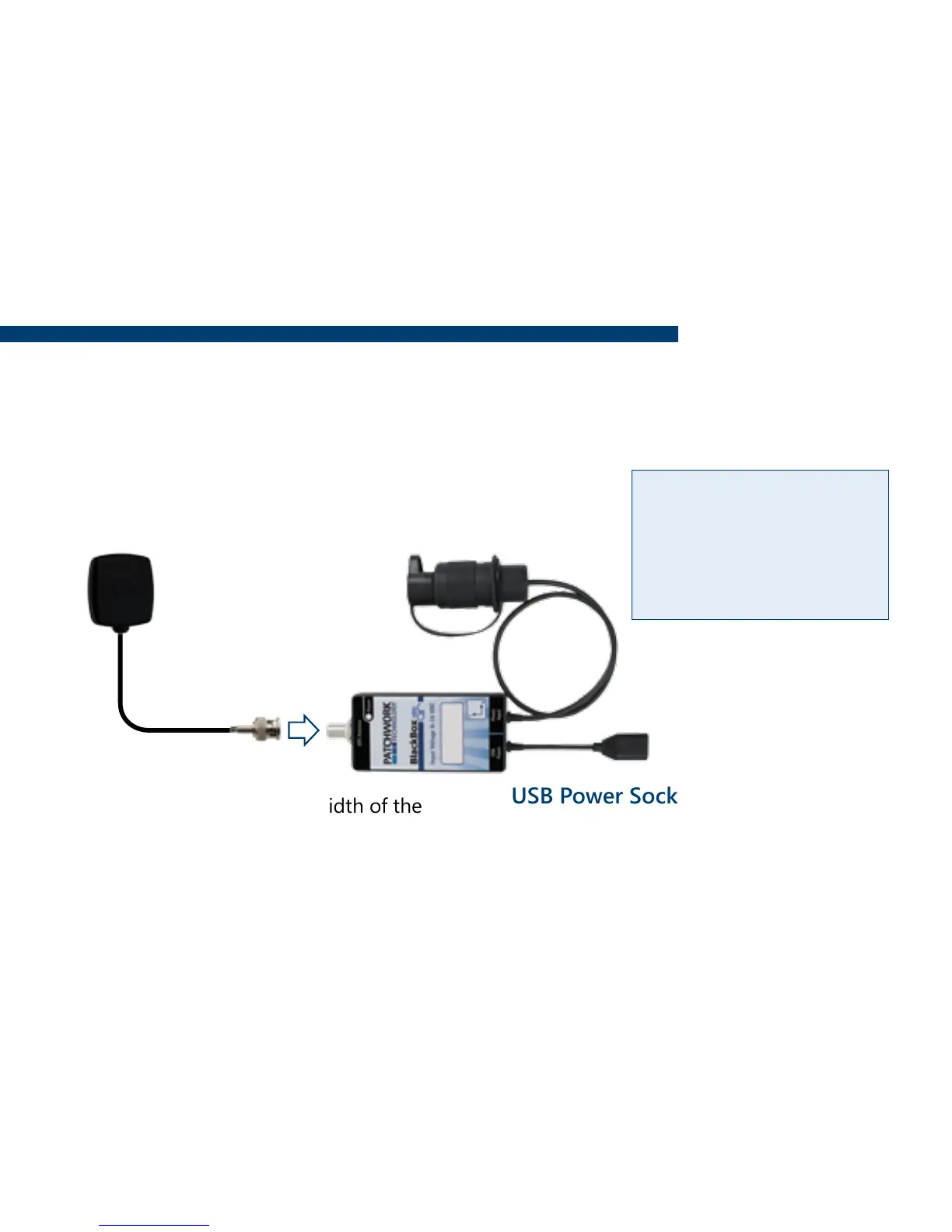
GPS Receiver and Tilt unit
If the tilt function is required, the unit needs to be securely mounted on a at surface with
the ‘Y’ pointing towards the direction of travel.
12v DC Plug
Plug into 3 pin socket on vehicle.
USB Power Socket
Charge the screen via supplied USB Cable.
It is recommended that the charge cable
is always connected to the screen whilst
in use.
Magnetic Antenna
Install centrally across the width of the
roof (if the roof is not metal use the
roof mount plate supplied).
Important!! Completely uncoil the
cable and route around the cab.
Warning - Please
disconnect the unit
from the power supply,
if you need to jump
start your vehicle.


 To Next Page