13
Air+ Features
Headland warning creates a headland zone from the eld boundary map at a distance
specied by the user as the ‘Headland Size’. As the user approaches the edge of the zone a
distance counter will countdown to zero alerting the user to stop or start the implement.
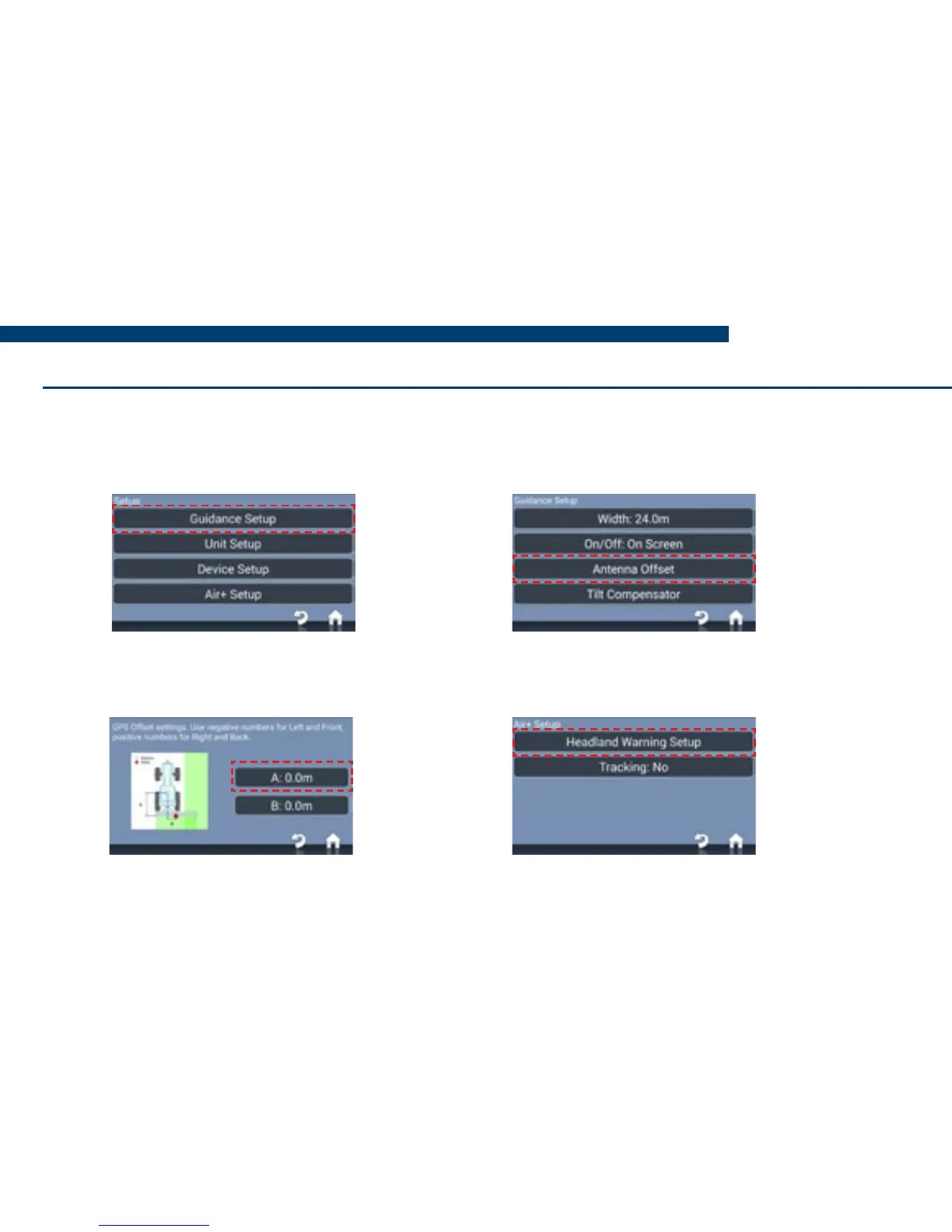
1) On the home screen, press
Setup > Guidance Setup.
2) Press Antenna Offset, then
tick and select A
3) Enter the distance from the antenna
to the working part of the implement.
4) Press Home, then Setup > Air+
Setup > Headland Warning Setup.
Headland Warning


 To Next Page