17
Air+ Features
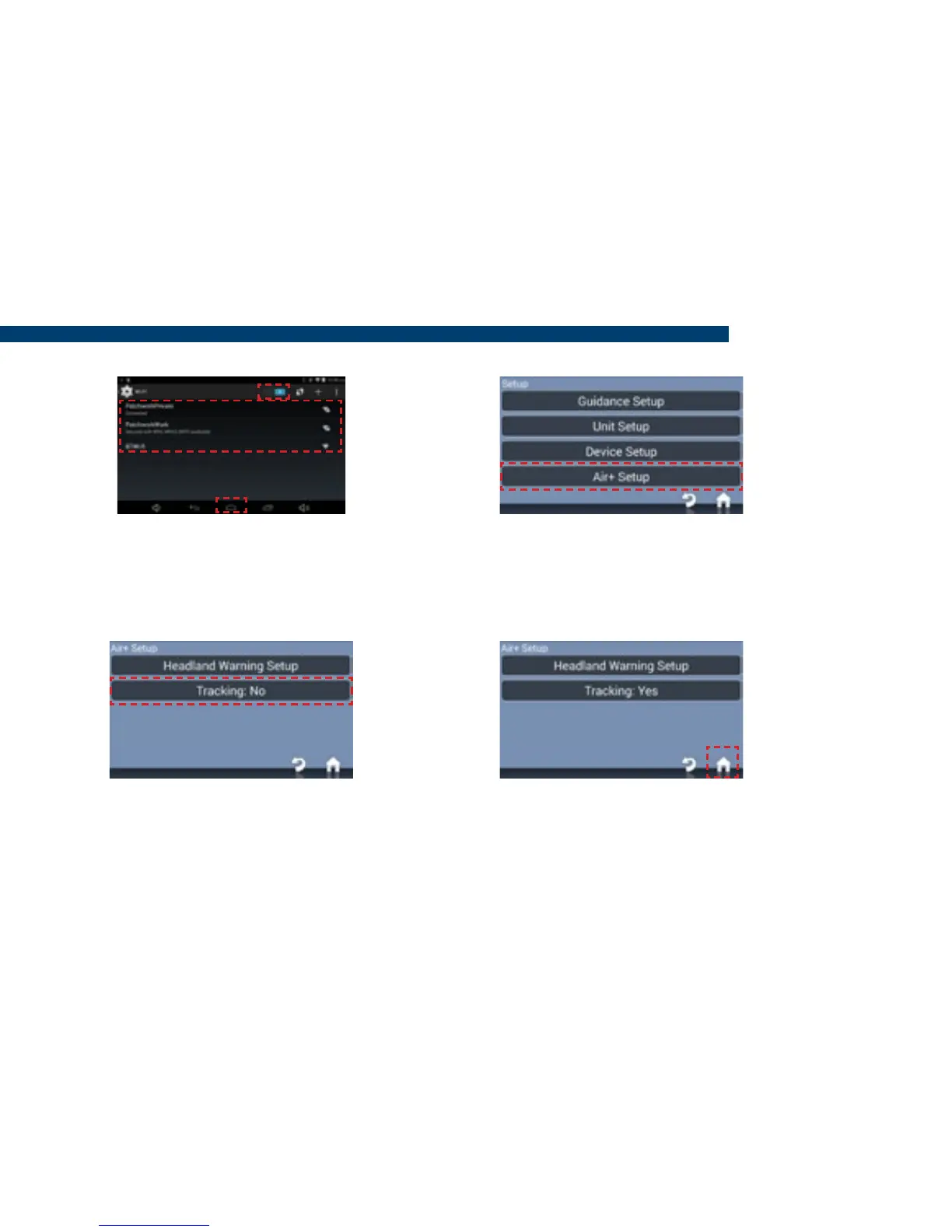
4) Enable Wi-Fi. Choose the name
of the hotspot and enter the access
code. Once connected press Home
and then Start BlackBox Air.
6) Press Tracking and then Enable.
5) When the BlackBox has loaded
press Setup > Air+ Setup.
7) Press Home, the BlackBox is now
sending positional data to Patchwork
Core, so it can be tracked.
Warning!! This feature requires a mobile data connection and will reduce the available
usage of the mobile data plan.


 To Next Page