8
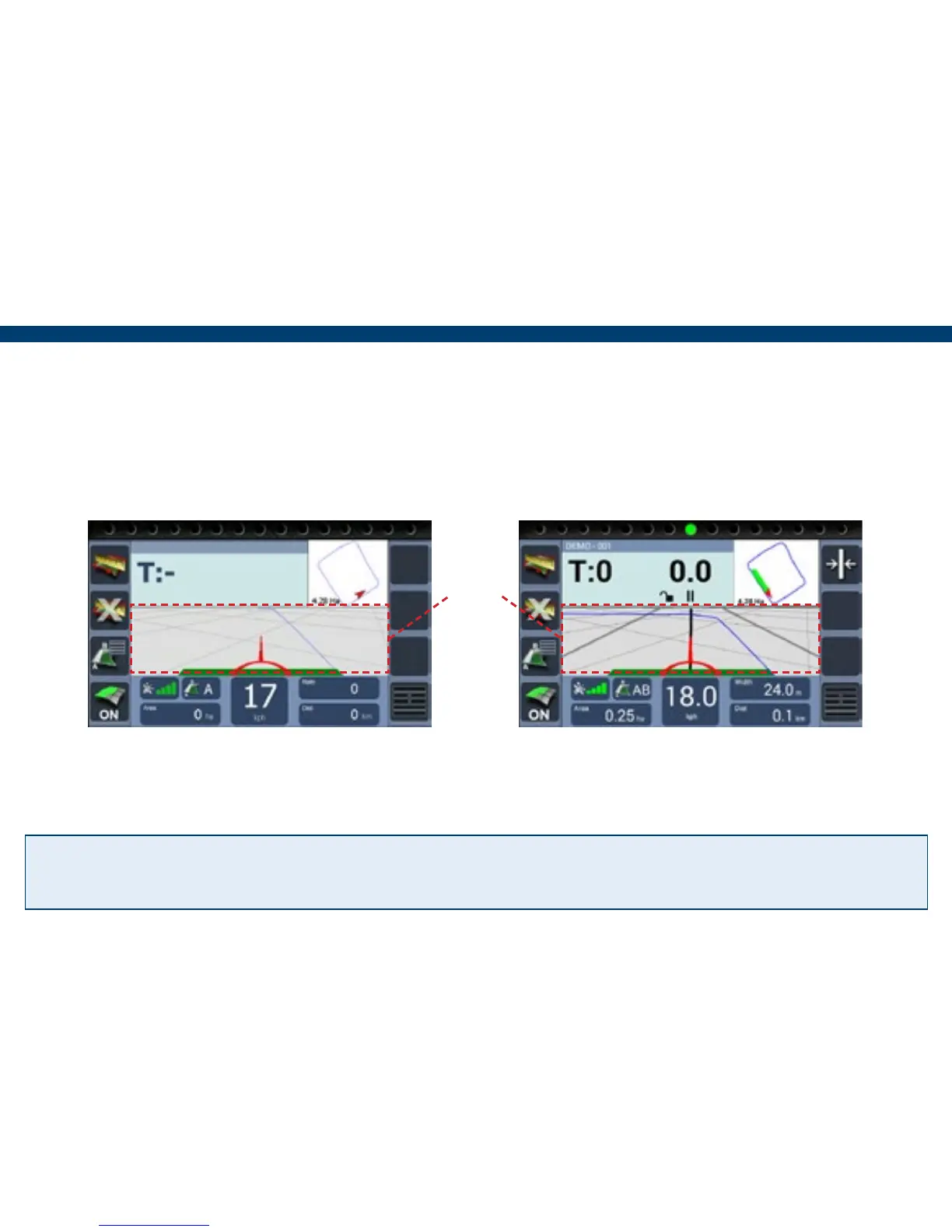
2) At the beginning of a straight run
press the Grid area to set point A.
3) Drive to the end of the run and press
the Grid area to set B. The guidance
line will appear ready for guidance.
N.B. The green coverage recording can be turned off and on using the ‘Recording On/Off’
button if ‘On Screen’ has been set.
1) Position the vehicle in the eld where the job will begin. (When using a curved line it is
important to use the longer edge of the eld to set a guide line).
Tip! Pressing the Grid area a third time allows the guidance line to be reset and if using the
‘Straight’ guidance mode, recalibrated to realign with current location.
Grid
area


 To Next Page