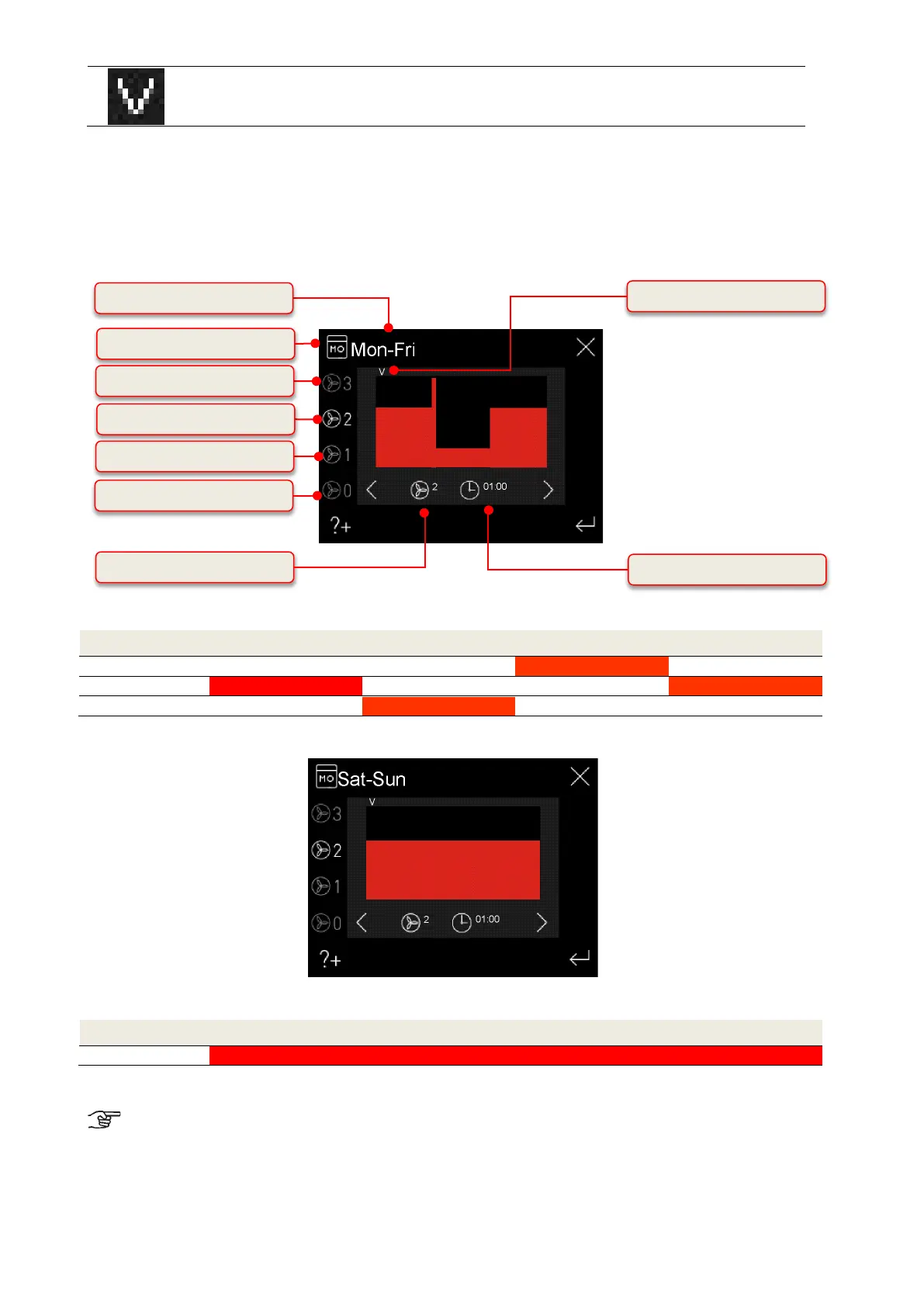
The cursor marks the time in the ¼-hourly range. With the navigation
buttons the cursor is navigated over the time frame in which the selected
fan speed should be active.
Table 8: Automatic timer parametrisation
By selecting a group of days (e.g. Mon-Fri), the changed data are applied to each day of the group. The settings for
the group “Mon-Fri” are then identical for the days “Mon”, “Tue”, ... Fr (or for the group “Sat-Sun” identical for the days
“Sat”, “Sun”). To operate the system with different fan speeds and time profiles on different days, the profile of the
respective day (“Mon” ... “Sun”) must be changed. Any subsequent changes in the groups “Mon-Fri” or “Sat-Sun” will
overwrite the previous settings of the individual days!
Fig. 6: Automatic timer factory setting, groups weekdays Mon-Fri
Fan speed Time frame (Time 0
00
- 24
00
)
30
00
00
00
00
00
00
30
Table 9: Time frame factory setting, groups weekdays Mon-Fri
Fig. 7: Automatic timer factory setting, groups weekdays Mon-Fri
Fan speed Time frame (Time 0
00
- 24
00
)
Table 10: Time frame factory setting, groups weekdays Sat-Sun
The automatic timer factory setting can only be restored via the main menu Setup.
If the operating mode “Automatic timer” is active in the automatic mode, then the active fan speed (only FS 1-3) is
displayed in grey according to the time frame in addition to the automatic mode icon.
Display fan speed (cursor status)
Display time (cursor status)
Symbol FS2 (Cursor status)


 To Next Page