PBI-Dansensor A/S COPYRIGHT © PBI-300042-B 10/2010
CheckMate 3 EN User Guide 13
Connection of additional equipment
Barcode reader
It is possible to connect a barcode scanner to CheckMate 3. The barcode scanner must
be a USB type and we recommend using a “Datalogic Heron D130” barcode scanner.
The barcode scanner must be connected to the USB A connector
(labelled ) at the
back of the device.
The barcode scanner is avaliable as an option - see "Options" on page 54.
USB Memory Key
When importing and exporting data you may use a USB memory key . The memory key
must be connected to the USB A connector
(labelled ) at the back of the device.
USB Keyboard
A keyboard can be connected to the device for keying in various data. The keyboard must
be a USB type and it can be connected to the USB A connector
(labelled ) at the back
of the device.
SmartPen
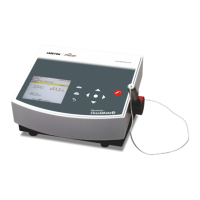
SmartPen is an optional needle retainer/measuring gas extractor with built-in protection and
lock. The SmartPen replaces the standard needle set and must be connected to the
measuring gas inlet (labelled ) on the right side of the device.


 To Next Page