PBI-300042-B 10/2010 COPYRIGHT © PBI-Dansensor A/S
30 User Guide EN CheckMate 3
Replacing printer paper
(Only models with printer)
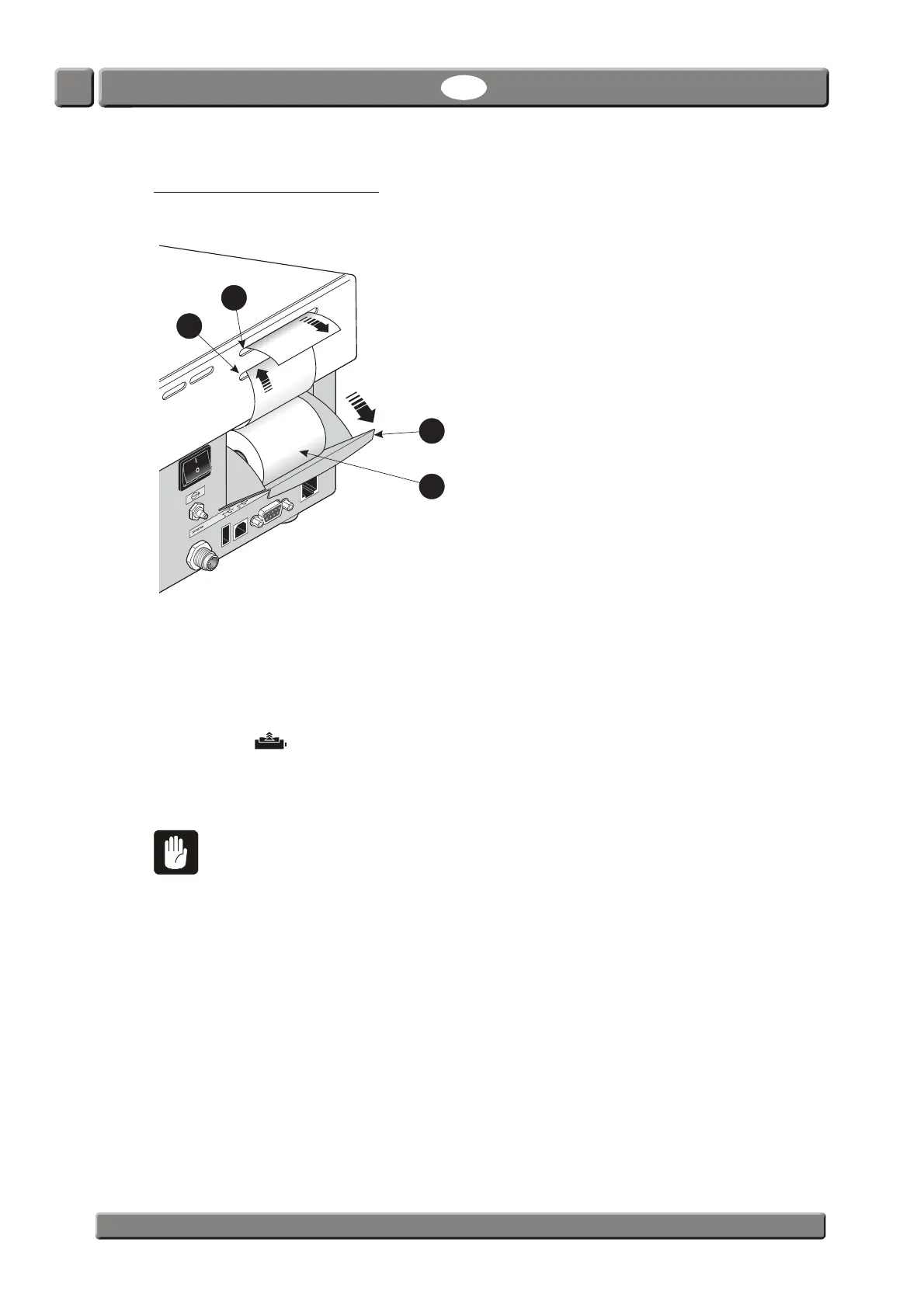
To replace printer paper roll do the following:
1. Open the paper roll tray
by pulling it outwards, then remove the empty paper roll.
2. Place new paper roll
in the tray and lead the paper into the lower paper slot until
the printer catches it.
3. Press the key a couple of times until paper is led out through the upper paper slot
.
4. Close paper tray
.
CAUTION! Do not touch the paper tear-off mechanism located at the top of the
upper paper slot
as there is a risk of cutting your fingers.


 To Next Page