PBI DCH-5000P
- 16 -
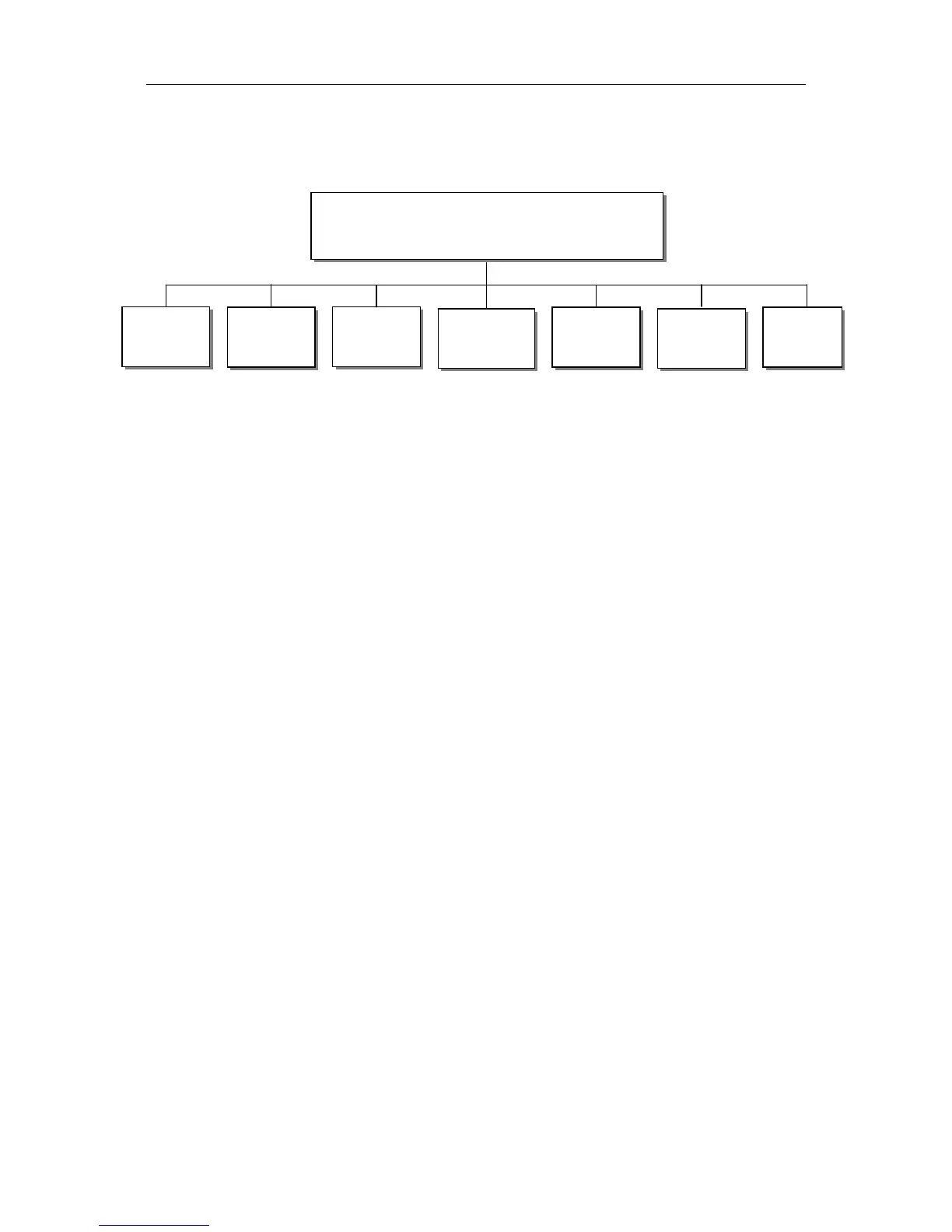
5.3 System Menu
There are seven sub-menus:
5.3.1 Local Setup
Each DCH-5000P has an IP address, a network sub mask and a gateway. These must
be set to an appropriate value for the network.
IP Address: The IP address for the unit.
Network Mask: The network mask for the subnet to which the unit is connected.
Gateway: The gateway for the network to which this unit is connected.
5.3.2 Trap IP Addr
The DCH-5000P provides a Monitor Center IP address. You can set this to be the
same IP address of the Monitor Center, which is typically a PC in order to allow the device to
send messages to the monitor center.
5.3.3 Unit Name
The DCH-5000P allows you to edit the unit name which is displayed on the front panel
LCD. Default name is ‘Digital TV Processor”. The unit name should not be longer than 20
characters in ASCII format.
5.3.4 Properties
Version: show software version of this device
MAC Address: Factory-set MAC address which is guaranteed to be unique. You cannot
configure this address.
Linux OS version: show Linux OS version
ARM SW version: show ARM software version
Decoder version: show Decoder version
FPGA version: show FPGA version
TS/IP IN (or OUT) NIOS: it’s changed when TS/IP board is set to “IP Out” or “IP IN”.
TS/IP IN (or OUT) FPGA: it’s changed when TS/IP board is set to “IP Out” or “IP IN”.
5.3.5 Factory Setting
System
Local
Setup
Trap IP
Addr
Unit
Name
Properties
Factory
Settings
Machine
Type
Optional
Function


 To Next Page