EN 29
When you set an end time, you can have the oven switch off automatically at the set time.
Setting the end time
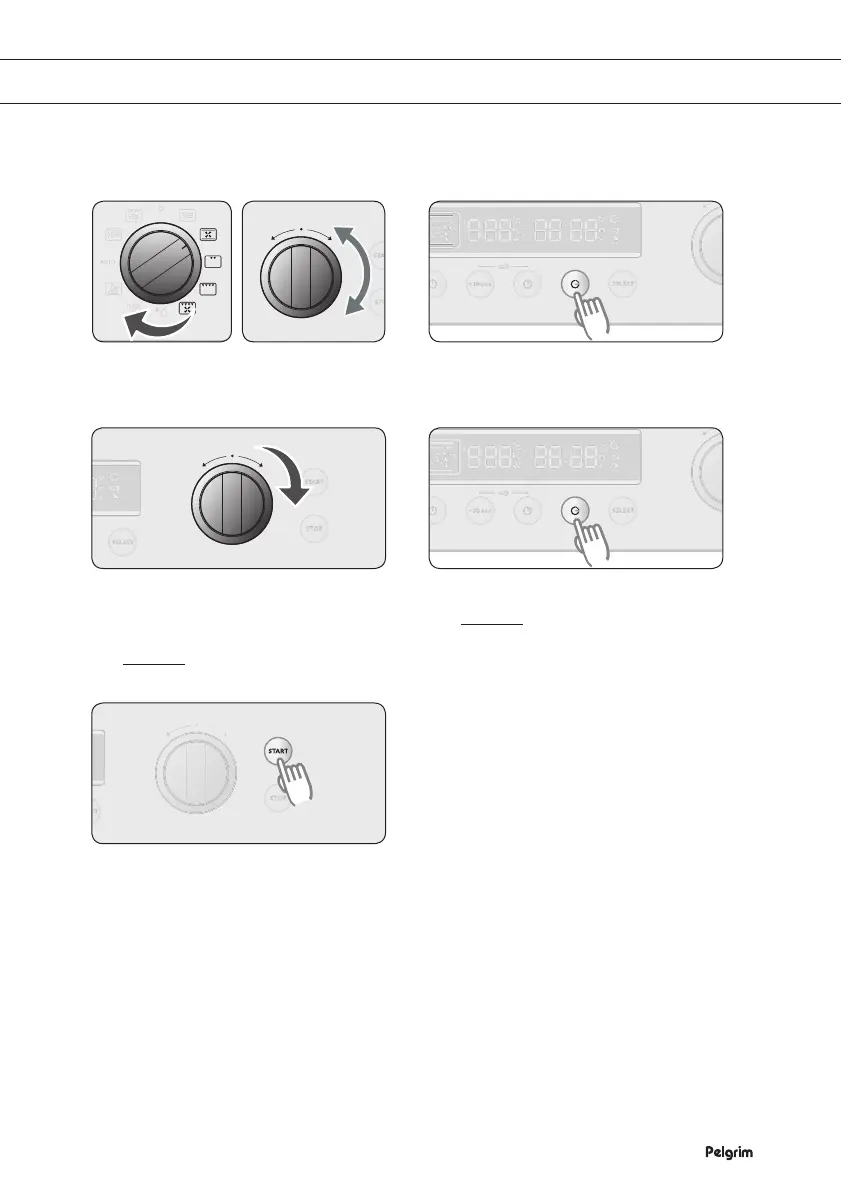
Select the function you want (and if
desired, set the temperature).
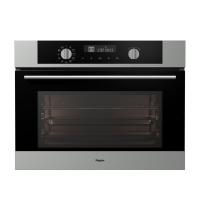
Press END TIME.
The current time flashes on the
DISPLAY.
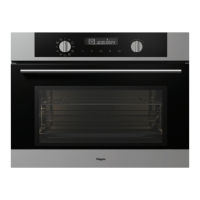
Turn the FUNCTION SELECTOR
KNOB to the end time (14:00) you
want.
Example The desired time is
14:00 o’clock.
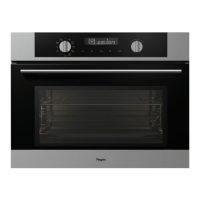
Press END TIME again.
Example The current time is
13:00 o’clock.
The desired end time is
14:00 o’clock.
Press START to start the preparation.
The preparation time '1:00' is shown.
The oven switches on immediately.
Note
1) The time display shows the remaining time. Once the set time has expired, you hear a beep.
‘0:00’ flashes on the display and the oven switches o automatically. The current time
appears on the display.
2) During the preparation you can change the preset preparation time and the temperature
for better results. Press PREPARATION TIME and change the time with the FUNCTION
SELECTOR KNOB.
3) You can set the end time again as shown above. If you want to cancel the programmed
preparation time, press END TIME and set the time to the current time.
1 2
43
5
SETTING AN END TIME


 To Next Page