EN 46
USING THE AQUA CLEAN SETTING
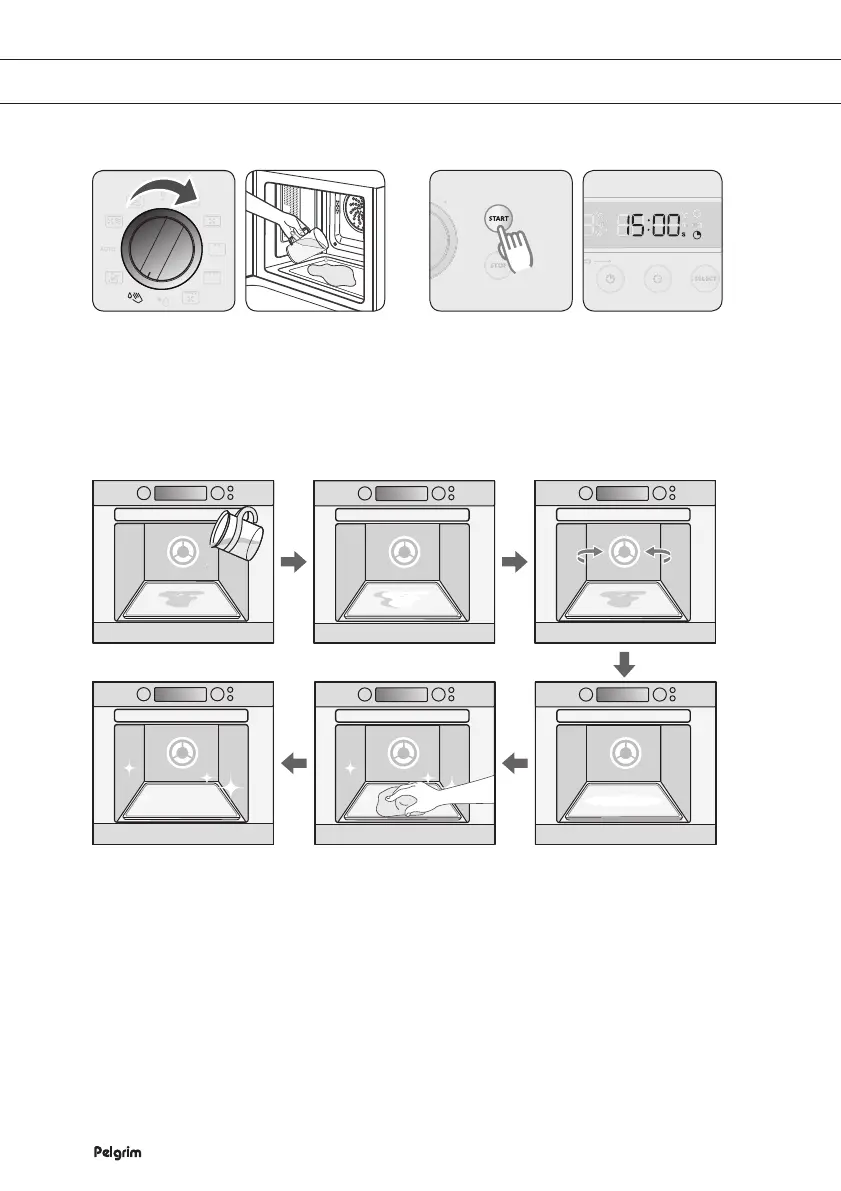
With the Aqua Clean setting you can clean your oven quickly (15 minutes).
Turn the SETTING SELECTOR KNOB
to the Aqua Clean setting.
Pour approximately 100 ml water in
the bottom of the empty oven.
Press START. The oven starts
automatically.
After 15 minutes the oven stops
automatically. Wipe out the oven
with a dry cloth.
Important
•
Use this function only when the oven has cooled down fully to room temperature.
•
Do NOT use distilled water.
•
Do NOT use high-pressure cleaners or steam cleaners to clean the microwave oven.
1
2


 To Next Page