EN 35
The automatic menu settings oer you 25 pre-programmed settings (10 for automatic
preparation, 10 for the vegetable menu setting and 5 for automatic defrosting) for handy
preparation of your favourite dishes. The preparation time and power are set automatically.
Select one of the 25 settings, enter the weight and start the preparation.
Automatic preparation
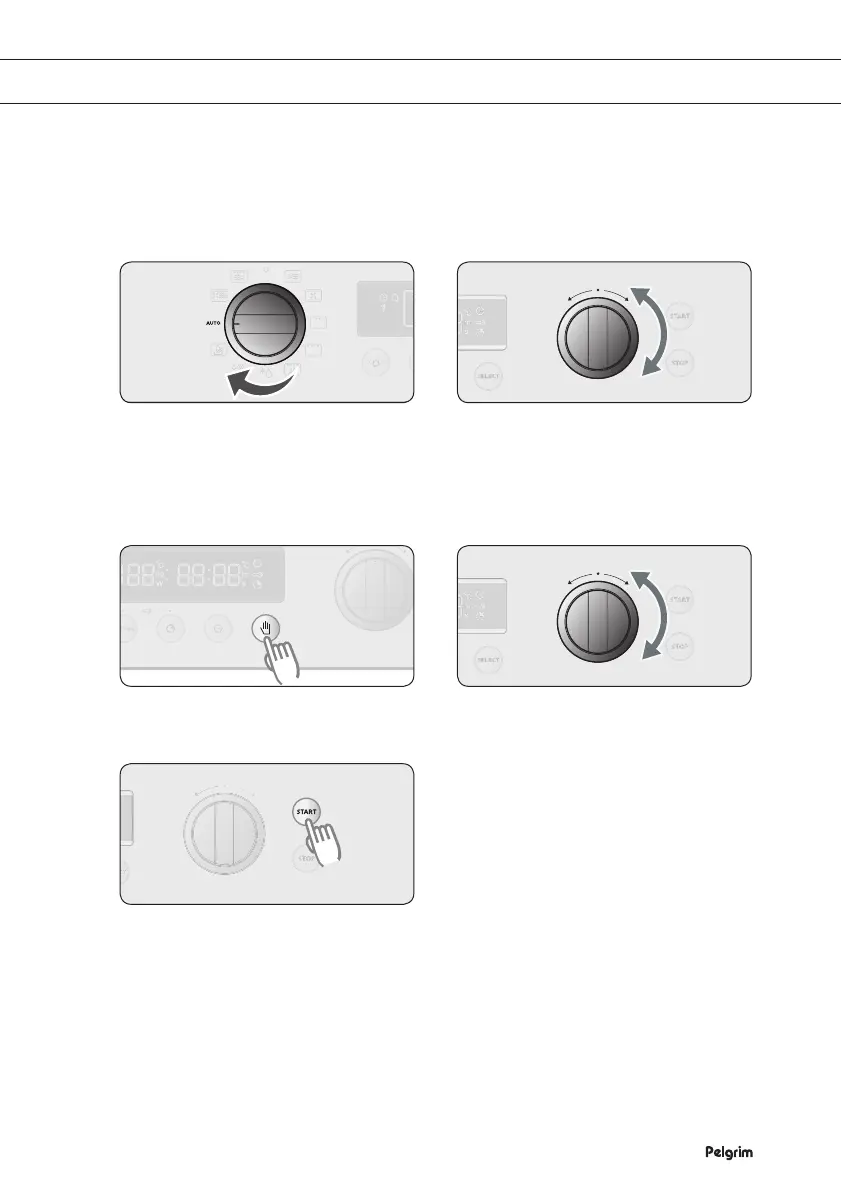
Turn the SETTING SELECTOR KNOB
to the AUTOMATIC PREPARATION
setting.
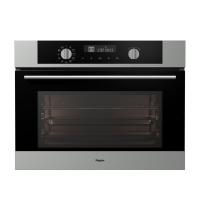
Turn the FUNCTION SELECTOR
KNOB to choose an automatic
preparation function.
•
Consult the tables for a description
of the 25 automatic menu settings.
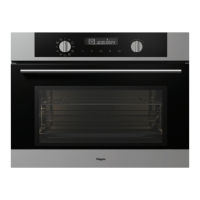
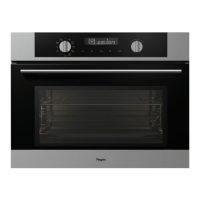
Press SELECT to change the weight. Turn the FUNCTION SELECTOR
KNOB to set the desired weight.
Press START.
Note
•
Some automatic menus require no further action. Other menus require the dish to be turned
over. The oven gives a signal to indicate this.
•
The set oven temperature and the preparation time are displayed when the automatic menu
is active.
•
The temperatures and times cannot be changed during the preparation.
1
2
USING THE AUTOMATIC MENU SETTINGS
5
3 4


 To Next Page