EN 33
USING THE COMBI FUNCTIONS
Microwave + hot air
In this setting, the microwave function is combined with hot air. This reduces the preparation
time and dishes obtain a brown, crispy layer. This function is suitable for all types of meat
and poultry, but also for casseroles, au gratin casseroles, roast beef, biscuit dough and light
fruitcakes, tarts and crumble desserts.
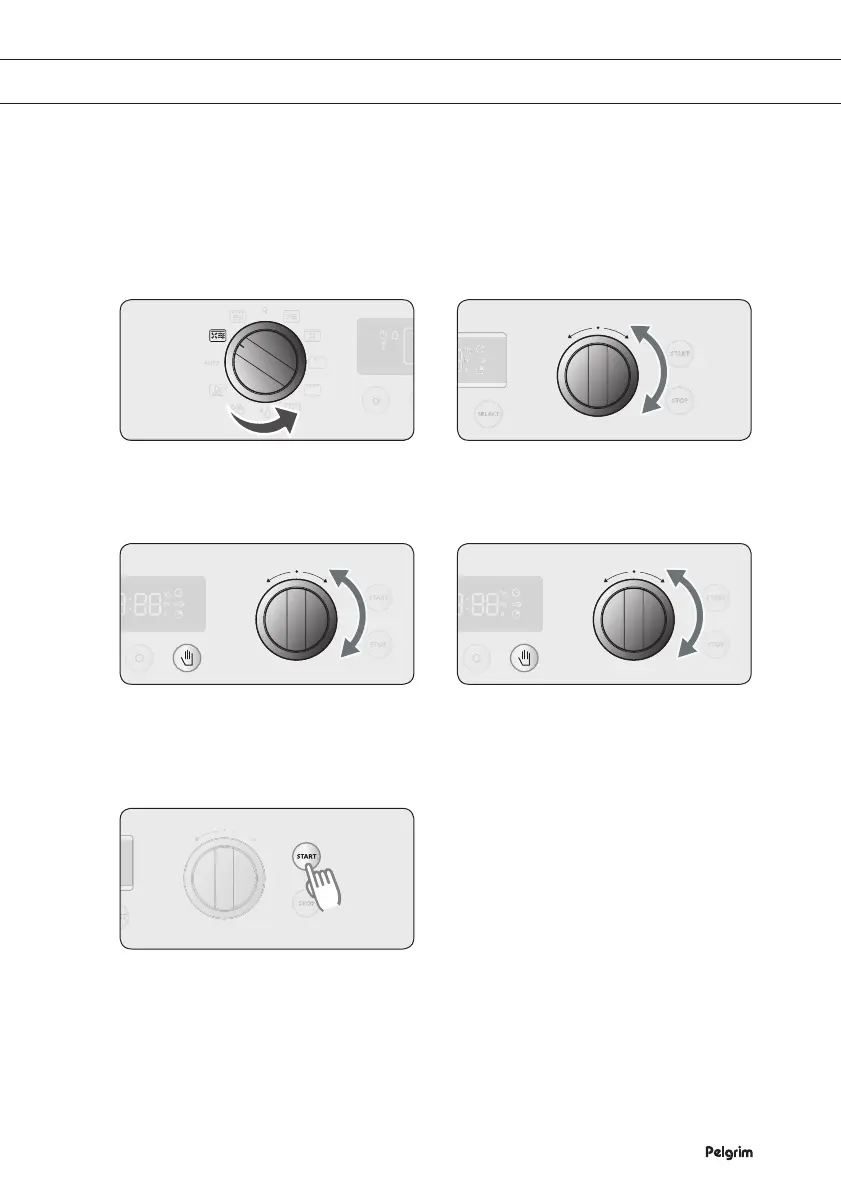
Selecting the microwave + hot air function
Turn the SETTING SELECTOR KNOB
to the microwave + hot air setting.
Turn the FUNCTION SELECTOR
KNOB to set the preparation time you
want.
If you want to change the power,
press SELECT and turn the
FUNCTION SELECTOR KNOB to the
level you want.
If you want to change the temperature,
press SELECT again and turn the
FUNCTION SELECTOR KNOB to the
level you want.
Press START to start the preparation.
1 2
3 4
5


 To Next Page