PRUNING SHEARS AND 150 BATTERY VINION & PRUNION
26_116772-H
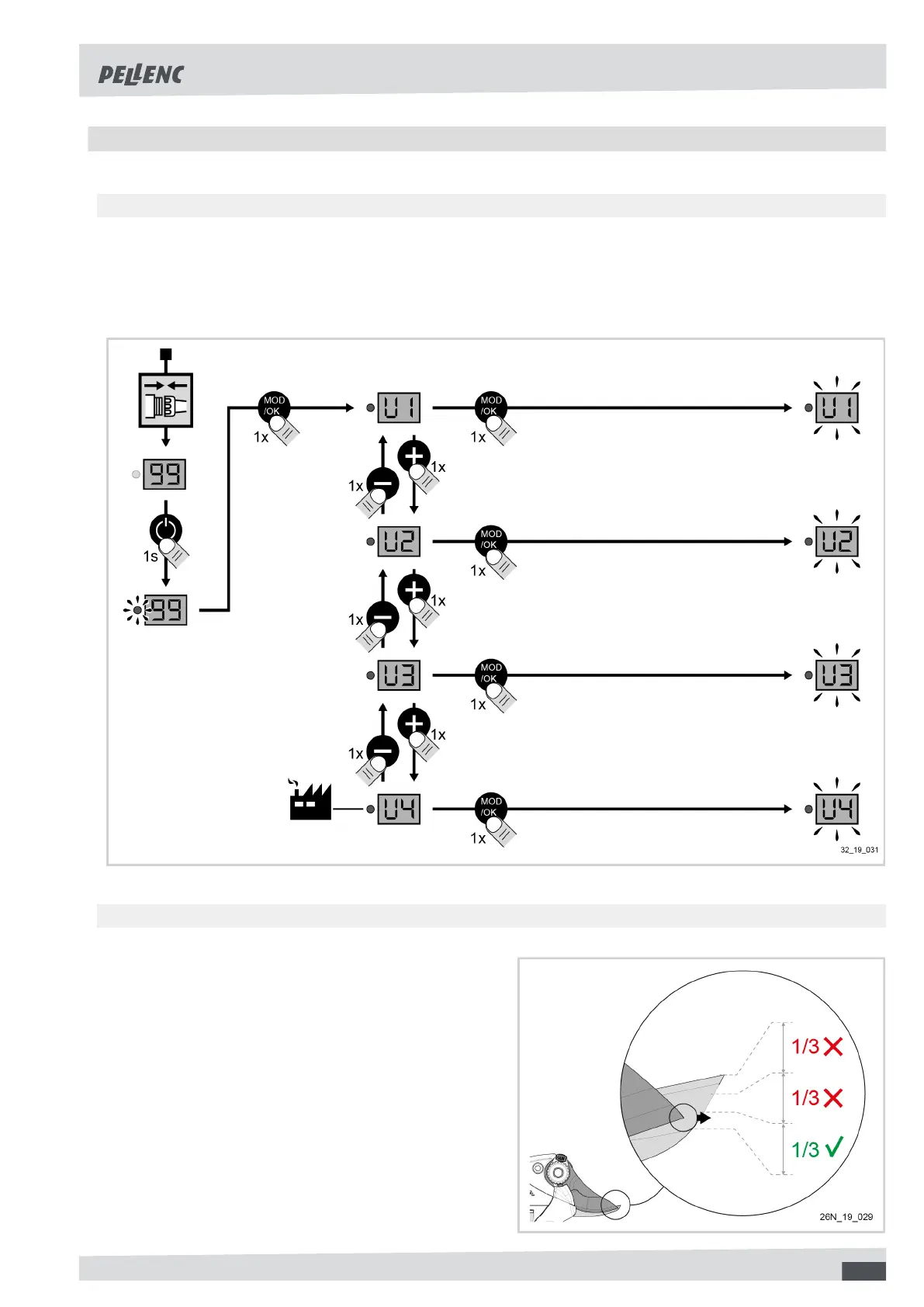
5.4. CHANGING MODE
5.4.1. U1 / U2 / U3 / U4 MODES
1. Turn the battery on, with the tool connected,
2. Press the "mode" button,
3. Choose modes U1, U2, U3 or U4 by pressing + or -,
4. Press the "mode" button to validate.
5.4.2. "FUNCTIONAL" SETTING MODES
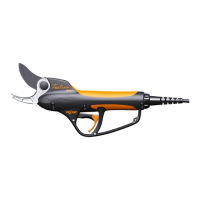
F5 Mode: Blade crossing adjustment
1. Turn the battery on, with the tool connected,
2. Press the "mode" button,
3. Select function F5, by pressing + or -,
4. Press the "mode" button,
5. Press + or - to adjust the blade crossing,
6. Press the "mode" button.
21



 To Next Page