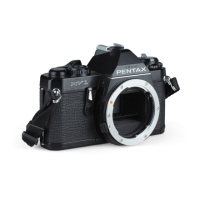
23800 /3616
ASAHI PENTAX MX (23800)
Curtain assembly
1. Curtain inspection
Check if Aron-alpha is applied to curtain string as shown in
Figure.
Aron-alpha is applied to increase durability.Curtain string
should be, bent parallel with shutter curtain.
2. Install 1st and 2nd pinion shafts (0-E2, 0-E7), (0-E118), (0-E108), (0-E135) and 2nd curtain assembly
(0-E38) to Top mec.plate assembly (0-C1).
3. Install Top mec.plate assembly (0-C1) to camera body temporarily.
4. Give slight tension to 2nd curtain.
5. Install 1st curtain assembly (0-E36) and Curtain plate assembly (0-A25).
Give slight tension to 1st curtain.
Arrangement of both curtains is opposite from SP type
camera.
Install 1st curtain (0-E36) engaging 2nd curtain string
with the rollers.
6. Removing Top mec.plate assembly (0-C1) from camera body for a while, engage 1st curtain string with
the 2nd curtain pinion rollers and re-install Top mec.plate assembly (0-C1) to camera body without
slipping off the string from rollers.
7. 2nd curtain hold position — with shutter cocked 2nd curtain should stay at 5mm distant from picture
frame when High speed lever hooks Bottom selector gear assembly (0-E124).
Adjust the position of 2nd curtain with changing the coupling between 2nd pinion gear and (0-E124).
8. Install Top selector gear assembly (0-E113) with shutter released, facing the retainer screws of 1st
curtain pinion 45
°
forward.



 To Next Page