122
4
Taking Pictures
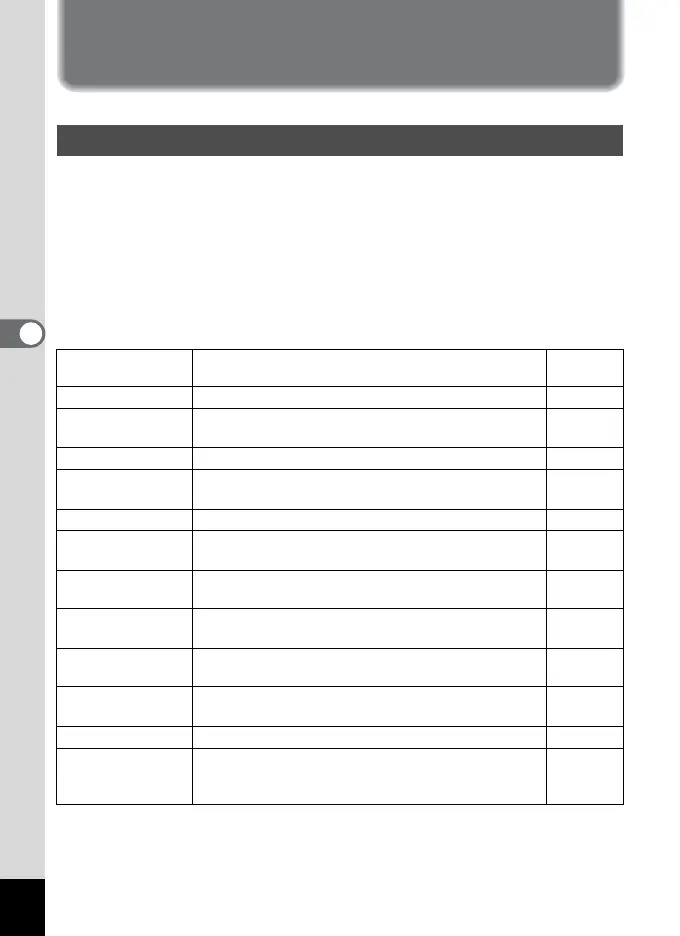
Saving the Settings
You can save the settings for the menus after turning off the camera
(Memory function).
Select [O On] to save the setting for the menu items after turning off the
camera.
Select [P Off] to reset the setting for the menu items to the default after
turning off the camera.
You can set [
O On] or [P Off] to each menu item listed below.
The menu items for Memory
Saving the Menu Items (Memory)
Item Description
Default
Setting
Flash Mode The flash mode setting on the b button is saved.
O
Drive Mode
The drive mode setting (gj, etc.) selected using the
four-way controller (2) is saved.
P
Focus Mode The focus mode setting on the q button is saved.
P
Zoom Position
The optical zoom position setting on the zoom button
is saved.
P
MF Position The manual focus position is saved.
P
White Balance
The [White Balance] setting on the [A Rec.Mode]
menu is saved.
P
AE Metering
The [AE Metering] setting on the [A Rec.Mode] menu
is saved.
P
Sensitivity
The [Sensitivity] setting on the [A Rec.Mode] menu is
saved.
P
EV Compensation
The [EV Compensation] setting on the
[A Rec.Mode] menu is saved.
P
Digital Zoom
The [Digital Zoom] setting (On/Off) on the
[A Rec.Mode] menu is saved.
O
DISPLAY The LCD monitor display mode is saved. P
File #
The file number is saved. Even when a new SD
Memory Card is inserted, file numbers are assigned
sequentially.
O








 To Next Page