172
7
Settings
Settings
Camera Settings
You can display an image recorded with the camera as the start-up
screen when the camera is turned on.
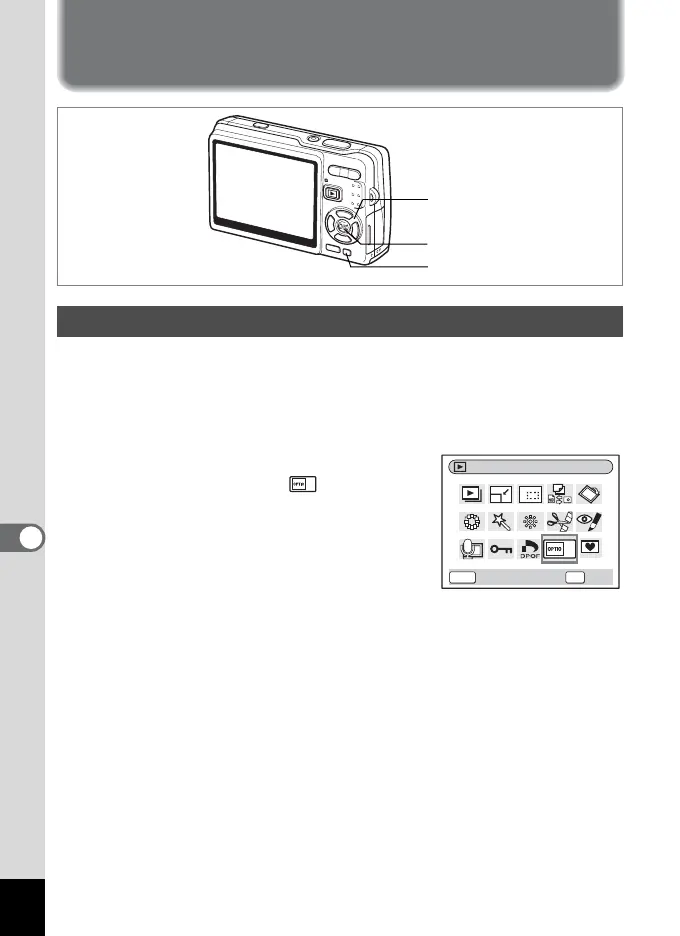
1 Press the four-way controller (3) in Playback mode.
The Mode Palette appears.
2 Press the four-way controller
(2345) to select (Start-up
Screen).
3 Press the OK button.
The screen for setting start-up screen
appears.You can select from five different
types of start-up screens, including [USER] and [Off].
Setting Up the Start-up Screen
Four-way controller
OK button
Green button
Start-up Screen
OKMENU
OK
Cancel








 To Next Page