20
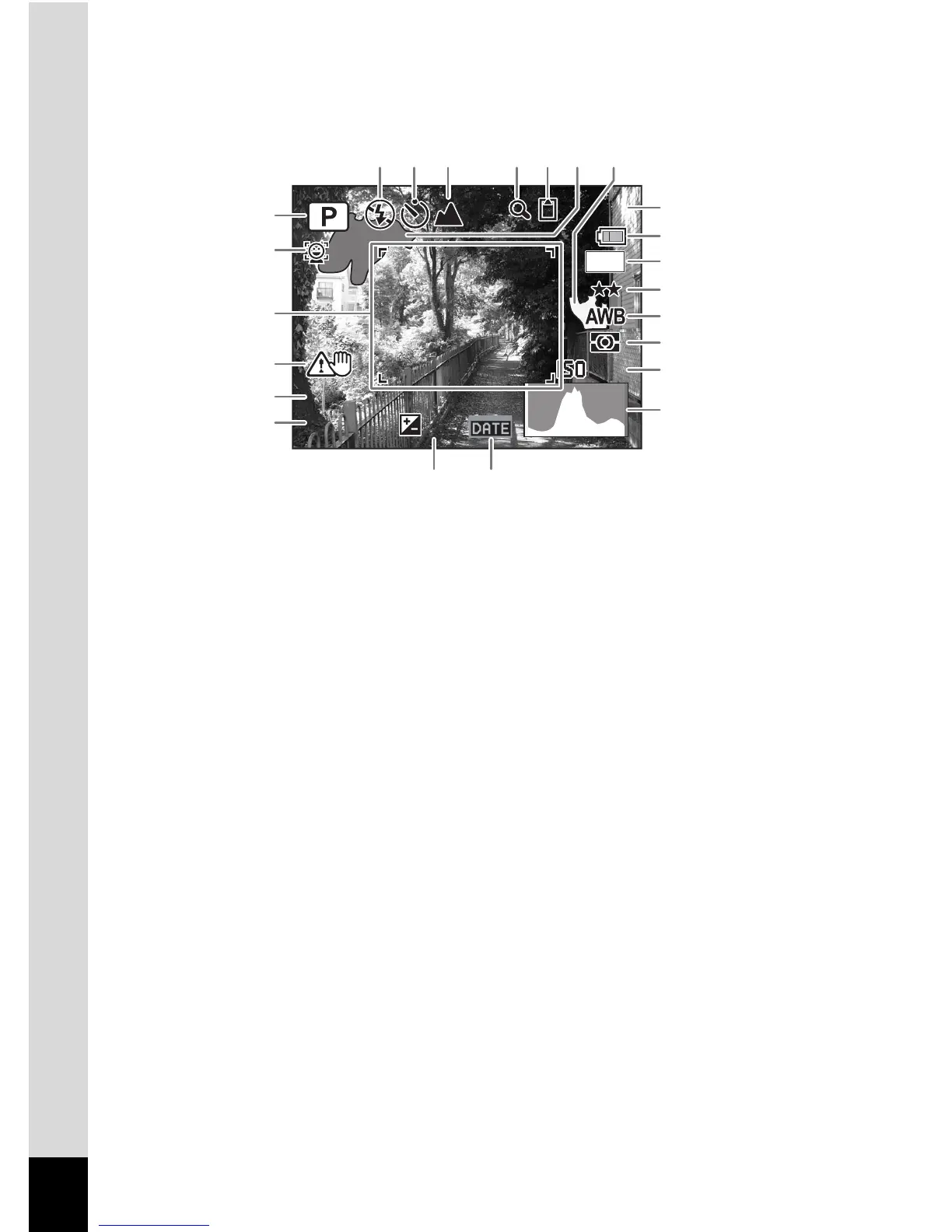
Histogram + Info/No Info Display in Still Picture Capture Mode
A1 to A20 and B1 appear when “Histogram + Info” is selected.
Only B1
appears when “No Info” is selected.
* In “Histogram + Info”, A3 appears only if you press the shutter release
button halfway when camera shake is likely to occur.
* B2 and B3 appear only when the shutter release button is pressed
halfway.
* When the shooting mode is b (Auto Picture) and if you press the
shutter release button halfway, the selected shooting mode appears in
A1 even when “No Info” is selected (p.65).
* Some indications may not appear depending on the shooting mode.
A1
Shooting mode (p.60)
A12
Battery level indicator (p.30)
A2
Face Priority icon (p.63)
A13
Recorded pixels (p.94)
A3
Camera shake warning
A14
Quality level (p.96)
A4
Flash mode (p.89)
A15
White balance (p.98)
A5
Drive mode (p.81, p.82)
A16
AE Metering (p.100)
A6
Focus mode (p.91)
A17
Sensitivity (p.101)
A7
Digital zoom/
Intelligent zoom icon (p.69)
A18
Histogram (p.23)
A19
EV compensation (p.97)
A8
Memory status (p.37)
A20
Date Imprint setting (p.106)
A9
Bright portion (blinks red) (p.24)
B1
Focus frame (p.58)
A10
Dark portion (blinks yellow) (p.24)
B2
Shutter s
peed
A11
Remaining image storage capacity
B3
Aperture
F3.5



 To Next Page