96
3
Taking Pictures
You can select the quality (compression rate) of still pictures.
The more stars, the lower the compression rate and the clearer the
picture, but the file size becomes larger. The recorded pixels setting also
affects the file size (p.94).
Refer to the following table for the appropriate settings according to use.
l
The default setting is D (Better).
1
Press the 3 button in A mode.
The [A Rec.Mode] menu appears.
2
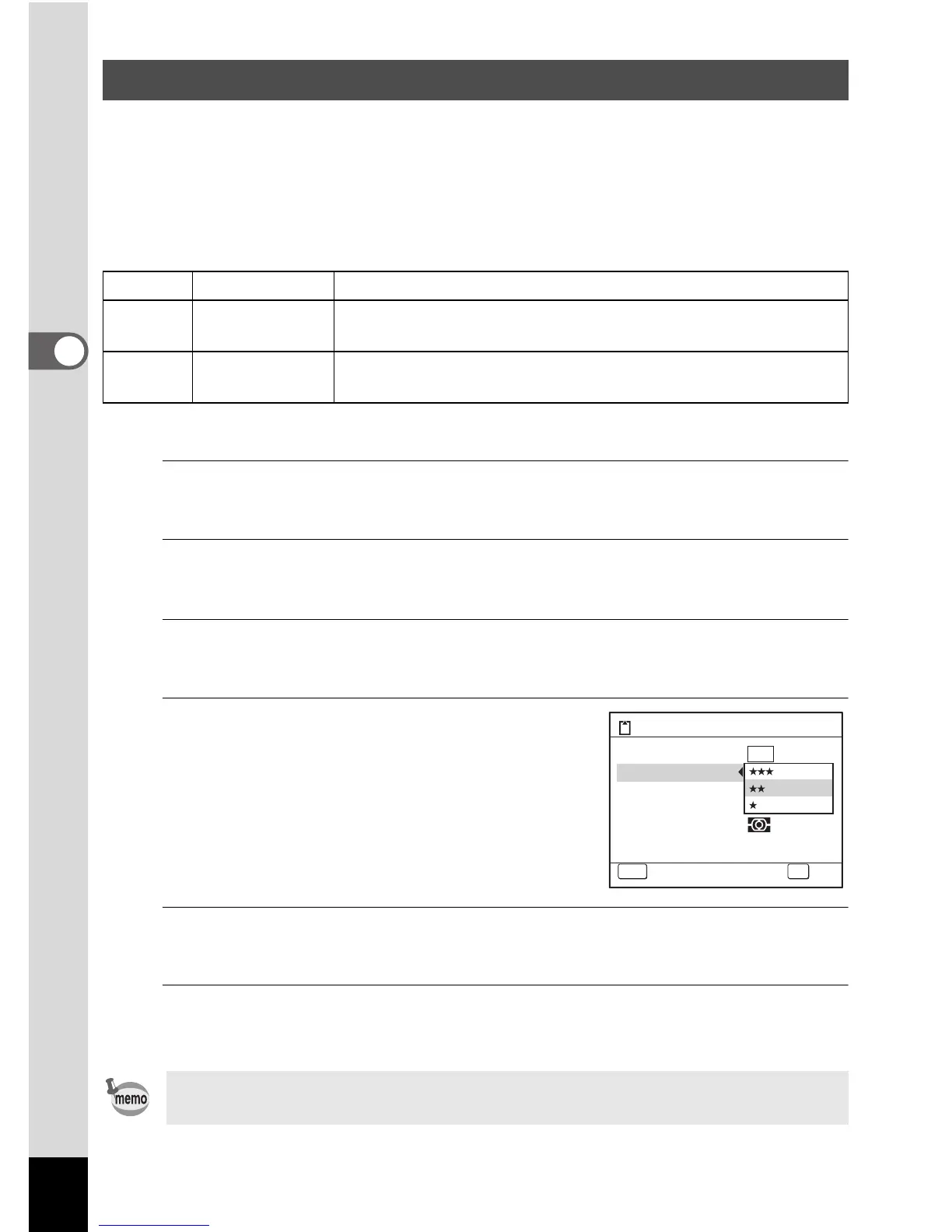
Use the four-way controller (23) to select [Quality
Level].
3
Press the four-way controller (5).
A pull-down menu appears.
4
Use the four-way controller (23)
to change the quality level.
5
Press the 4 button.
The setting is saved.
6
Press the 3 button.
The camera returns to capture status.
Selecting the Quality Level
C Best Lowest compression rate. Suitable for photo prints.
D Better
Standard compression rate. Suitable for viewing the image
on a computer.
E Good
Highest compression rate. Suitable for posting on
a website or attaching to e-mail.
If you change the [Quality Level] setting frequently, you can save time by
assigning it to the Green button (p.108).
13
MENU
10
M
Storage Capacity
Cancel
Recorded Pixels
Quality Level
White Balance
AE Metering
Sensitivity
Auto
Focusing Area
OK
OK



 To Next Page